Quiz Challenge
Overview
Quiz Challenges (formerly MCQ Challenges) allow you to bundle specific questions from your Quiz Bank into a structured evaluation format. These challenges are highly versatile and can be used for broad skill screening or deep domain-knowledge testing.
In addition to traditional Multiple Choice Questions (MCQs), quizzes now support Short Answer and Comprehension question types, providing a more comprehensive evaluation of candidate knowledge.
Configuration Process
Creating a Quiz challenge involves a four-step guided workflow:
Step 1: Define Purpose
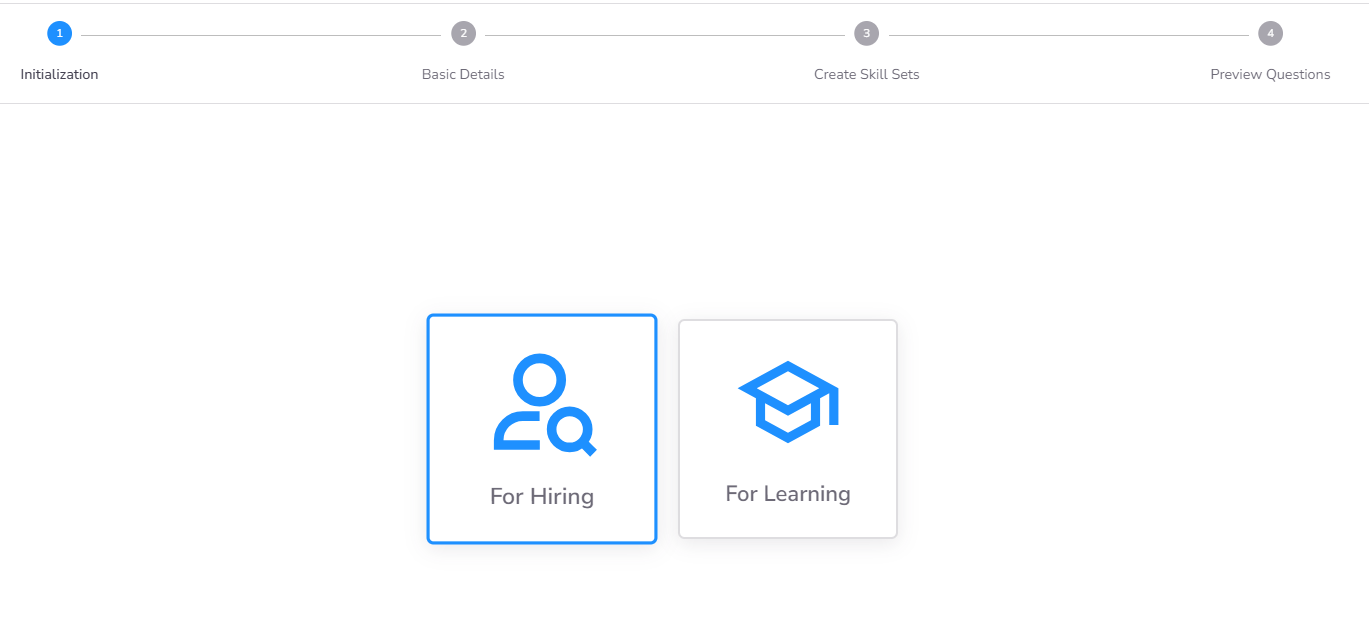
Determine the primary objective of the challenge:
- Hiring Purpose: Used in Assessments and Contests to evaluate external candidates.
- Learning Purpose: Used in Courses for internal employee upskilling and knowledge validation.
Step 2: Basic Details
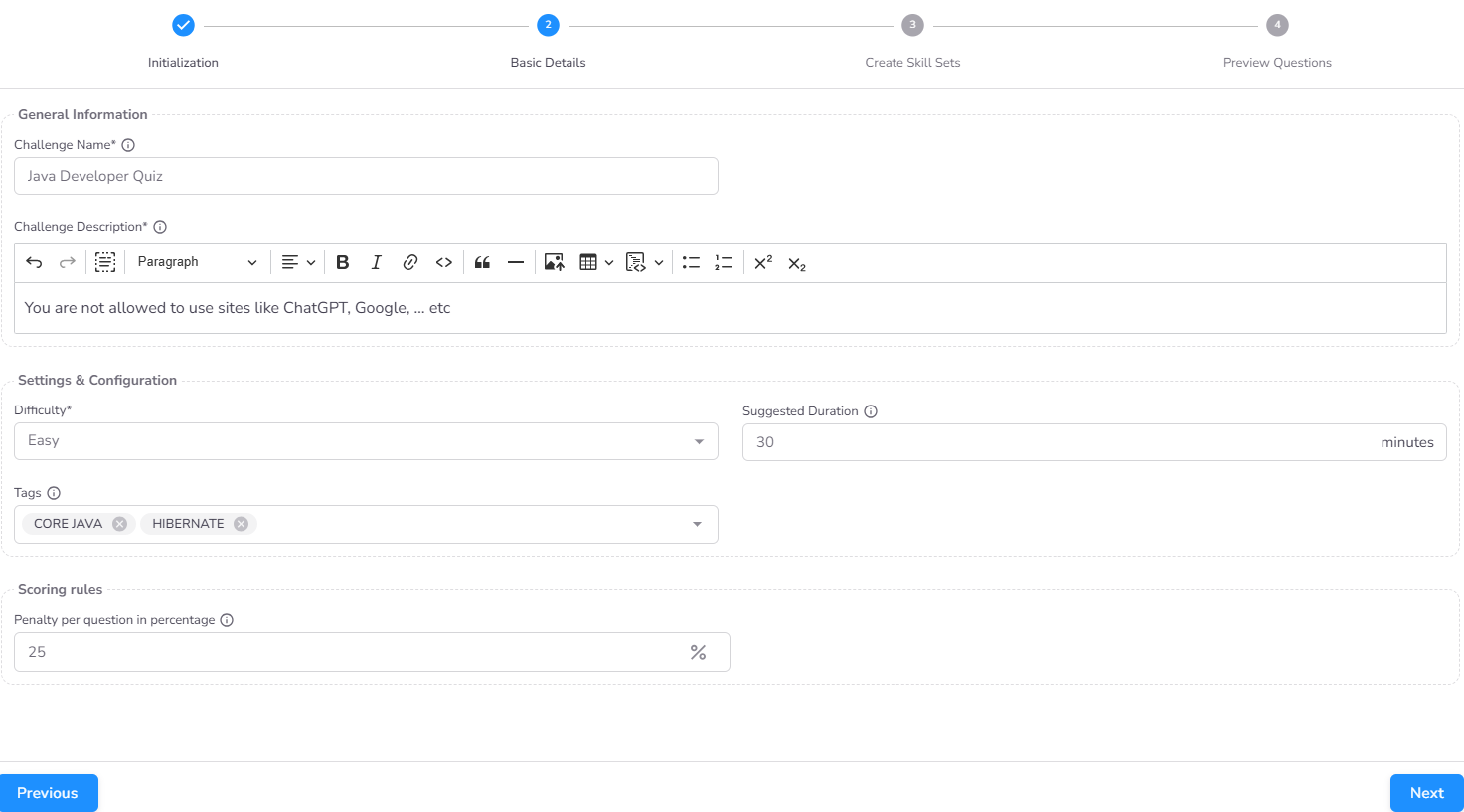
Provide the core metadata and session constraints:
- Name and Description: These details are visible to candidates during the assessment.
- Difficulty and Duration: Set the expected complexity level and the total time allowed for the challenge.
- Tags: Assign appropriate tags for easy categorization in the library.
- Penalty (Optional): Configure negative marking rules for incorrect answers to discourage guessing.
Step 3: Skill Set Configuration
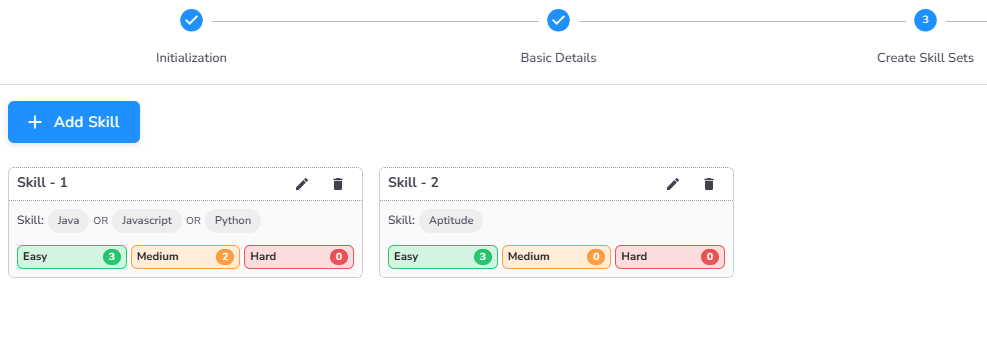
Define the content of your challenge by aggregating questions from various technical domains. You can build robust Skill Sets by combining resources from multiple sources:
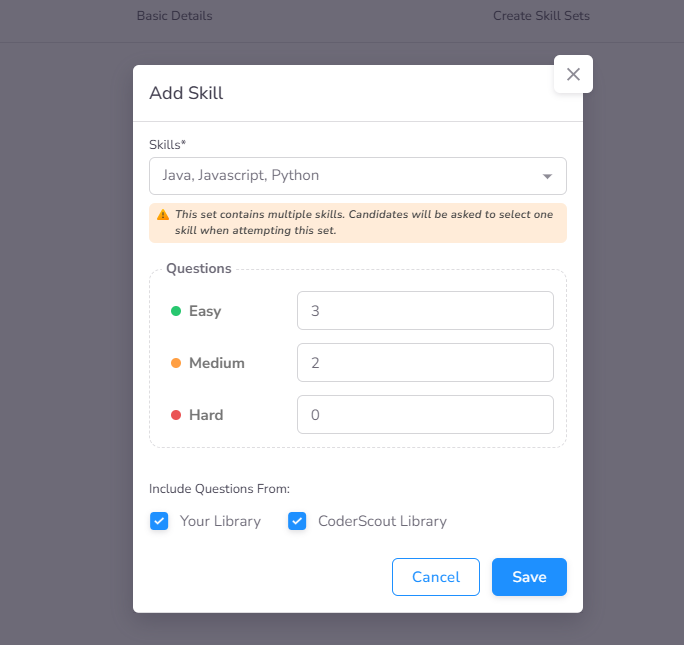
- Select Skills: Choose relevant topics from the CoderScout Library or your organization's custom My Library. You can add multiple skills to a single skill set (e.g., combining "Java" and "Python"). Candidates can only choose one skill from the skill set to answer.
- Define Distribution: For each selected skill, specify the exact number of questions to include based on difficulty tiers and question types:
- MCQ: Traditional multiple-choice format.
- Short Answer: Candidates provide a concise text-based response.
- Comprehension: Evaluation based on a provided passage or context.
- Difficulty Tiers: Easy, Medium, and Hard.
Skill Summary
Once configured, the system provides a bird's-eye view of all selected skill sets, allowing you to review the total question count and difficulty balance before finalizing.
Step 4: Review and Finalize
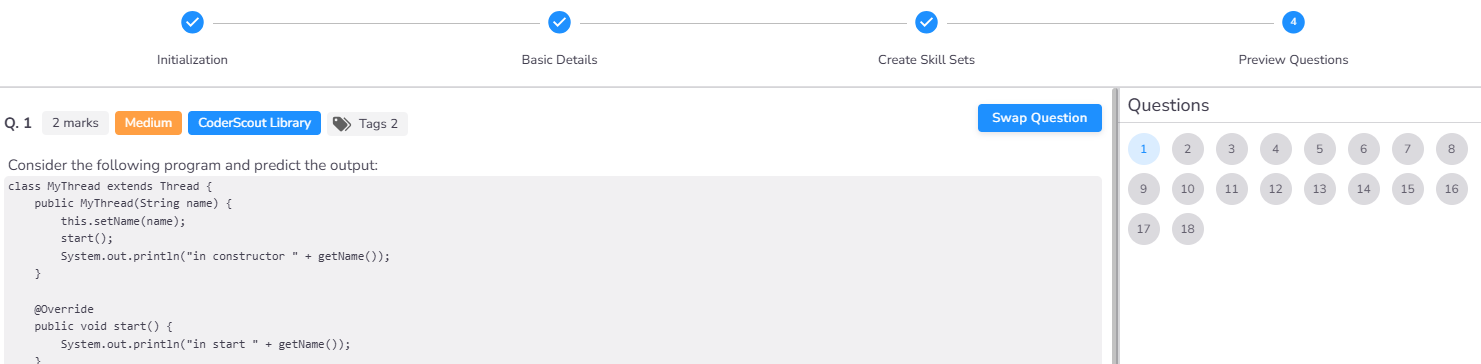
The final step provides questions based on the skillsets configured. If you don't like any particular questions, you can swap them with other available questions.