Evaluation Templates
Overview
Evaluation Templates allow you to define and save standardized assessment workflows. Instead of manually adding and configuring stages for every new assessment or contest, you can import a pre-defined collection of stages in a single step.
Templates ensure consistency across hiring drives and significantly reduce the time required to launch new evaluations.
Configuring a Template
A template acts as a blueprint for your assessment. When building a template, you define the sequence of stages (e.g., Quiz, Programming, Interview) and their core settings.
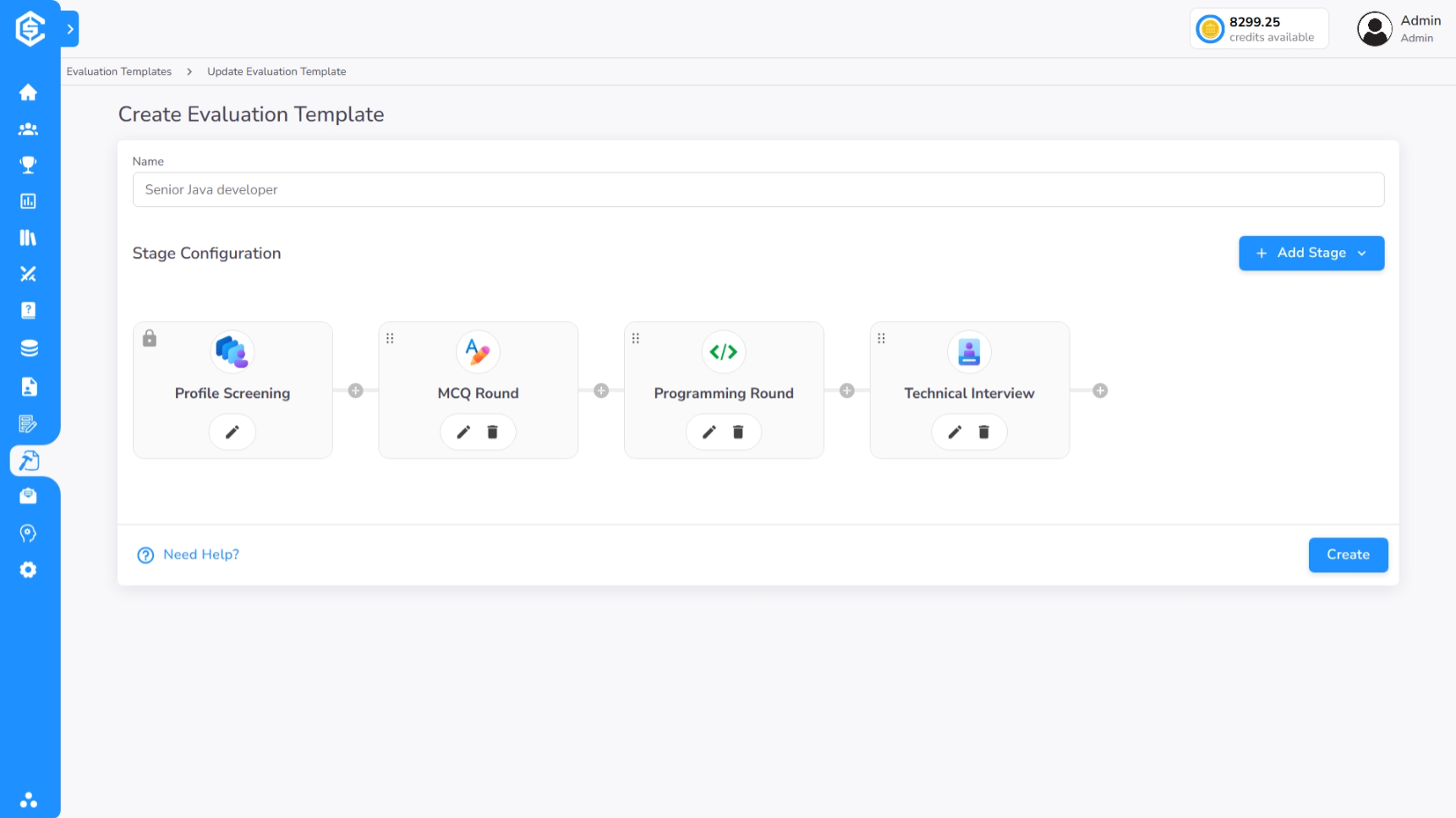
Selection Criteria vs. Specific Challenges
Unlike standard assessment configuration where you hand-pick specific challenges, Evaluation Templates offer a more dynamic approach:
- Dynamic Selection: You can define Selection Criteria such as specific Difficulty levels, technical Tags, and restricted Programming Languages.
- Automated Generation: When a user selects the template to create an assessment/contest, CoderScout's engine can automatically select challenges from the library that match your predefined criteria and duration.
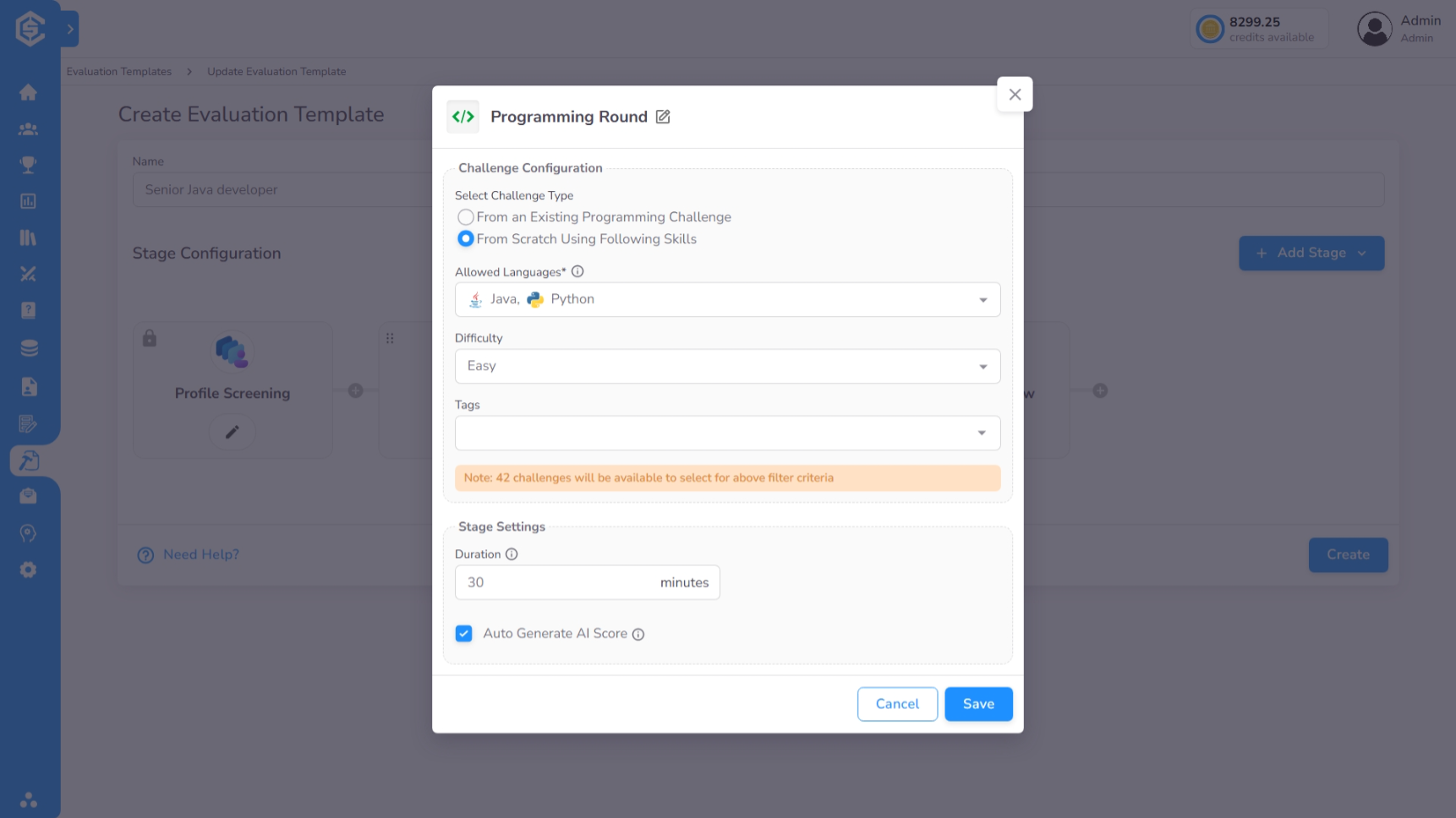
Usage in Assessments/Contests
During the second step of Creating an Assessment/Contest, you can choose to Import from Template. This will instantly populate your assessment with the pre-configured stages, durations, and technical constraints defined in your template, which can then be further refined if necessary.