Application Forms
Overview
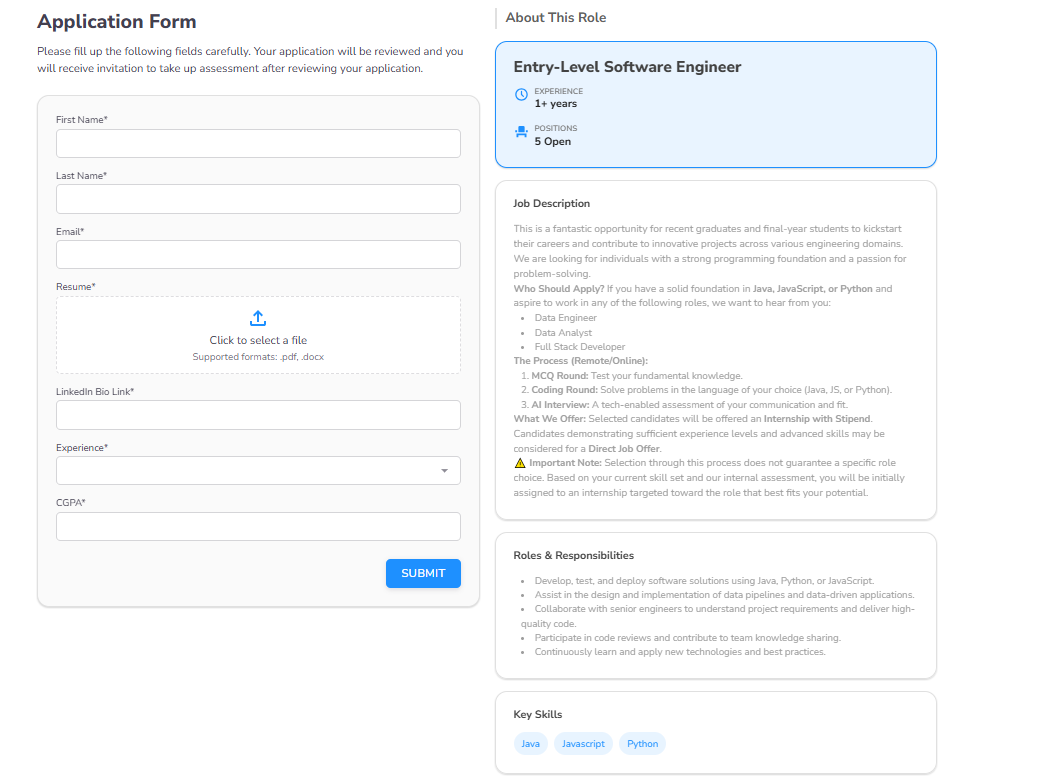
Application Forms allow you to capture specific candidate information and qualify applicants before they enter an assessment or contest.
Forms are managed via the Application Forms section in the sidebar library.
Configuring Form Instructions
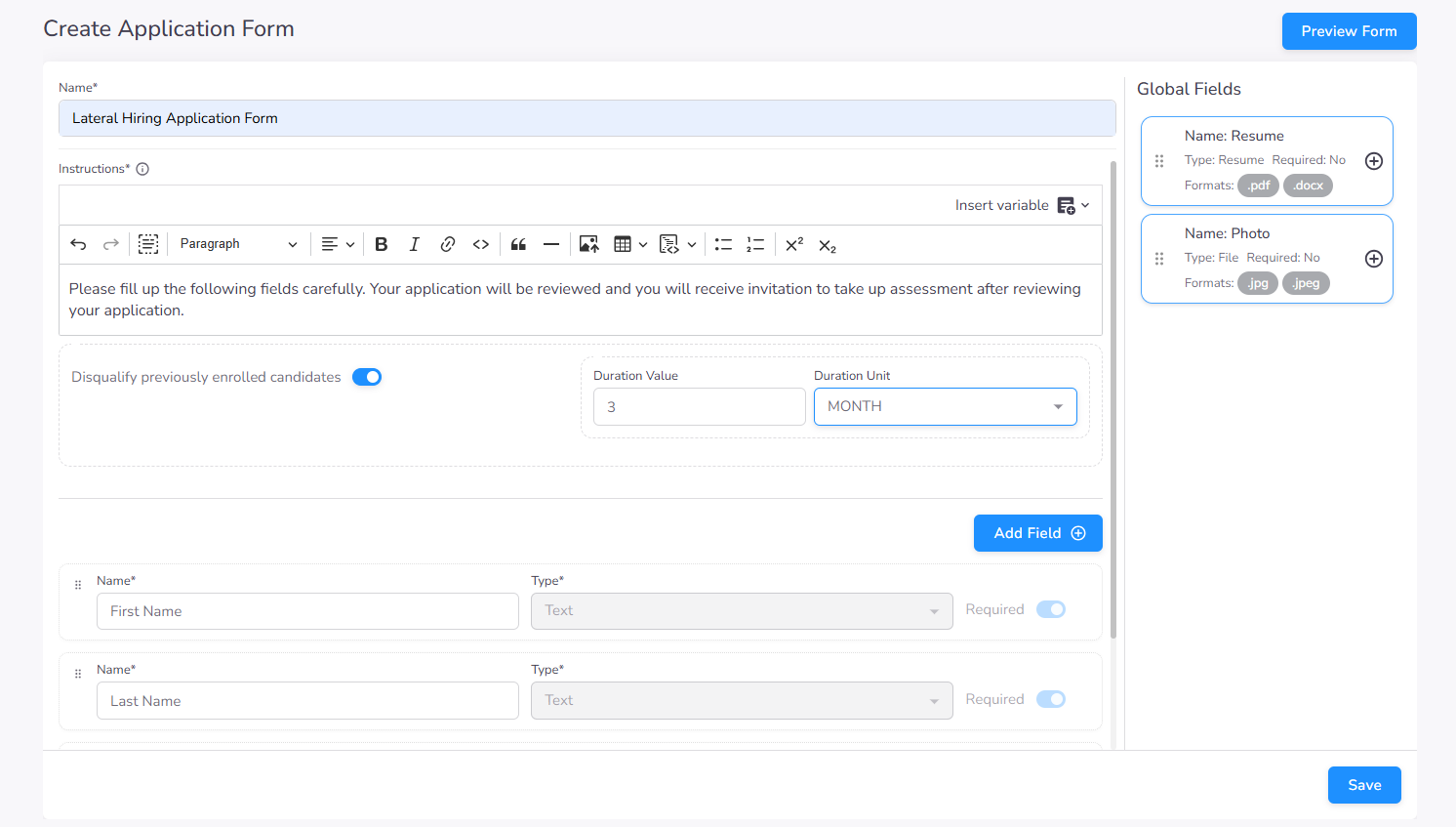
Each form includes an instruction section visible to candidates before they begin their application.
Disqualification Criteria
You can define automated disqualification rules to filter out ineligible candidates. For example, you can restrict candidates who have already applied within a specific number of months (cooling-off period).
Form Fields
Application forms support a variety of field types to capture and validate candidate data.
Adding Fields
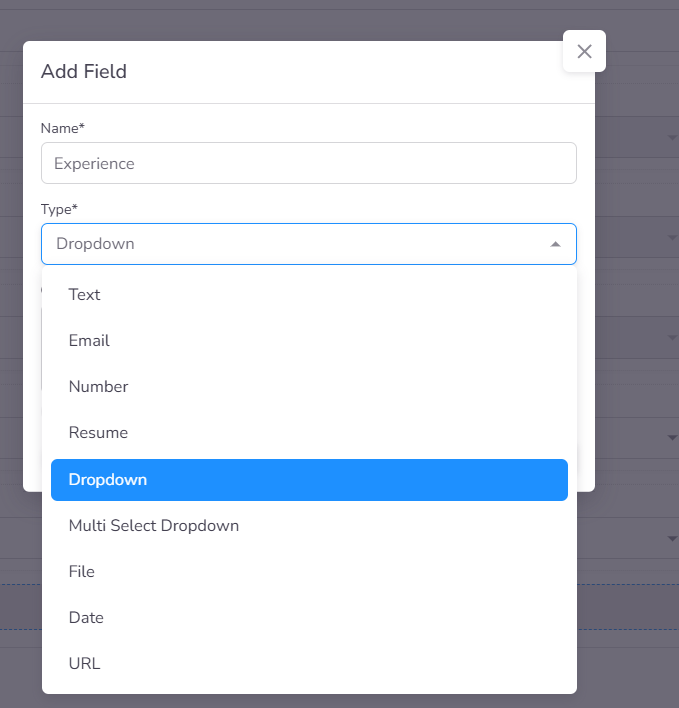
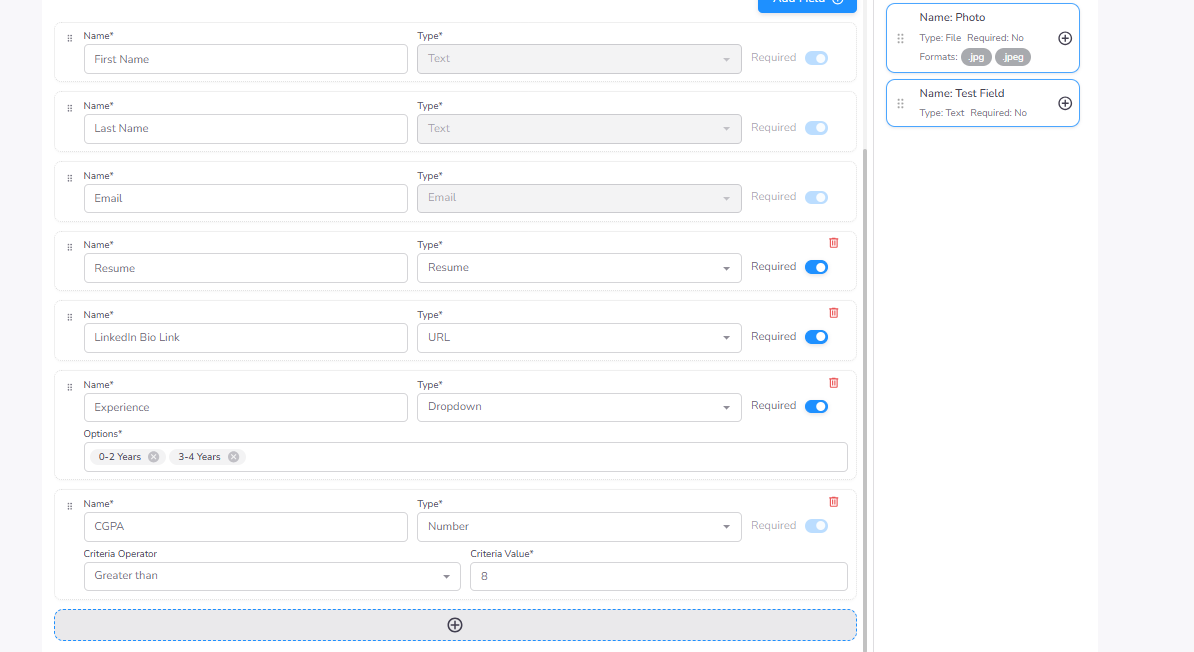
When adding a field, you can select the appropriate type and define specific validation criteria. For number-based fields, you can set minimum or maximum value requirements to qualify candidates automatically.
Field Examples
Common field types include:
- Text-based inputs (Name, Email, etc.)
- Numerical values with criteria
- File uploads (Resumes, Portfolios)
- Selection lists (Dropdowns, Checkboxes)
Candidate Experience
The application form is presented to candidates in a structured, user-friendly layout. It enforces mandatory field requirements and evaluates qualification criteria in real-time. Upon successful submission, candidates are processed according to the assessment workflow—either advancing to the next stage or being filtered based on the pre-defined disqualification rules.