Databases
Overview
Databases define the environment where candidate SQL queries are executed and validated. CoderScout currently uses PostgreSQL as the primary engine for these evaluations.
Managing Databases
Databases are managed through the Library section in the sidebar. Once created, a single database can be linked to multiple SQL challenges to provide a consistent schema and dataset for candidates.
Configuration Steps
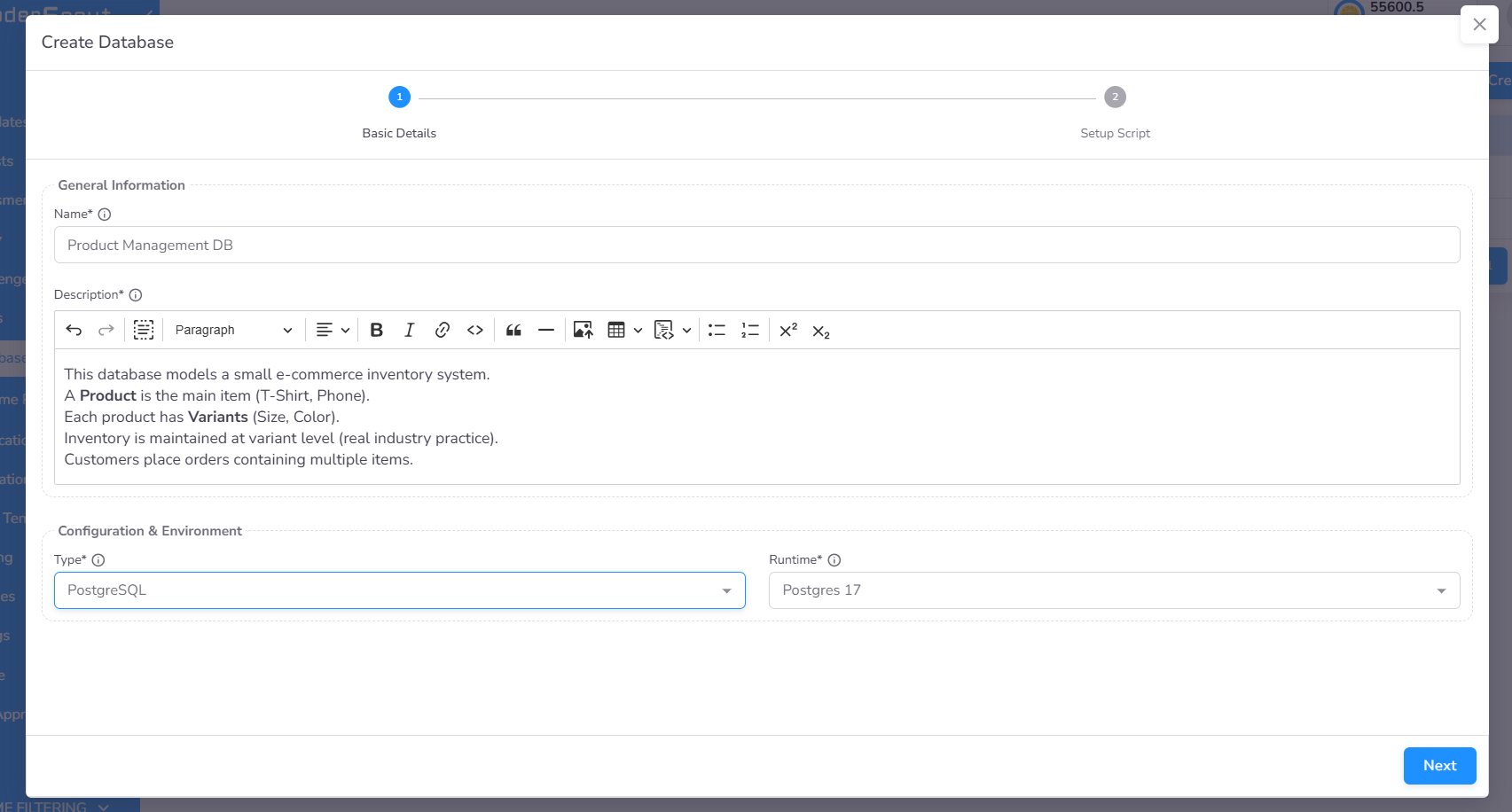
1. Basic Information
Define the identifying details and execution environment for the database:
- Name and Description: Identify and describe the database for internal reference.
- Database and Runtime: Select the database engine (PostgreSQL) and the associated runtime environment.
2. Schema and Data (SQL Script)
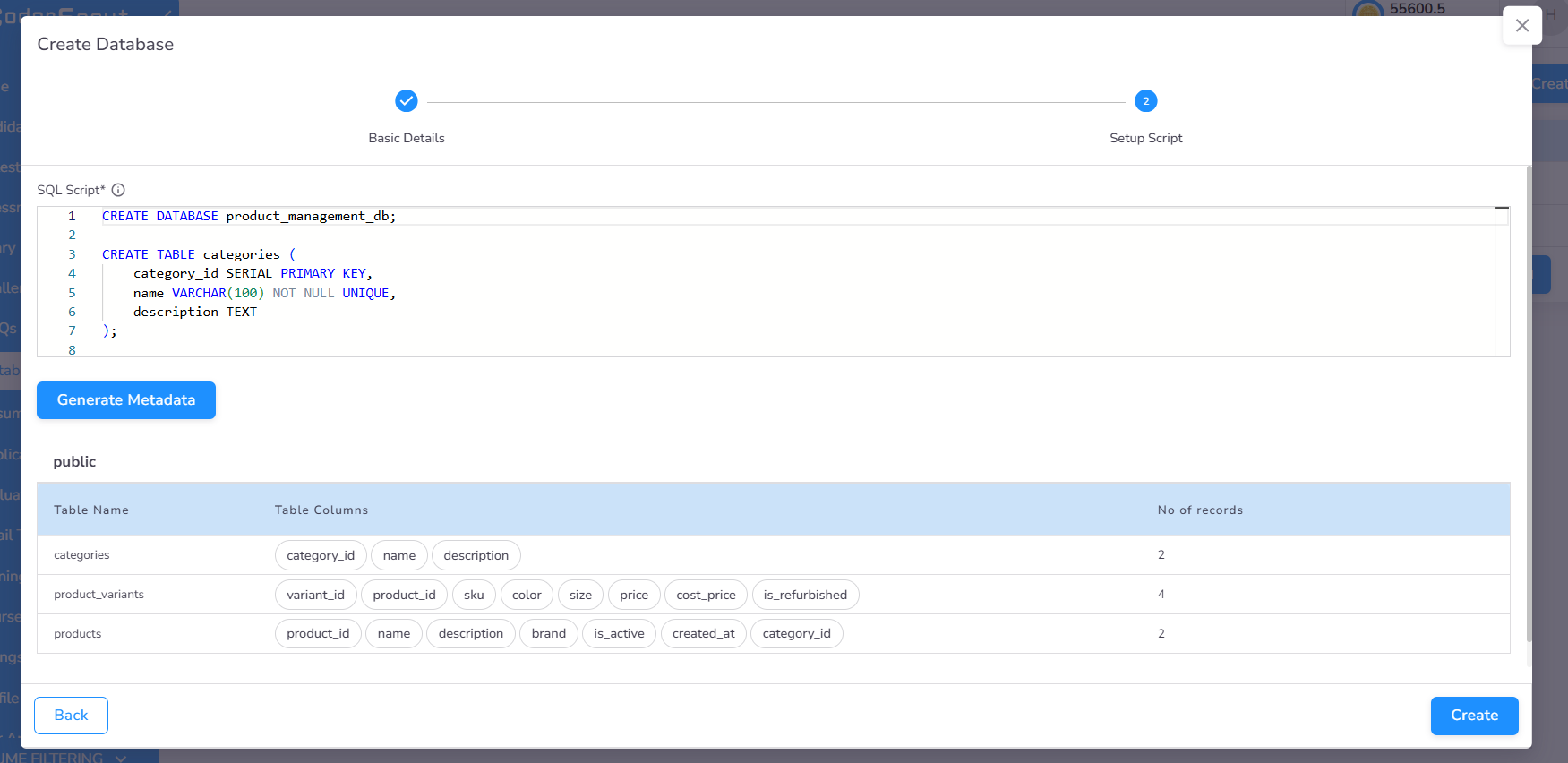
Provide the SQL scripts required to prepare the environment:
- Table Creation (DDL): Scripts to define the table structure, primary keys, foreign keys, and indexes.
- Data Insertion (DML): Scripts to populate tables with sample data.
Role in SQL Evaluation
The configured database serves two primary functions during a challenge:
- Candidate Context: It provides the schema and sample records visible to the candidate while they are solving the problem.
- Automated Validation: Candidate queries are executed against the live database instance. The system compares the results against the expected output to calculate the score.
Next steps
-
Create a data-driven SQL Challenge →
SQL Challenges -
Build a Notebook Challenge with database access →
Notebook Challenges -
Build a DBT Challenge with database access →
DBT Challenges