SQL Challenge
Overview
SQL Challenges evaluate a candidate's proficiency in writing queries, optimizing performance, and managing relational data models. These challenges are executed against live database instances.
Configuration Process
Creating an SQL challenge involves defining the data environment and the specific tasks candidates must perform.
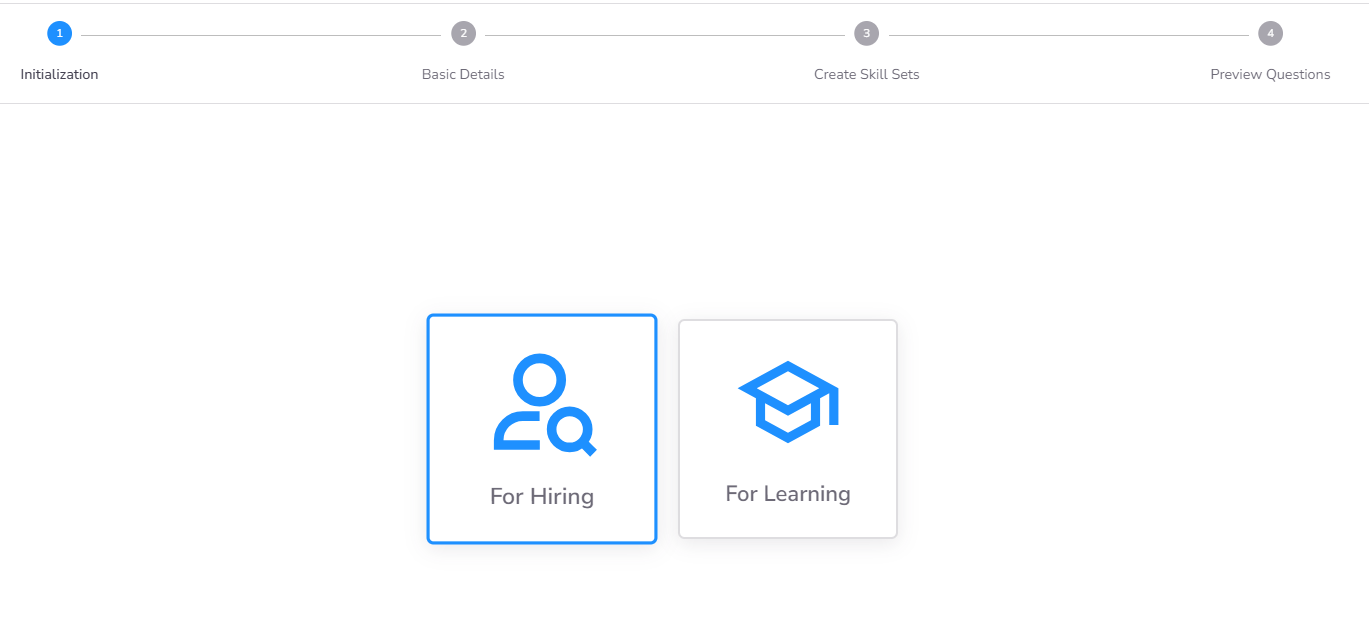
Step 1: Define Purpose
Determine the primary objective of the challenge:
- Hiring Purpose: Used in Assessments and Contests to evaluate external candidates.
- Learning Purpose: Used in Courses for internal employee upskilling and knowledge validation.
Step 2: Basic Details
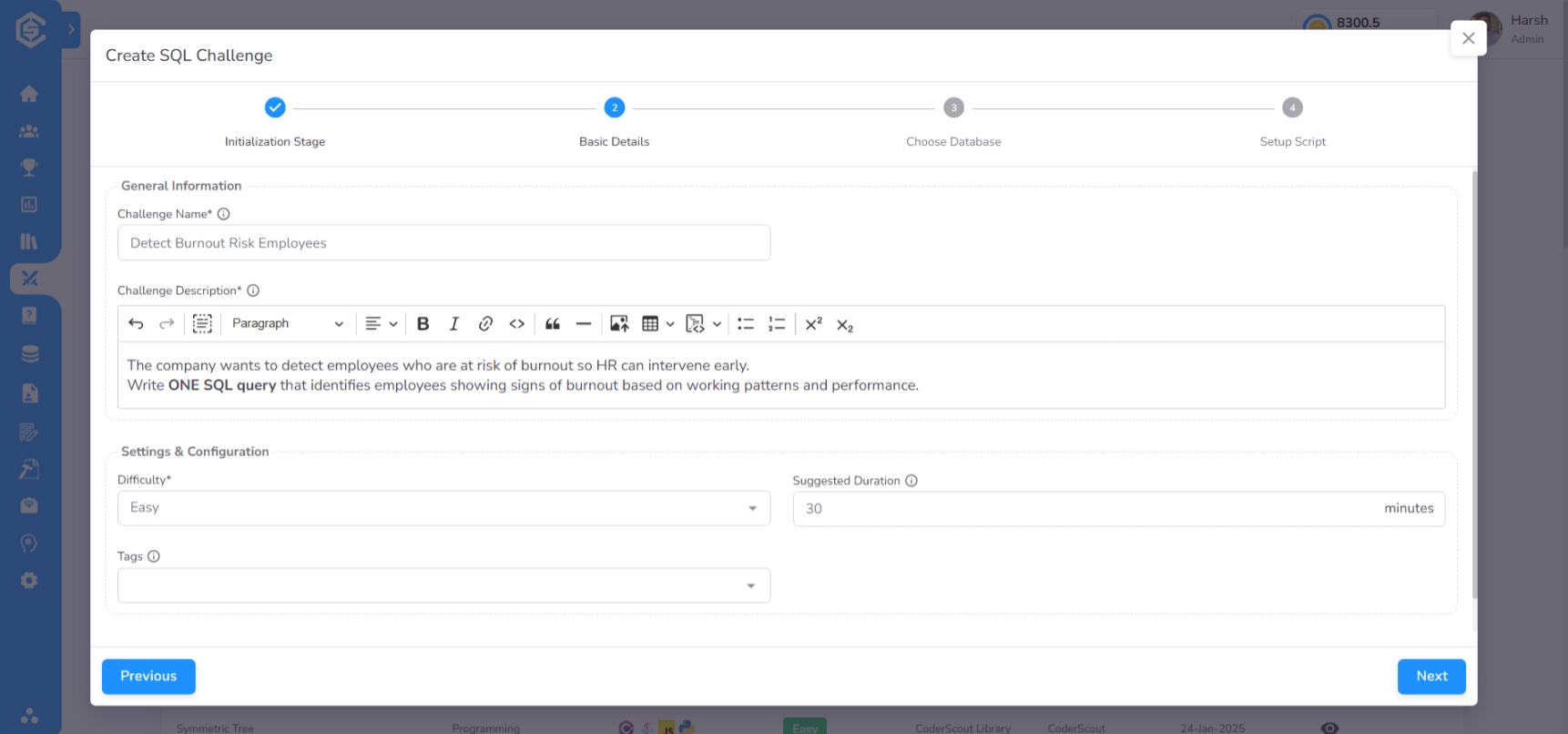
Provide the core metadata and session constraints:
- Name and Description: These details are visible to candidates during the assessment.
- Difficulty and Duration: Set the expected complexity level and the total time allowed for the challenge.
- Tags: Assign appropriate tags for easy categorization in the library.
Step 3: Database Selection
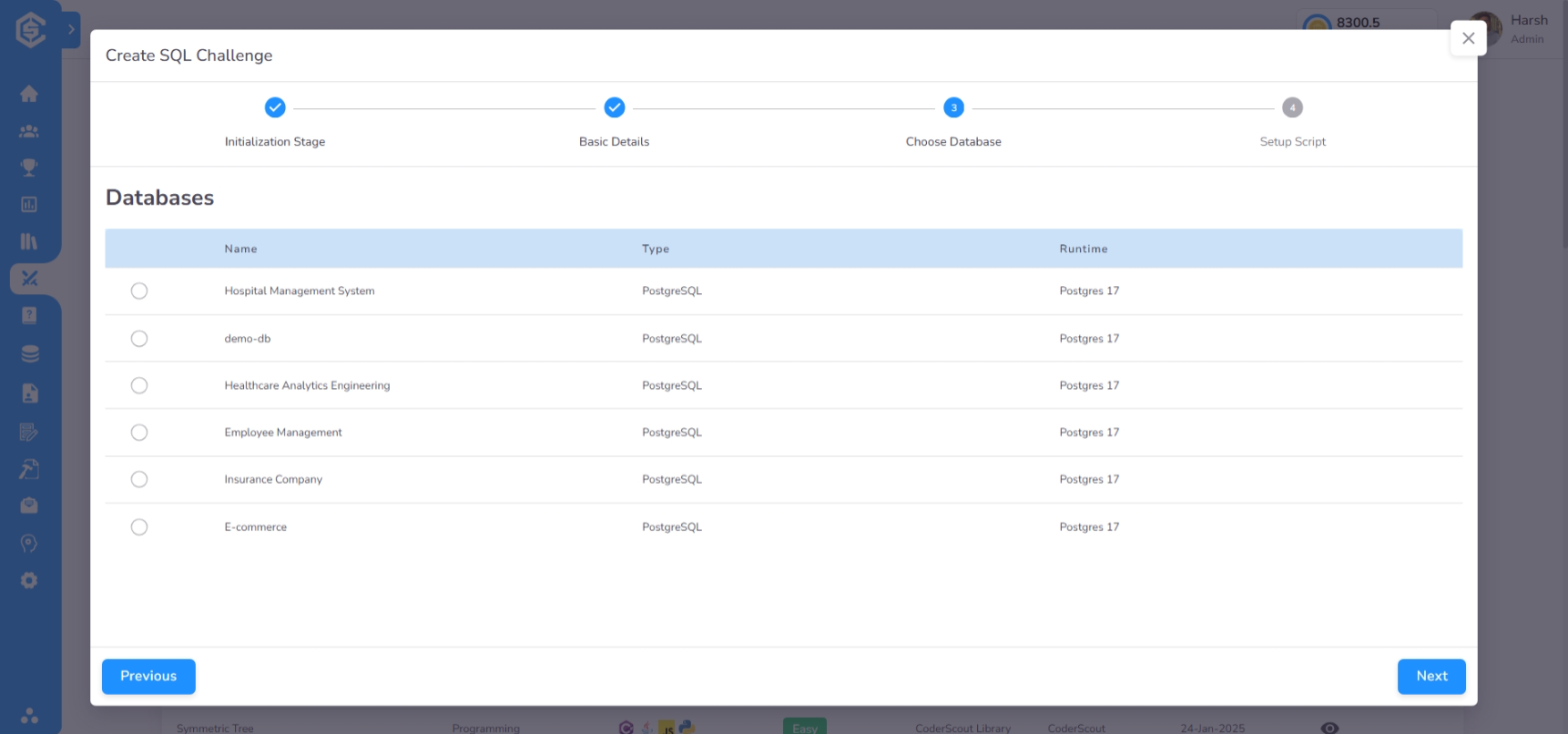
Link the challenge to a pre-configured database environment. This database provides the schema and initial data the candidate will query against.
- Custom Databases: Use a database created by your organization in the Library.
- CoderScout Databases: Select from a range of expert-curated database environments.
Step 4: Script Configuration
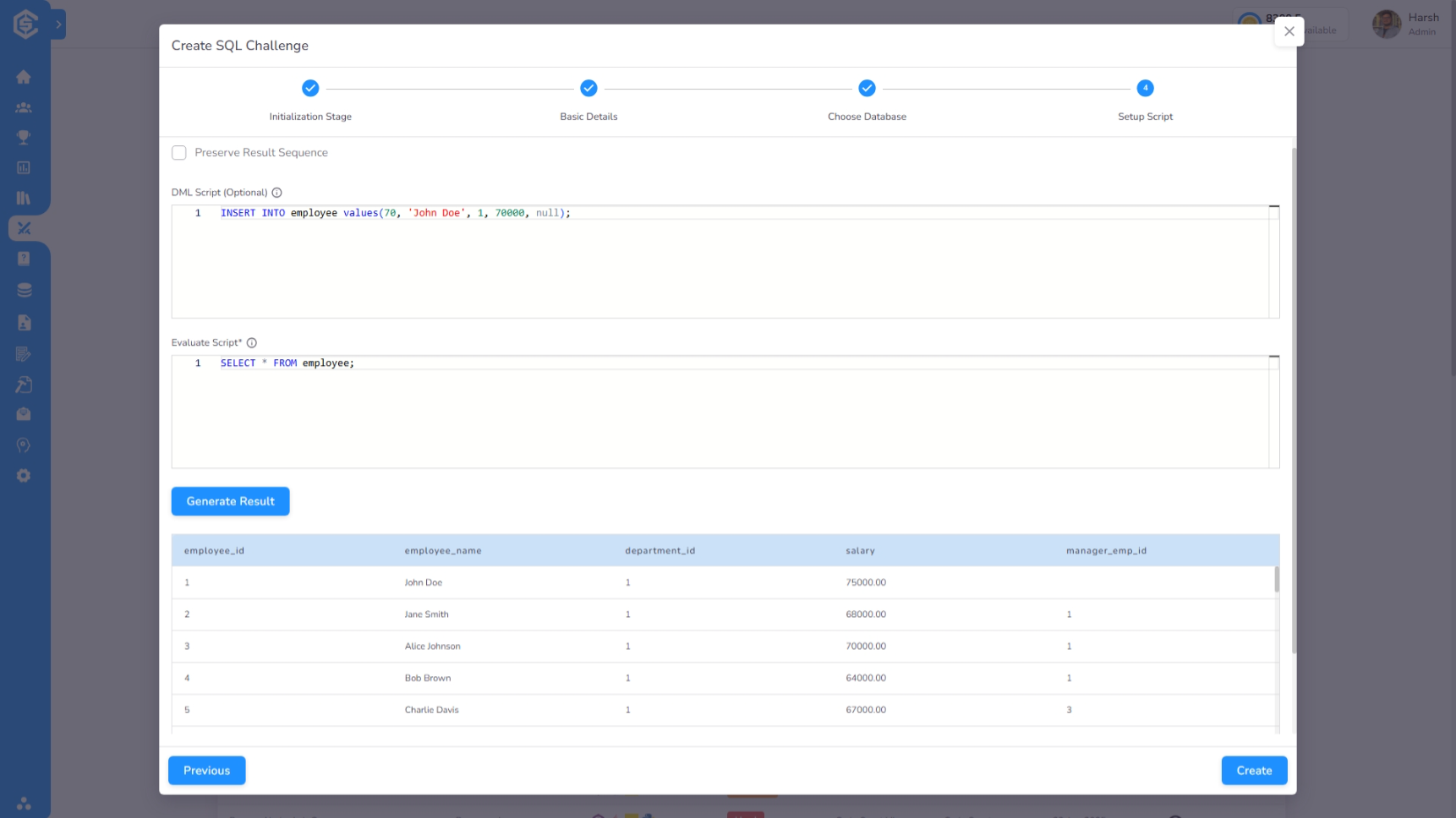
Define the operational and validation scripts for the challenge:
- Setup Script (DML): (Optional) Provide SQL scripts that the candidate must run before writing the final
SELECTquery. - Evaluation Script: (Mandatory) Write the "Truth Query" (typically a
SELECTstatement). The system executes this query and compares its results with the result of the candidate's query to determine correctness and scoring.
Next steps
- Manage database environments →
Databases