Programming Stage
What this stage is
The Programming stage evaluates candidates through hands-on coding problems using a full-featured IDE.
Supports multiple languages and real-world problem-solving.
When to use it
Use this stage when:
- Hiring developers or engineers
- Code quality and logic matter
- You want evidence beyond Quiz
Configuring the Stage
When creating an assessment, you can add a Programming stage during the second configuration step.
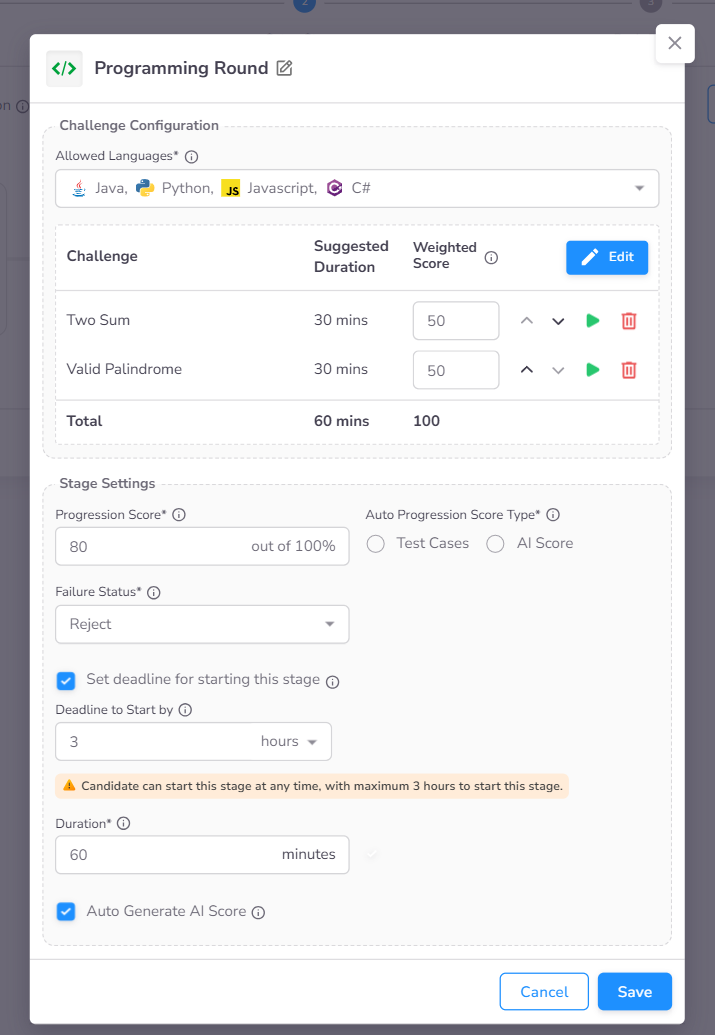
- Allowed Languages: Restrict the programming languages available to the candidate for their submission.
- Select Challenge: Choose a problem from the library or use a custom one. You can add multiple challenges to a single stage and assign a weightage to each, allowing higher-impact problems to contribute more to the overall score.
- Stage Settings: Configuration for Progression Score, Deadline to Start By, and Duration are detailed in the Stage Settings page.
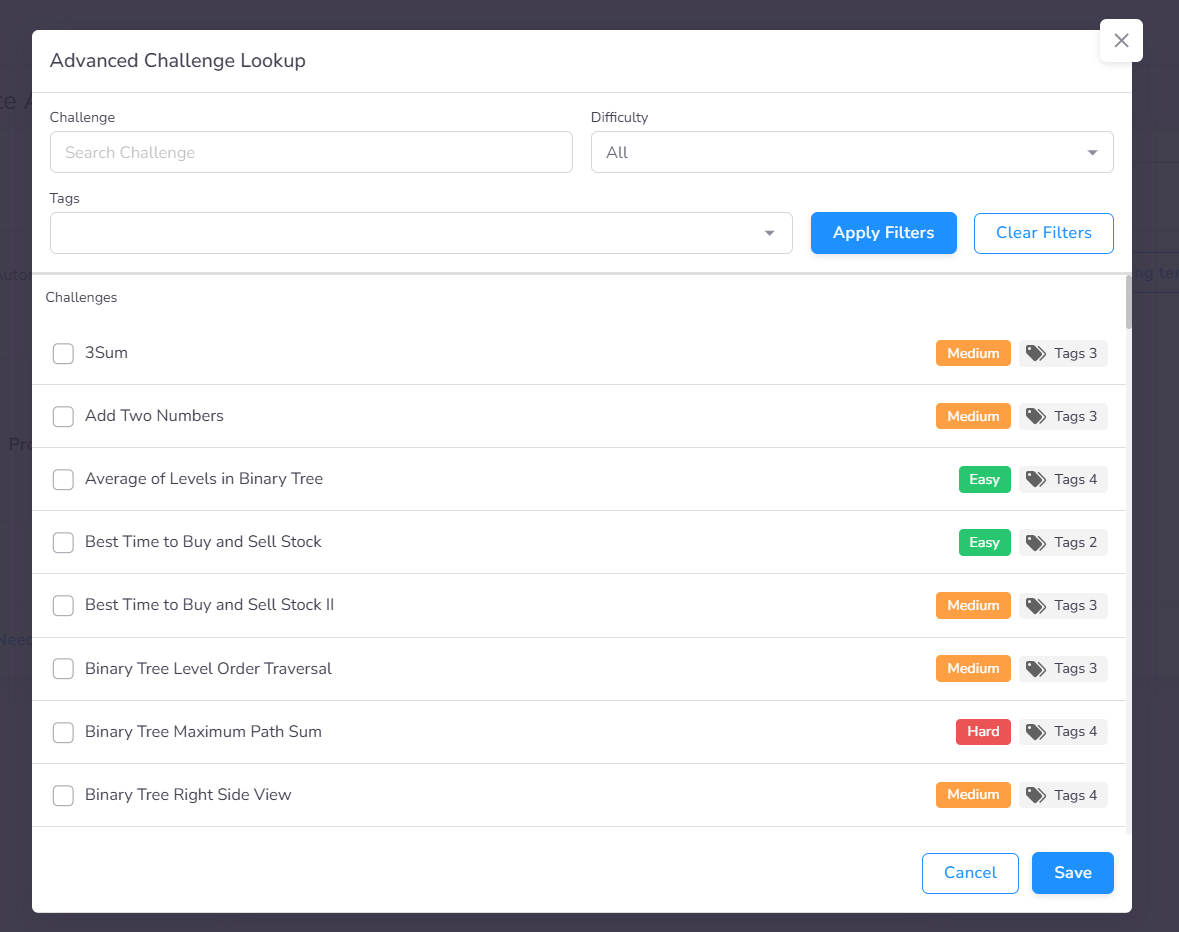
Selecting Challenges
The advanced lookup interface allows you to browse and select challenges from the CoderScout library or your own library. You can filter by tags and difficulty to find appropriate tasks. To use custom challenges, create them first in the Challenges section of the sidebar.
Candidate Experience
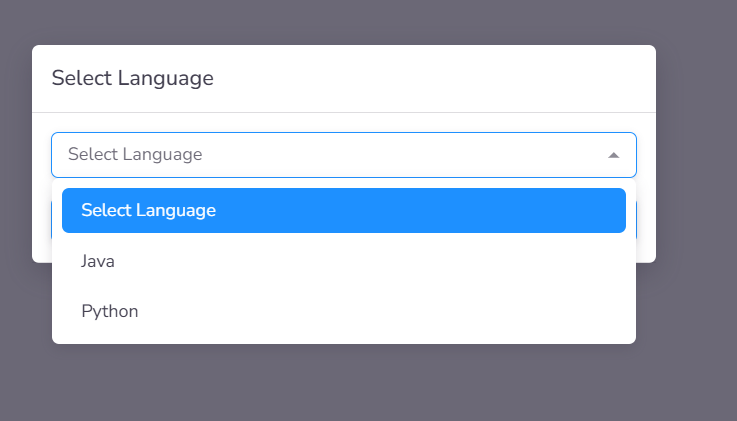
Language Selection
Upon initiating the programming stage, candidates are prompted to select their preferred coding language from the pre-configured list defined in the stage settings.
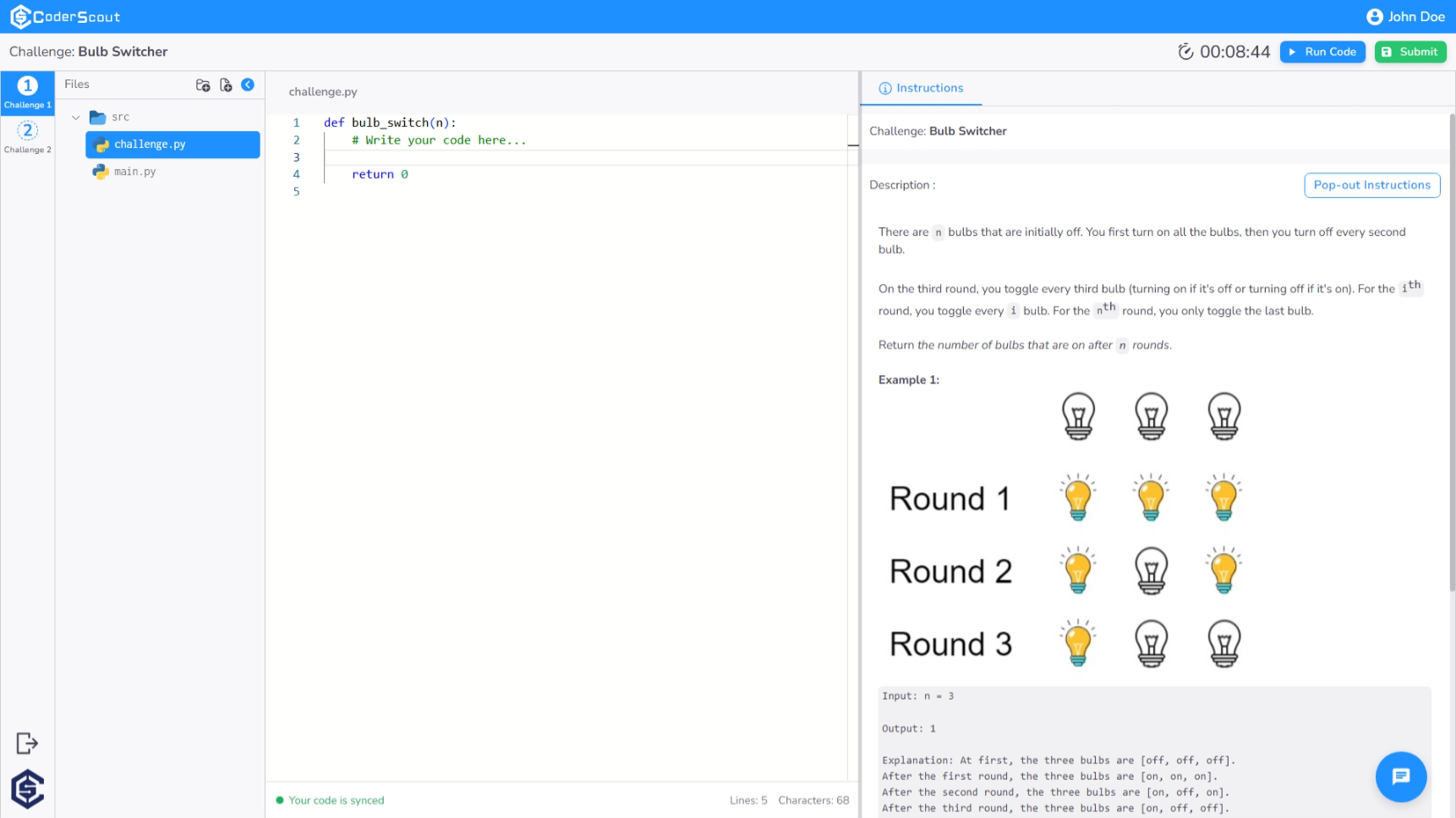
Integrated Development Environment (IDE)
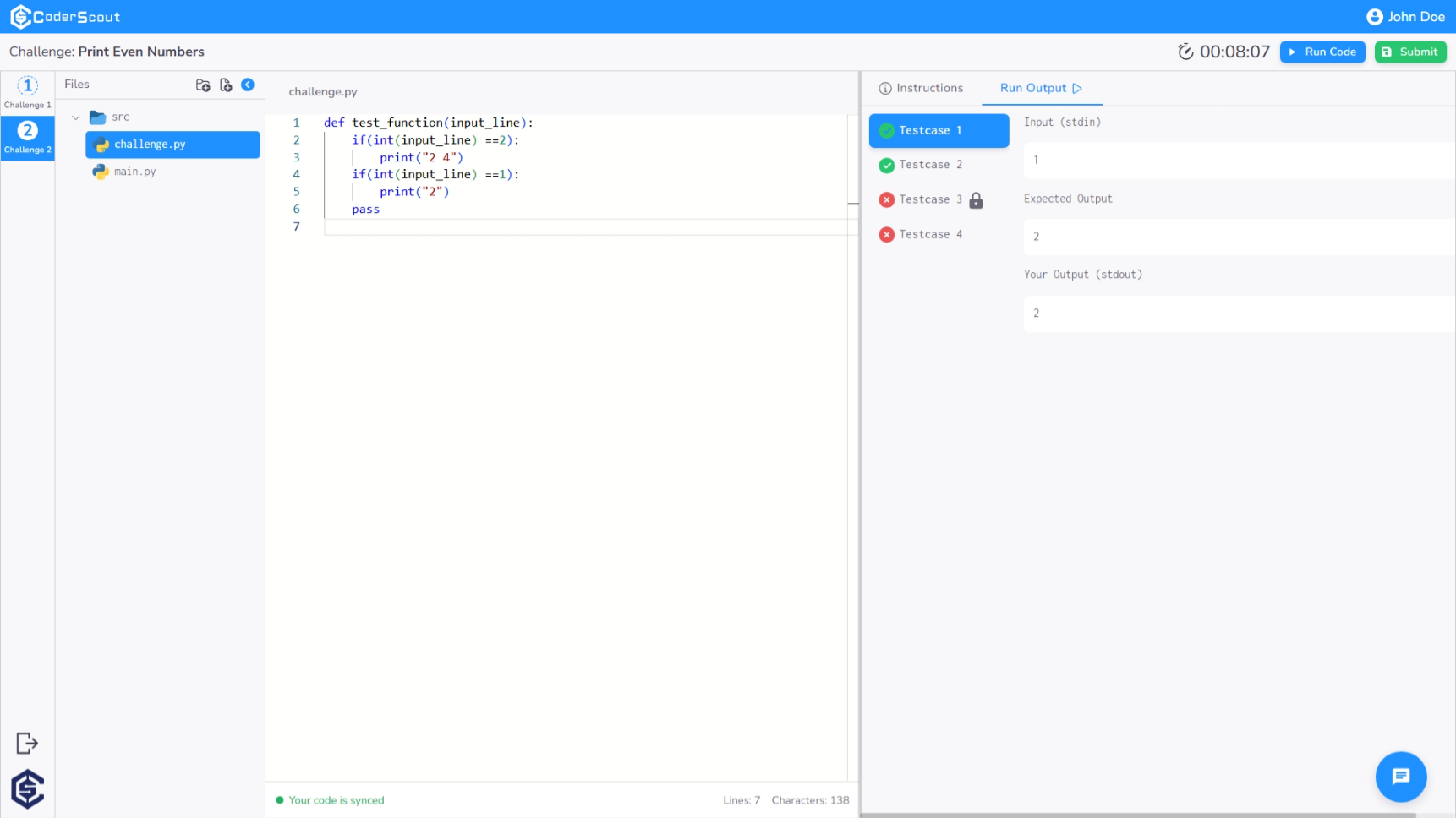
Once a language is selected, candidates are redirected to a comprehensive web-based IDE designed for seamless coding, featuring syntax highlighting and essential development tools.
Execution & Validation
Candidates can execute their code against built-in test cases in real-time. The output console provides immediate feedback, indicating which scenarios have passed or failed.
Intelligent Code Completion
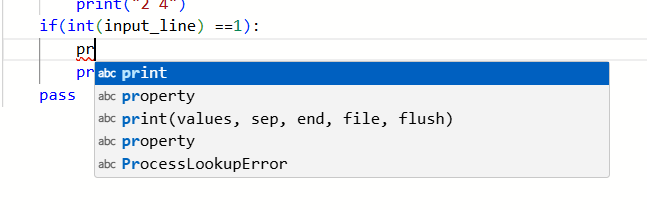
To accelerate the development process, candidates can trigger Code Suggestions using the Ctrl + Space keyboard shortcut. This features provides contextual completions for functions, variables, and library methods.
Administrative Insights & Evaluation
Comprehensive Performance Metrics
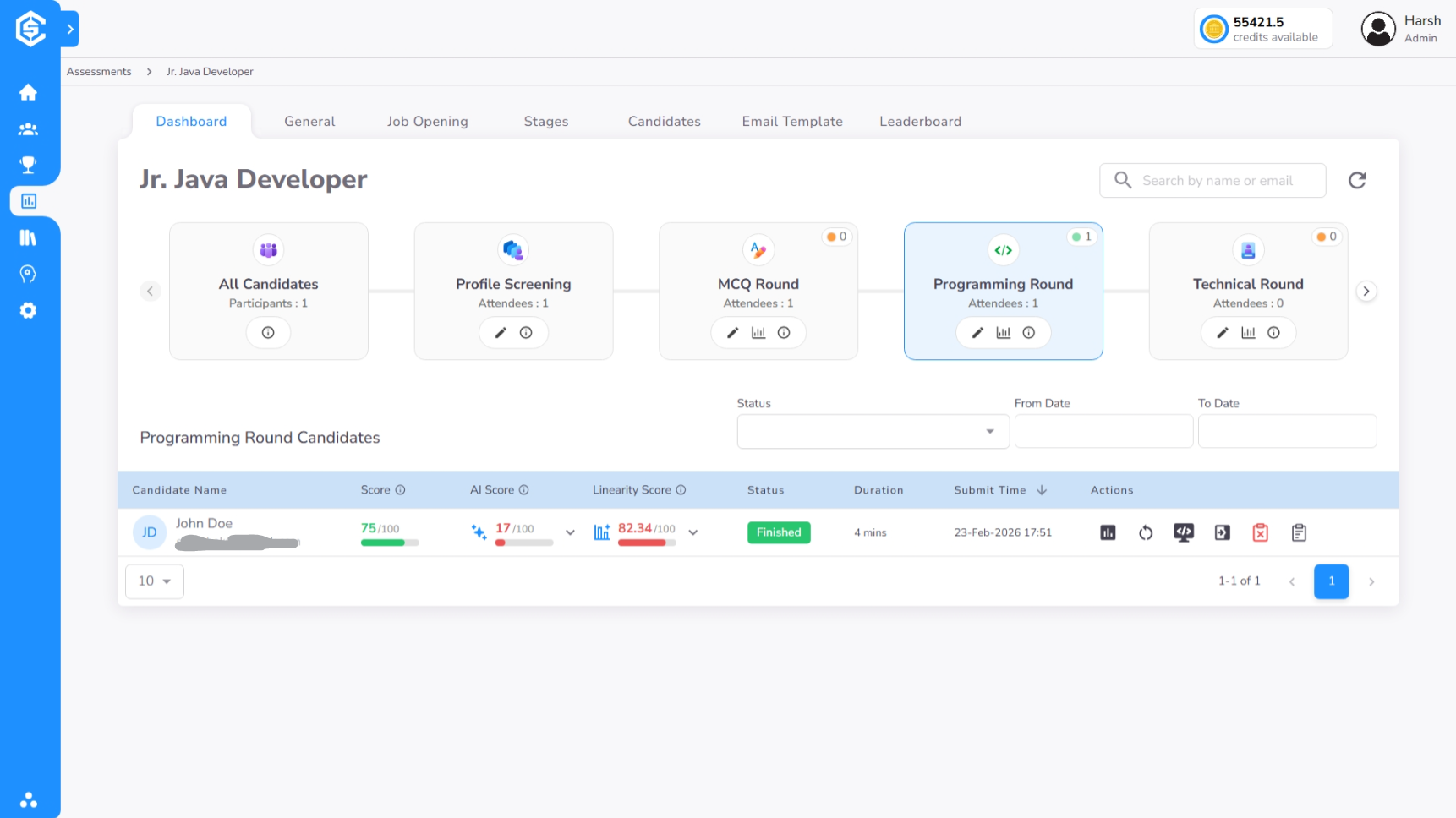
The programming stage in dashboard presents a specialized scoring matrix to provide a holistic view of candidate technical proficiency:
- Functional Score: Represents the percentage of automated test cases passed.
- AI Score: An intelligent evaluation of code quality, efficiency, and architectural choices, accompanied by specific optimization feedback.
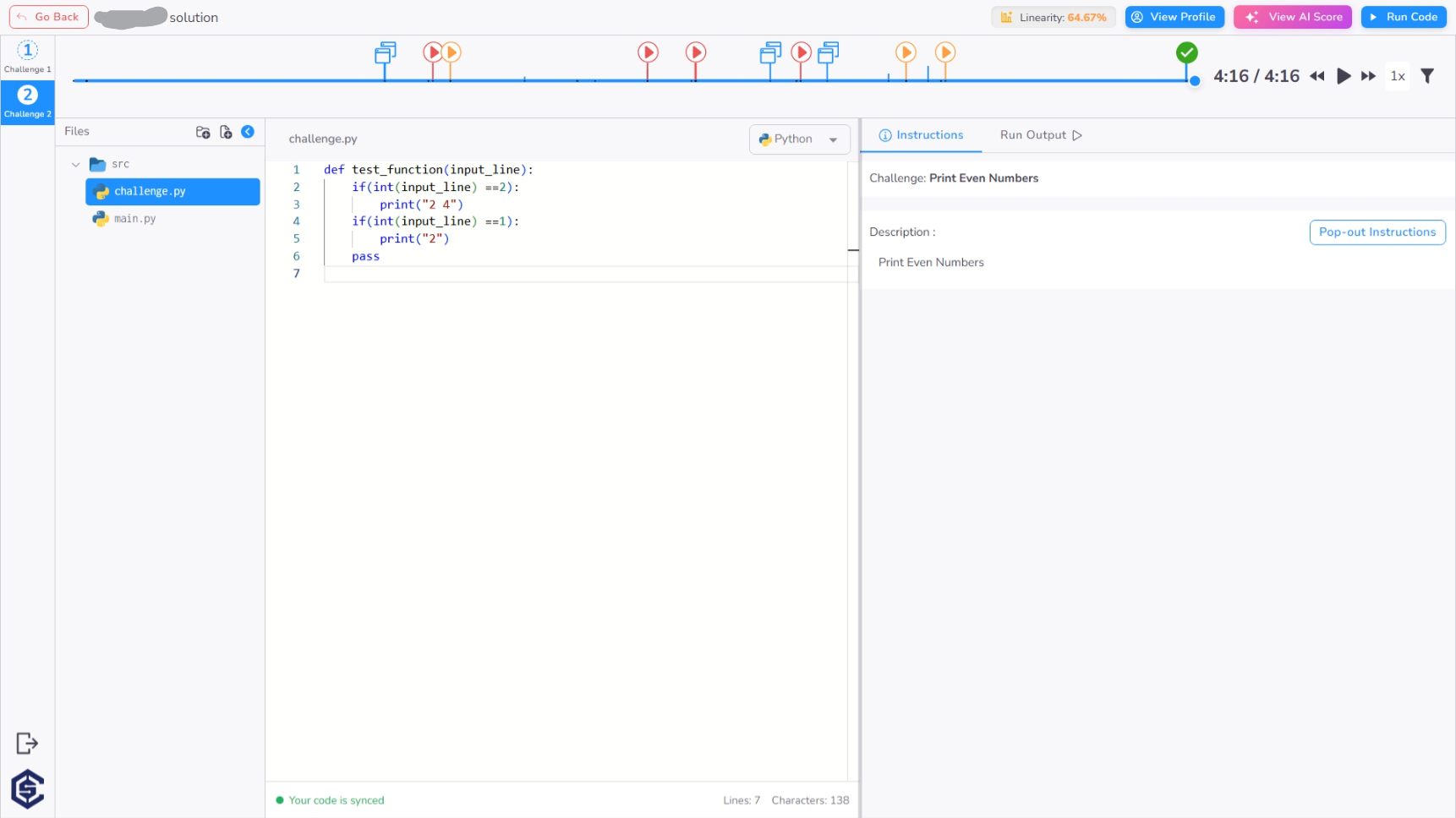
- Linearity Score: Measures the progression and consistency of the candidate's coding process, helping to distinguish between continuous problem-solving and sudden code injections.
AI-Generated Feedback
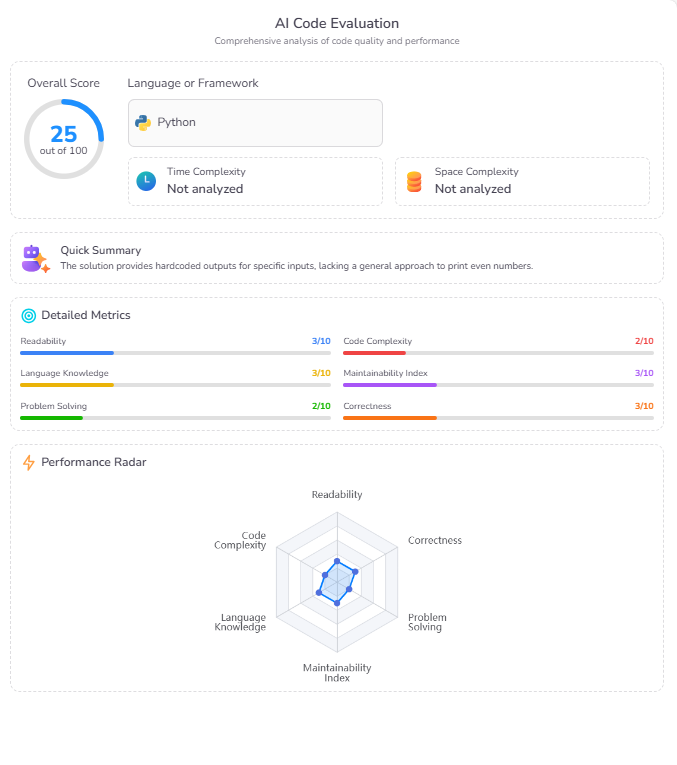
Clicking on the AI Score opens a detailed report containing qualitative feedback, identifying strengths and areas for improvement based on the candidate's specific solution.
Forensic Performance Timeline
The detailed timeline provides a complete audit trail of the candidate's session, logging:
- Interaction Events: Detailed logging of critical behavioral signals, including browser tab switches, copy-paste actions, and test case execution milestones (partial failures vs. full passes).
- Progression Data: Time spent on specific problem segments and incremental score gains over the duration of the stage.
Proctoring & Evidence Review
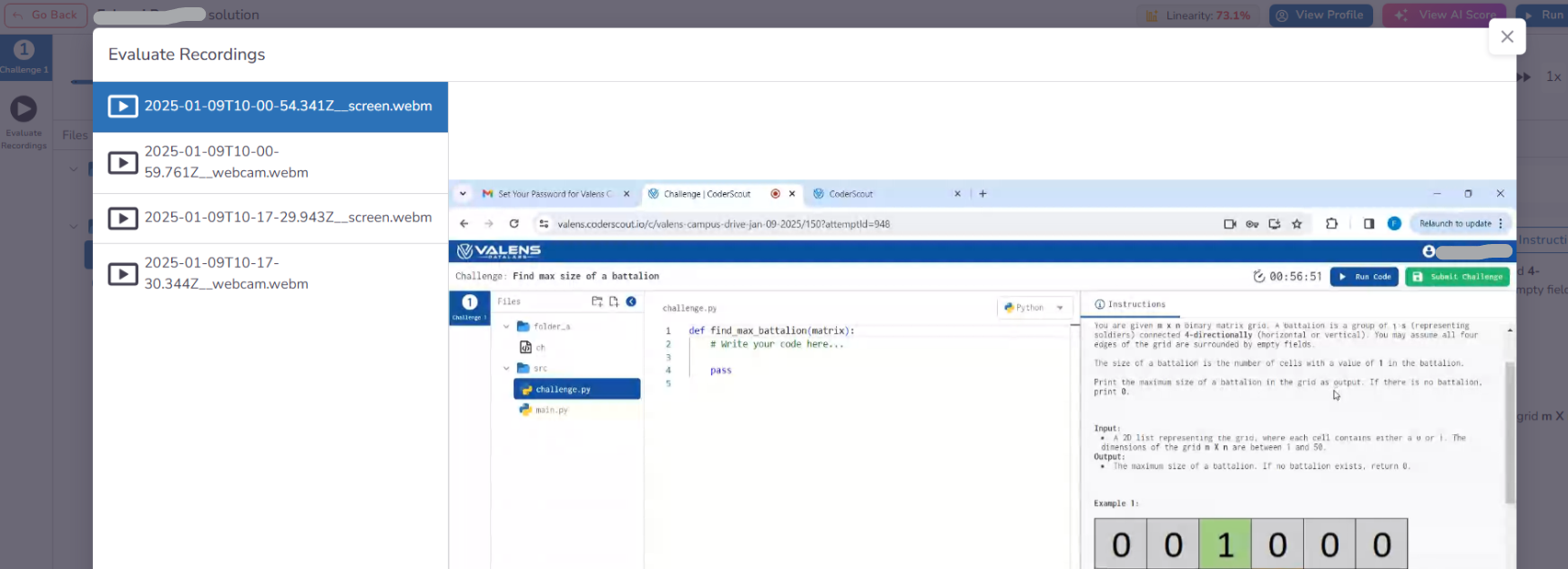
Similar to other technical stages, the timeline page provides direct access to Evaluate Recordings. Organizations can review synchronized webcam and screen-share footage to verify the authenticity of the candidate's submission.
Key Benefits
The Programming stage offers deep technical validation through automated and intelligent evaluation:
- Automated Functional Validation: Eliminate manual grading by instantly verifying code correctness against a comprehensive suite of hidden and visible test cases.
- Behavioral Integrity Insights: Distinguish between genuine problem-solving and suspicious behavior using copy-paste detection, tab-switch monitoring, and linearity analysis.
- AI-Driven Quality Assessment: Move beyond "pass/fail" with AI-generated feedback that evaluates architectural choices, code efficiency, and best practices.
- Authentic Development Experience: Provide candidates with a professional-grade, in-browser IDE that supports code completion and multiple programming languages.
- Holistic Skill Data: Compare candidates not just on their final output, but on their coding speed, logic progression, and attention to edge cases.