Notebook Stage
What this stage is
The Notebook stage allows candidates to work inside a Jupyter notebook environment.
When to use it
Use this stage when:
- Hiring data engineers or data scientists
- Evaluating ML workflows or data analysis
- Notebook-based work is part of the role
Configuring the Stage
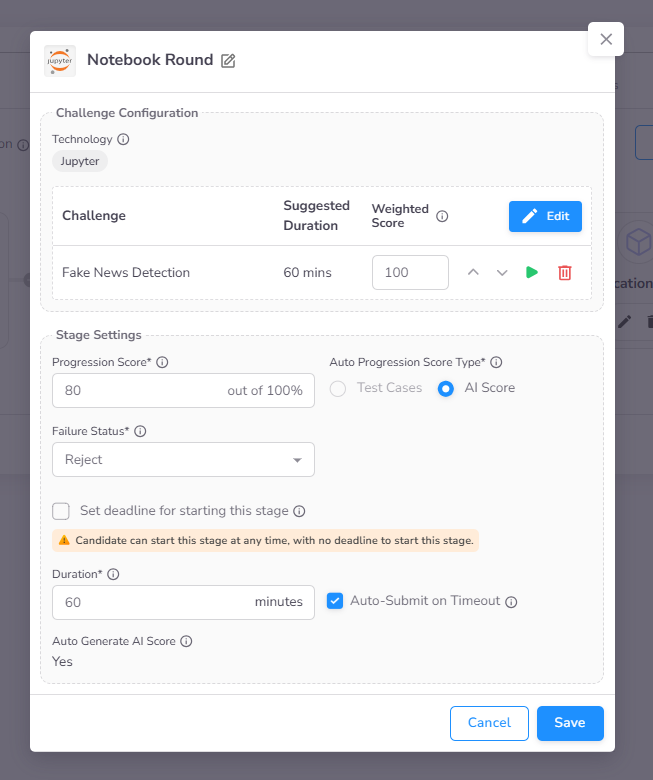
When creating an assessment, you can add a Notebook stage during the second configuration step.
- Select Challenge: Choose a single Notebook challenge from the CoderScout library or your own library.
- Stage Settings: Configuration for Progression Score, Deadline to Start By, and Duration are detailed in the Stage Settings page.
Candidate Experience
Integrated Jupyter Notebook IDE
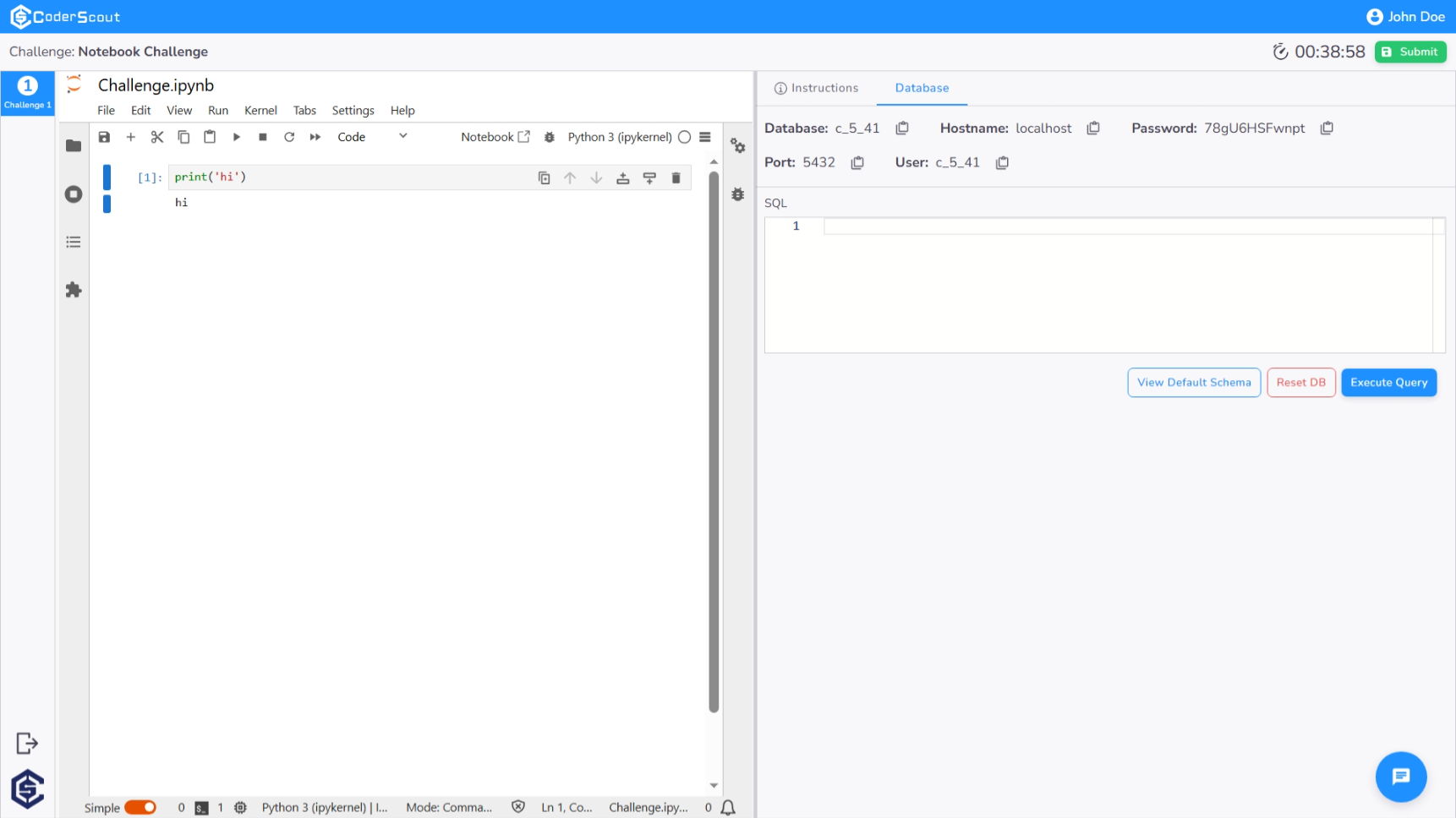
Upon initiating the Notebook stage, candidates are provided with a fully functional, browser-based Jupyter Notebook environment. The interface is optimized for data science and analysis tasks:
- Interactive Notebook: The central pane offers a standard Jupyter interface where candidates can write and execute code cells, perform data visualizations, and document their findings using Markdown.
- Data & Instructions Panel: The right-hand panel provides seamless access to the challenge instructions and any pre-configured database connections, ensuring all necessary resources are within immediate reach.
Administrative Insights & Evaluation
Dashboard Analytics
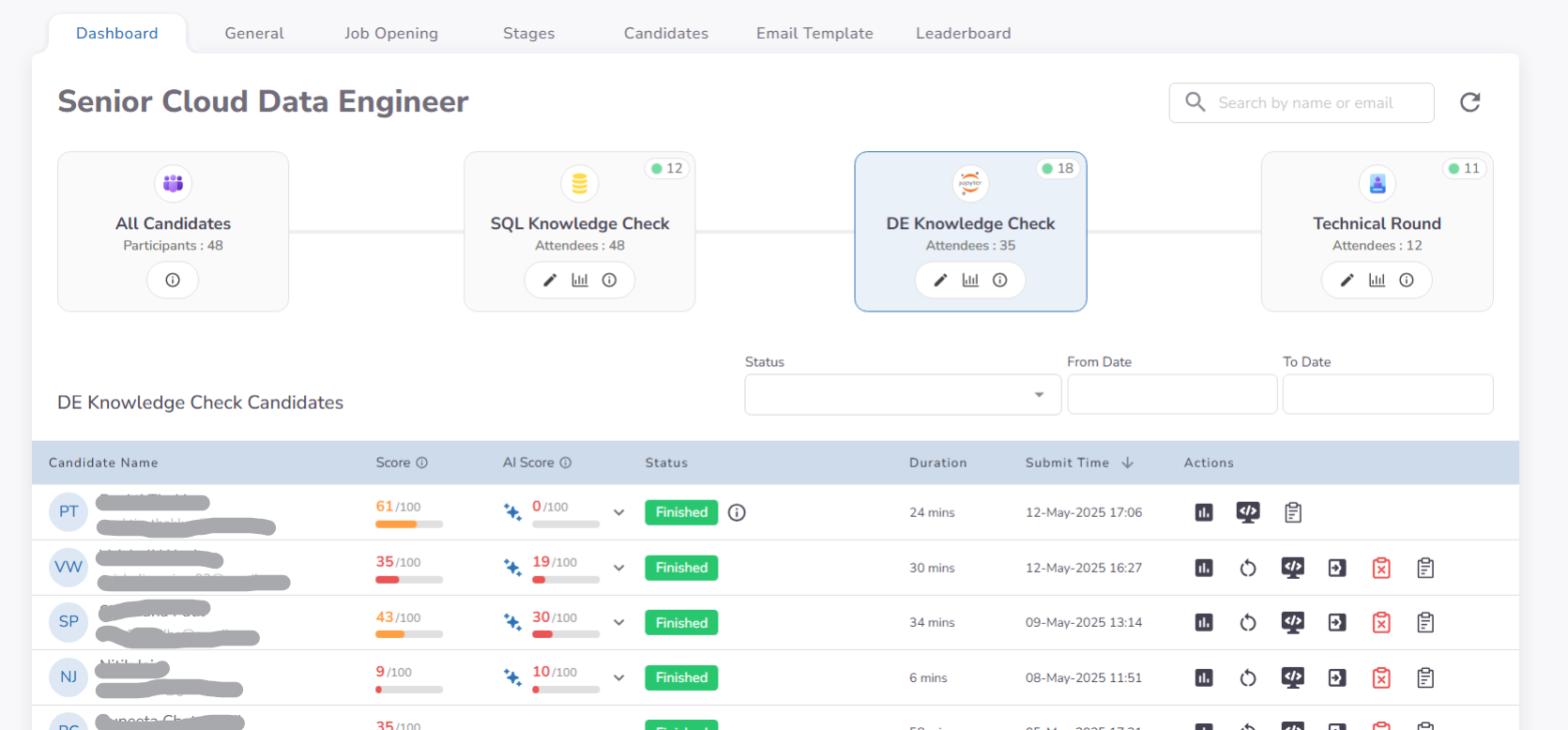
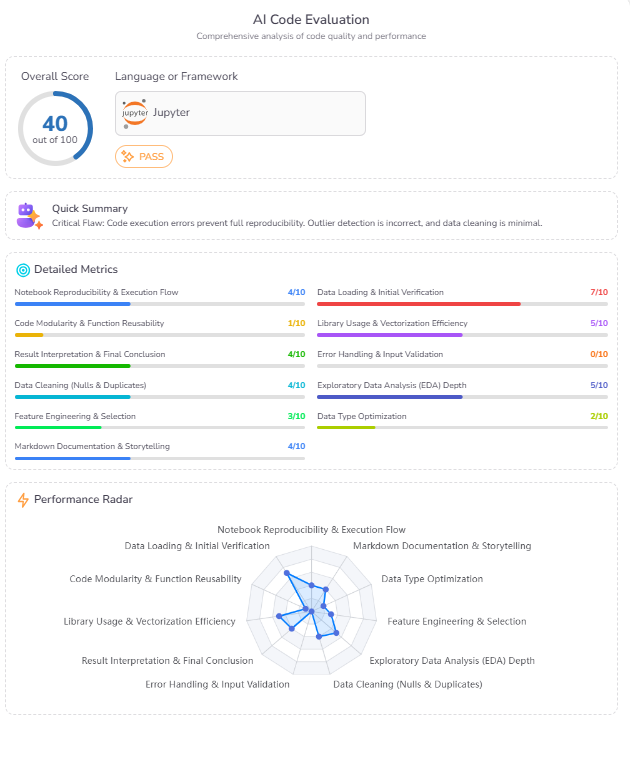
The Notebook dashboard provides a comprehensive view of candidate performance, displaying both the overall technical score and the AI-generated evaluation. This centralized view allows recruiters to quickly assess data science proficiency at a glance.
Cell-Level Performance Timeline
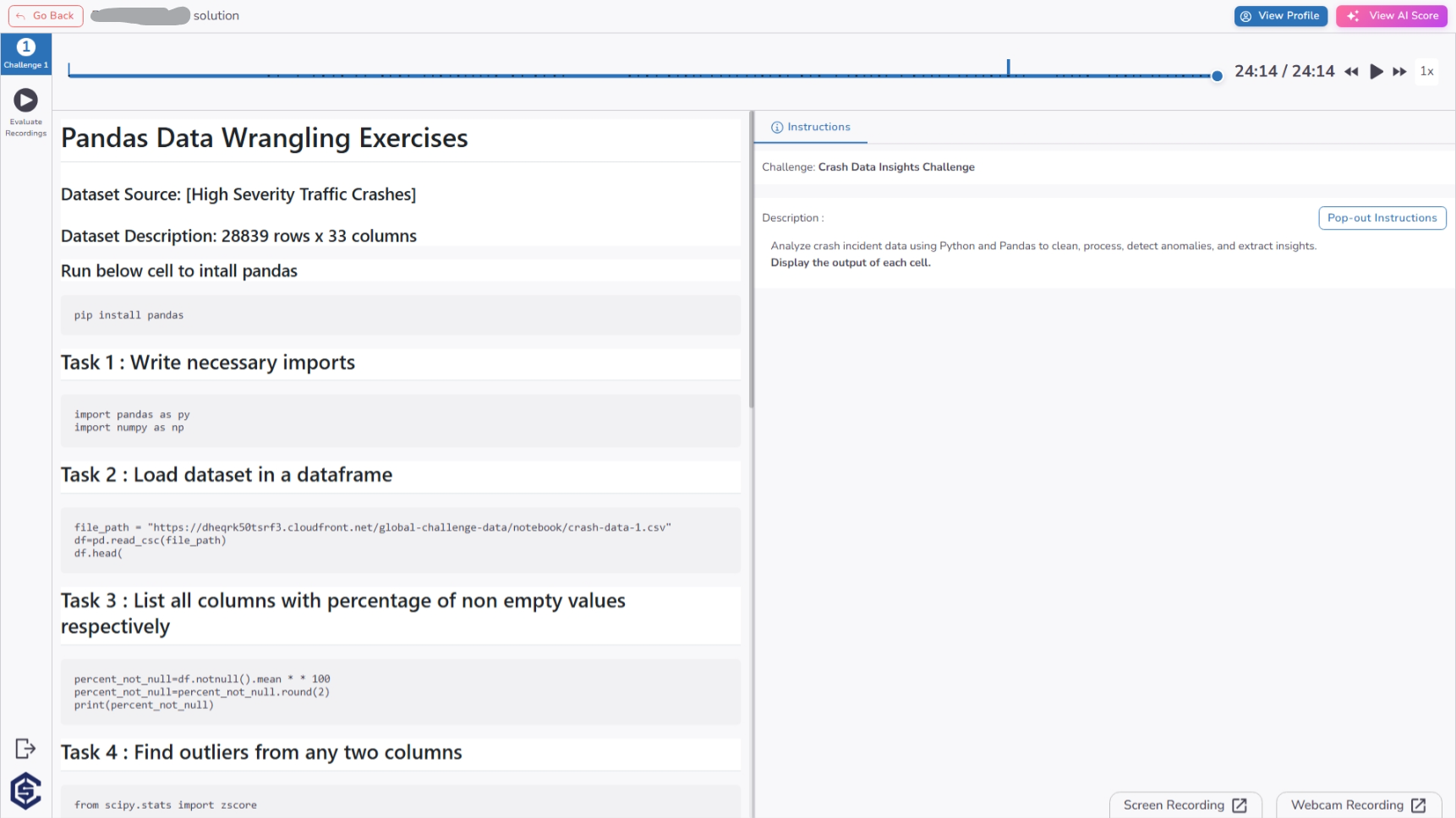
From the timeline page you can audit the candidate's progress through a detailed timeline. This view allows recruiters to:
- Analyze Execution Flow: Monitor exactly when each notebook cell was executed and its subsequent output.
- Track Interaction Events: Review behavioral signals such as tab switching and copy-paste attempts synchronized with the development process.
AI-Assisted Evaluation
To streamline the review process, the platform provides an automated AI Score. This analysis evaluates the candidate's notebook based on code quality, data processing logic, and the completeness of the solution, providing both a numerical score and qualitative feedback.
Proctoring & Evidence Review
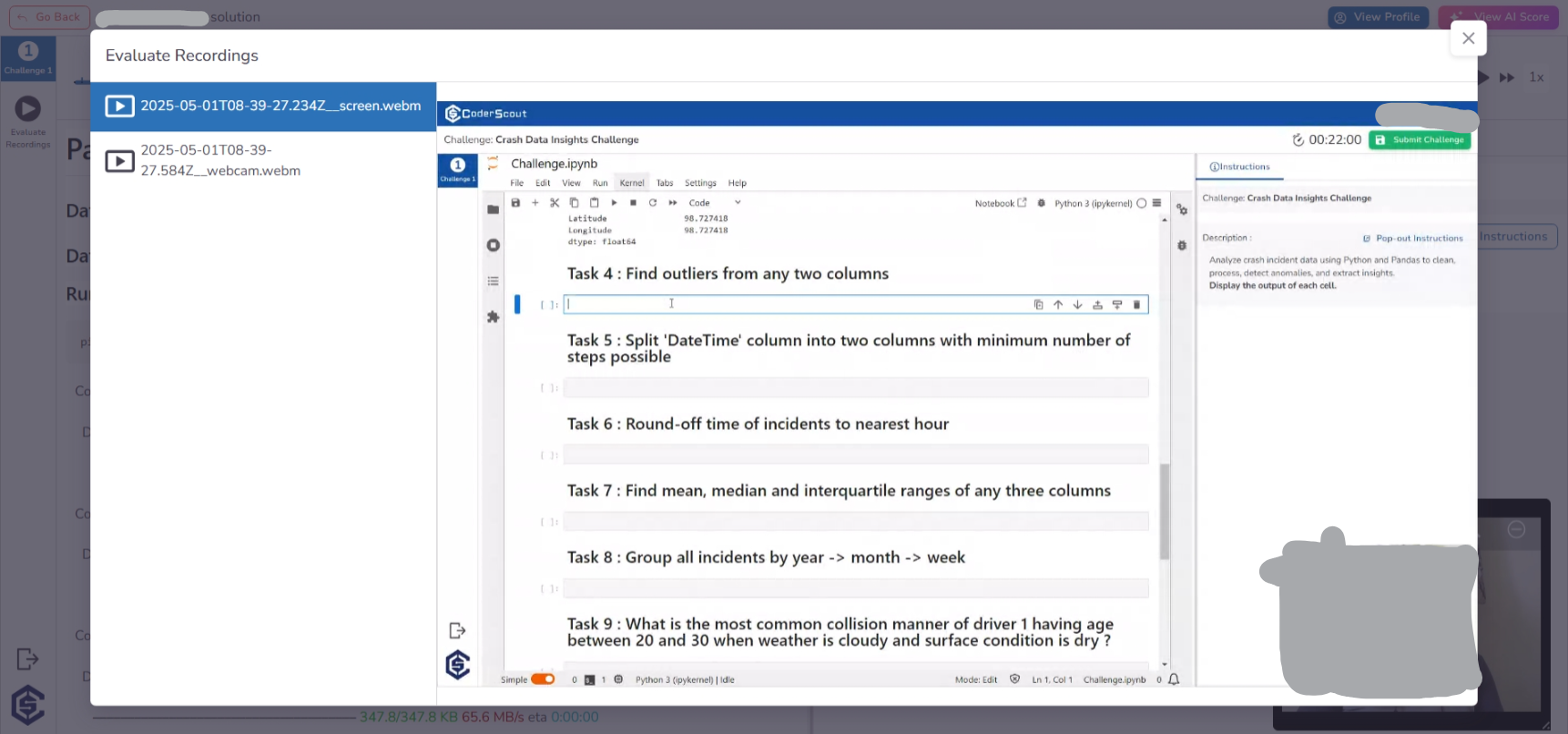
For comprehensive assessment integrity, recruiters can access Evaluate Recordings. This feature allows for the review of synchronized webcam and screen-share footage alongside the notebook execution history.
Key Benefits
The Notebook stage offers a specialized environment for high-level data and analytical evaluation:
- Industry-Standard Tooling: Provides candidates with a familiar Jupyter environment, ensuring the assessment reflects real-world data science workflows.
- Granular Execution Transparency: Go beyond the final state of the notebook by reviewing the exact sequence and results of cell executions.
- Intelligent Grading Support: Leverage AI-generated insights to quickly identify top-performing candidates based on complex logic and data handling.
- Rich Media & Documentation Support: Evaluate not just the code, but also how well candidates interpret data through visualizations and Markdown annotations.
- Integrated Data Access: Simplifies complex data challenges by providing direct database access natively within the notebook interface.
Next steps
- Manage database environments →
Databases