Enable Application Forms
Enable Application Forms when you want candidates to apply on their own using a public link (job post, career page, LinkedIn, email campaigns, etc.).
What Enabling Application Form does
- Generates a public Application Form URL for your assessment.
- Collects candidate information in a structured form (including file uploads like resumes).
- Optionally enables rule-based filtering and/or resume scoring (when configured in your pipeline).
How to Enable Application Form
- Open the Assessment.
- Go to General.
- In Application Form Settings, enable Direct Applications.
- Select an Application Form (template).
- Copy the Application Form URL and share it with candidates.
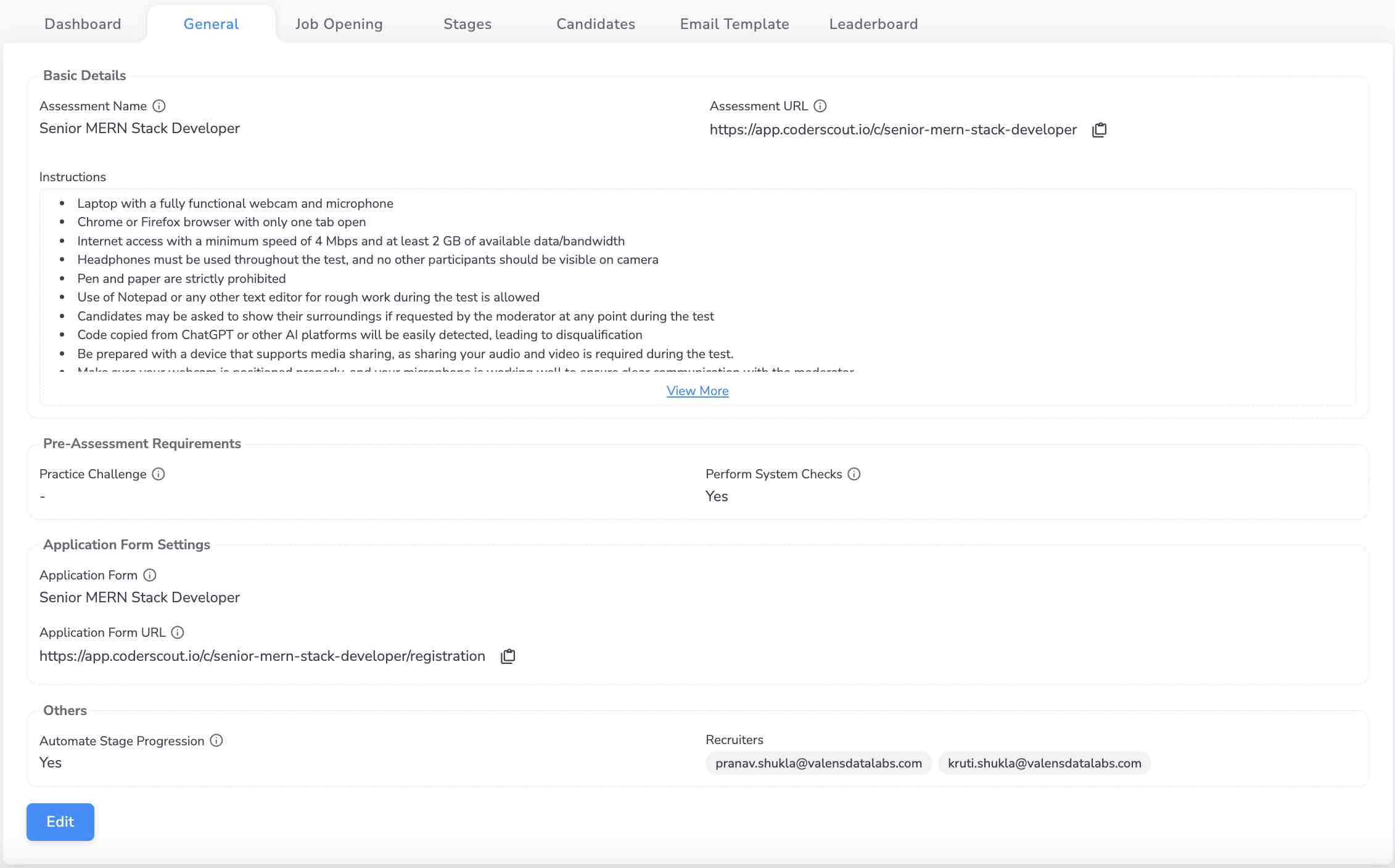
Customize the Application Form
Application forms can include:
- Text fields (e.g., name, email, phone)
- Numeric fields (e.g., experience)
- Dropdowns / multi-selects (e.g., skills)
- File uploads (e.g., resume)
Keep the form short and job-relevant—long forms reduce completion rates.
What happens when a candidate applies
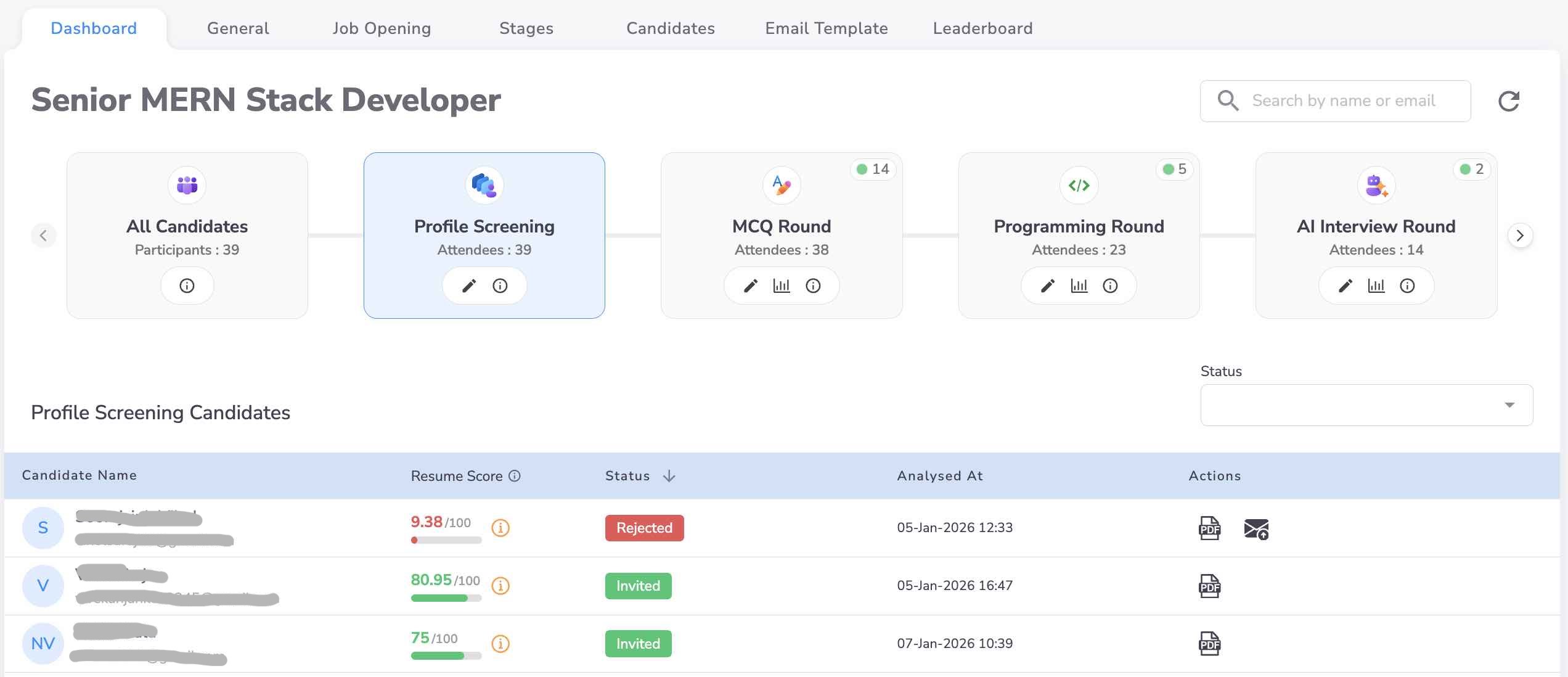
- The candidate appears under Candidates → Applications.
- If you’ve configured automated screening (rule-based filtering / resume scoring), candidates can be:
- Invited automatically to Stage 1 when they meet the cutoff, or
- Put on hold when they don’t meet the threshold.
- Recruiters can still manually invite or reject candidates anytime.
Best practices
- Add a required resume upload field for faster screening.
- Ask only what you truly use for decision-making (experience, key skills, notice period, location).
- If you’re hiring at scale, use rule-based filtering first (cheap) and resume scoring next (richer).
Common issues
- Applicants not moving to Stage 1: Check whether auto-progression / cutoffs are configured, and whether recruiters need to manually invite.
- Too many low-quality applicants: Add a few must-have filters (experience range, key skills, location/work authorization).
Recommended next steps
- If you want to push qualified applicants through automatically, set up Let the Assessment Run on Auto‑Pilot.
- If you want to invite from existing resumes instead of a public link, use Invite via Resume Upload (Profile Screening & Resume Scoring).