Quiz Bank
Overview
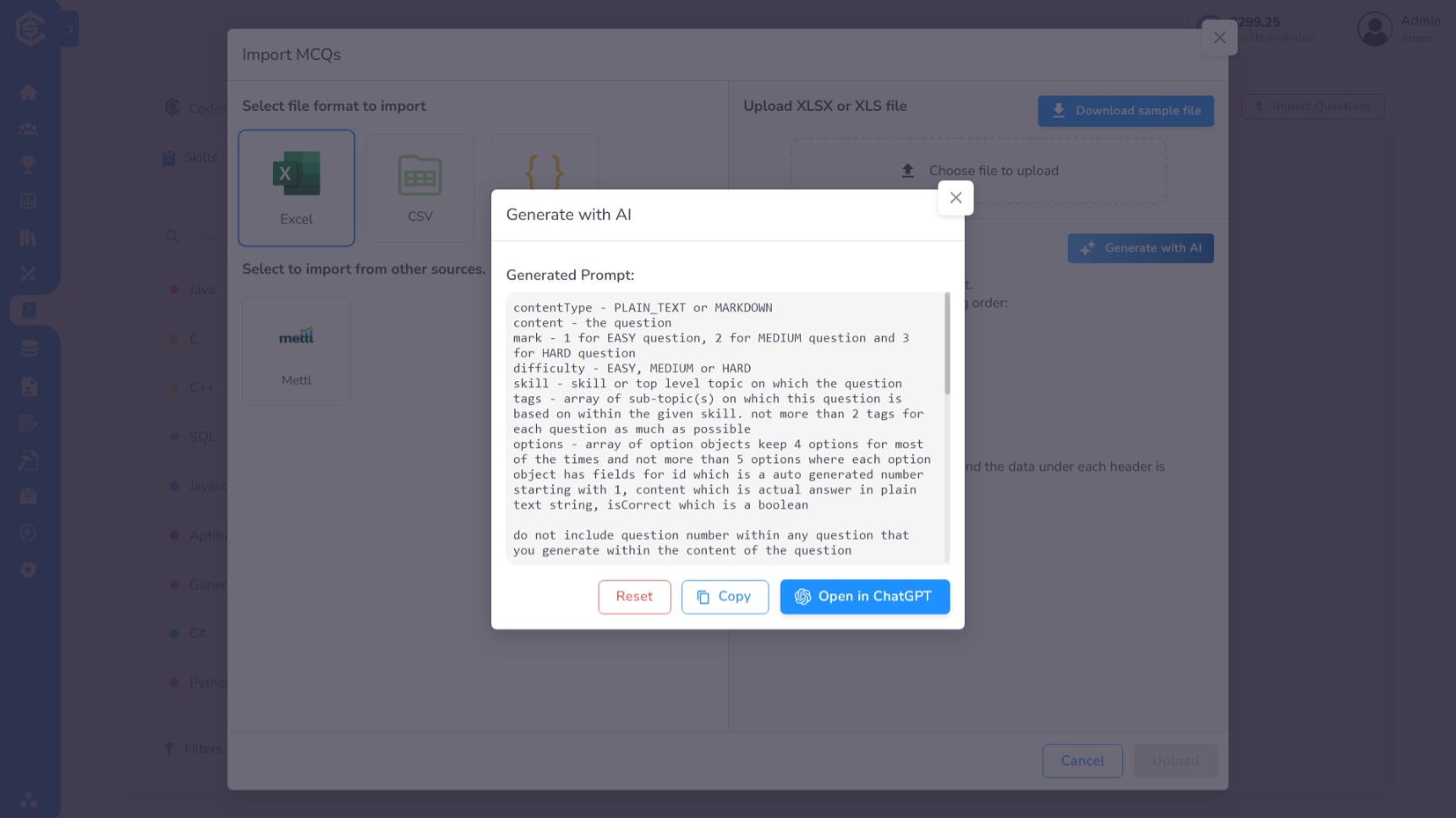
The Quiz Bank is your central hub for managing evaluation questions. You can access it by navigating to Library > Quiz in the sidebar. The library is divided into two primary sections: CoderScout Library and Your Library.
The Quiz Bank supports three versatile question formats:
- MCQ (Multiple Choice Questions): Standard objective questions.
- Short Answer: Questions requiring a brief text-based response.
- Comprehension: A set of questions based on a shared passage or scenario.
CoderScout Library
The CoderScout Library provides access to a vast collection of expert-curated questions across hundreds of technical skills.
- Exploration: Browse question previews to understand the depth and style of evaluation.
- Skill Sidebar: The left panel lists all available skills, including the total number of questions available for each.
- Filtering: Use the search bar or filters (Difficulty, Tags, Question Type) to quickly narrow down specific topics.
Your Library
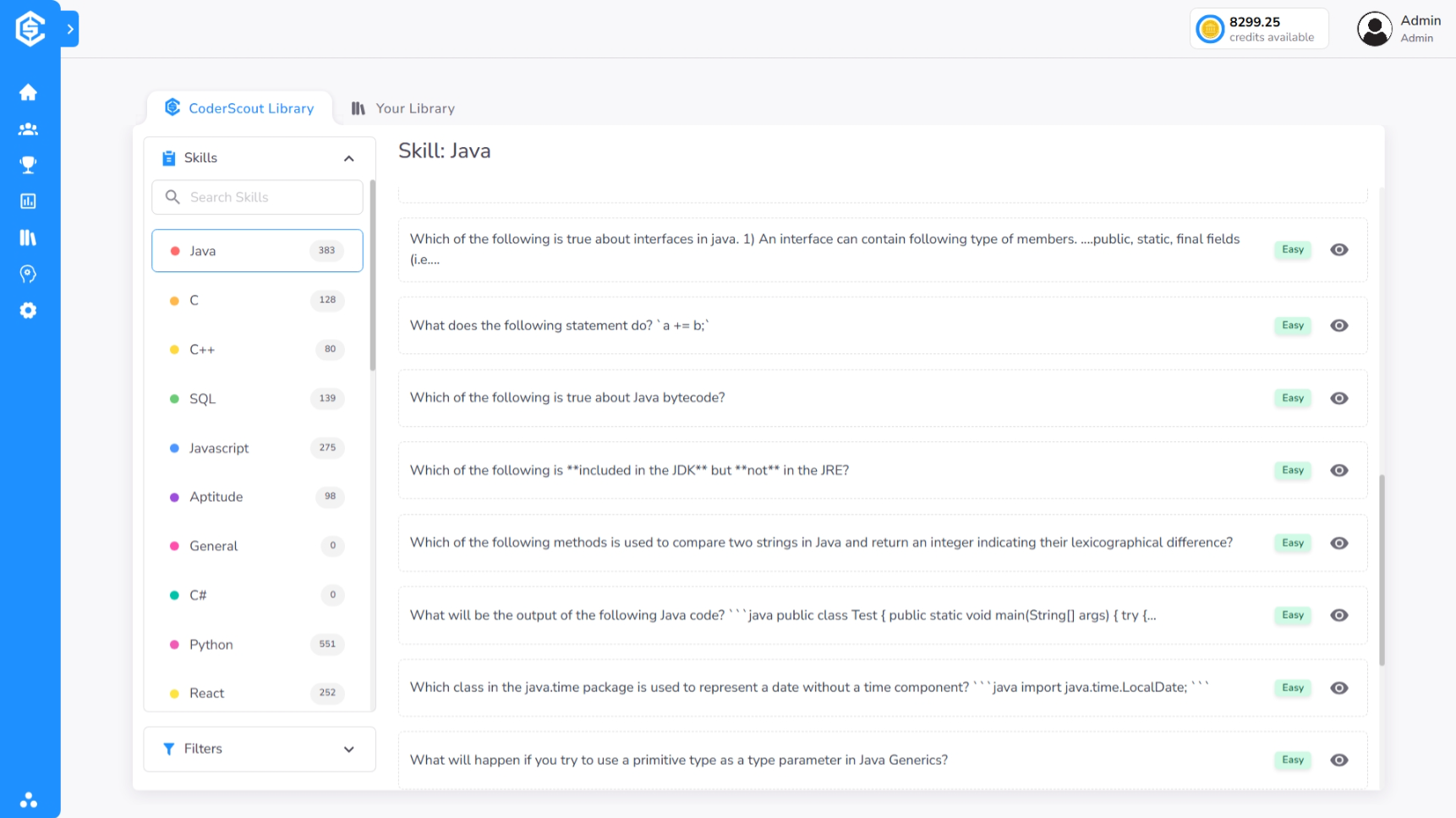
Your Library is where you manage your organization’s custom content. If a specific niche skill is not covered in the CoderScout collection, you can build it here.
- Custom Skills: Use the Add Skill option in the left panel to define new skill categories tailored to your organization's specific needs.
Creating Custom Questions
You can add professional-grade questions to any skill in your library using the creation wizard.
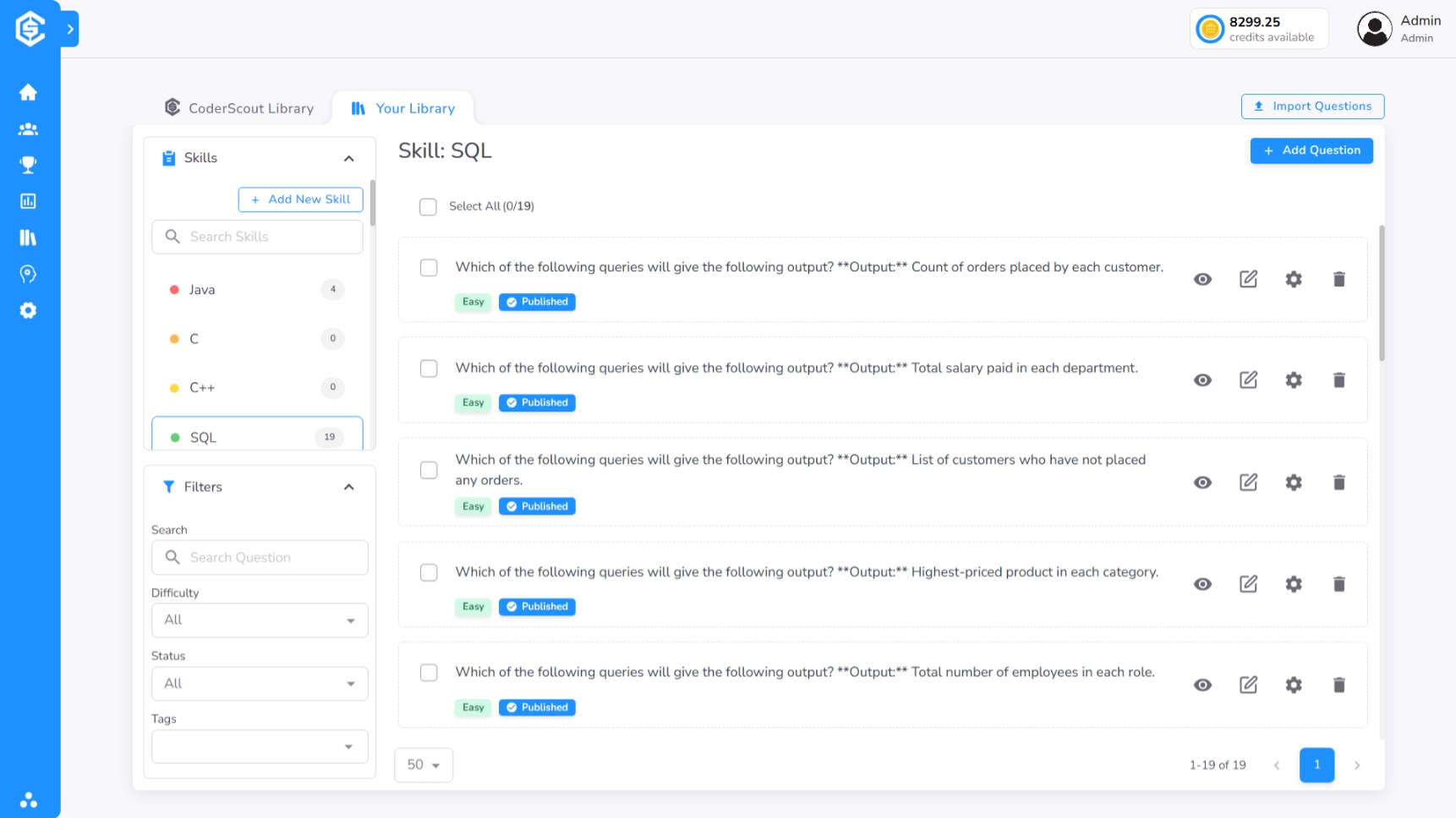
- Initiate Creation: Click the Add Question button within a specific skill to open the configuration modal.
- Select Question Type: Choose between MCQ, Short Answer, or Comprehension.
- Define Question Content:
- For MCQ: Enter the question text and define the multiple-choice options.
- For Short Answer: Provide the question and specify expected keywords or grading criteria.
- For Comprehension: Upload or write a passage and add multiple sub-questions.
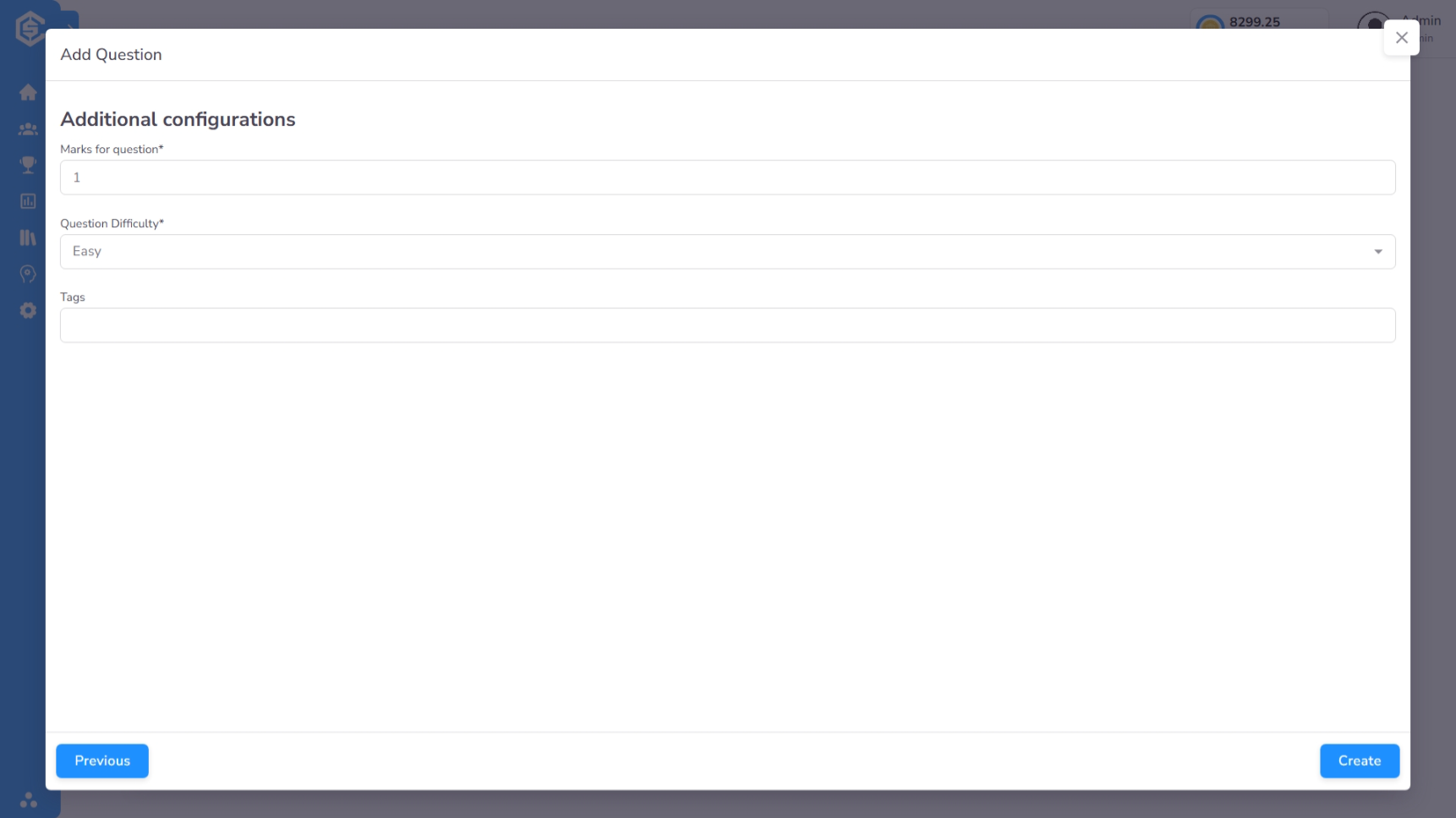
- Set Parameters: Assign a difficulty level and technical tags to ensure the question is correctly categorized for automated assessment generation.
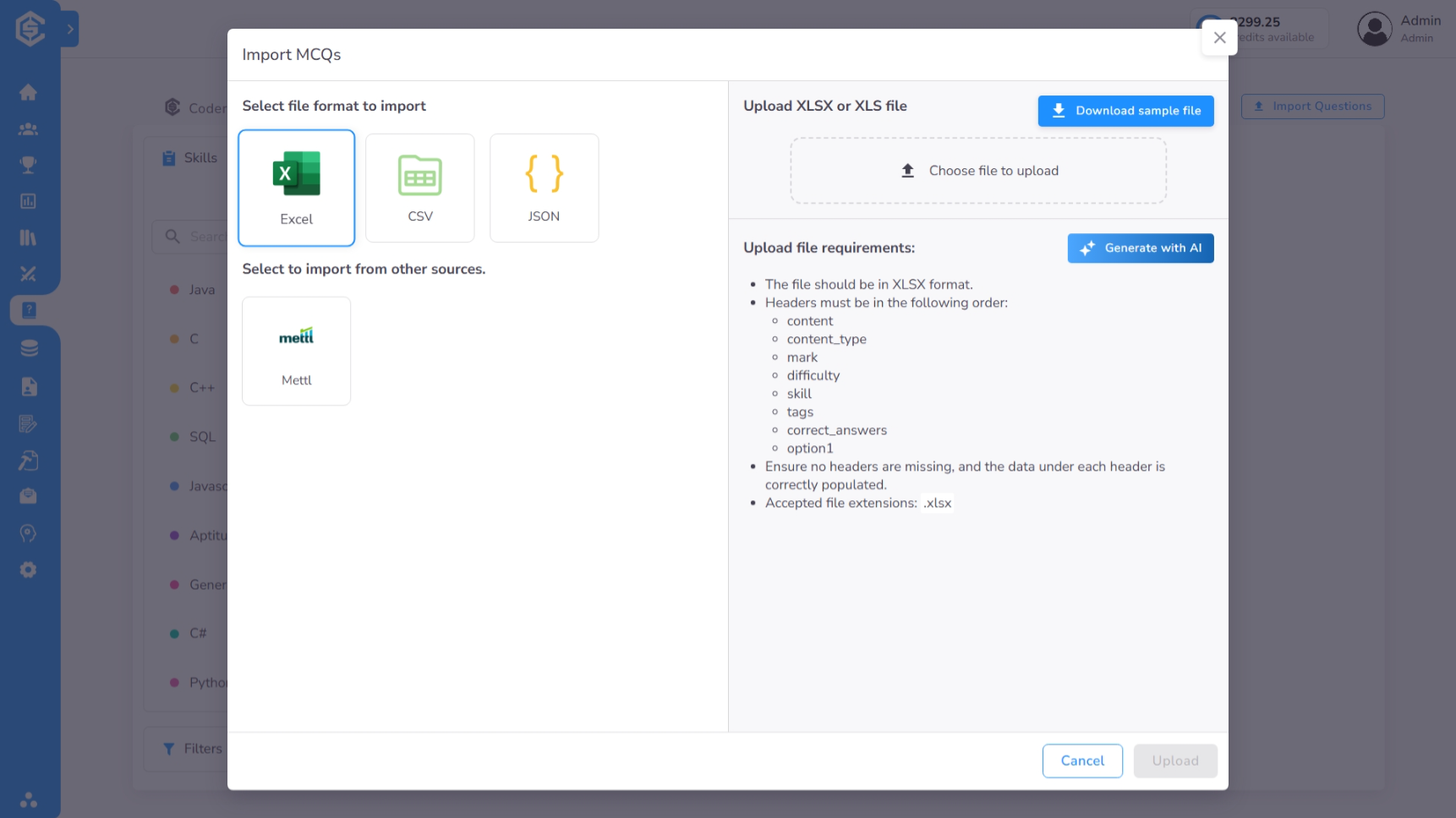
Import Bulk Quiz Questions
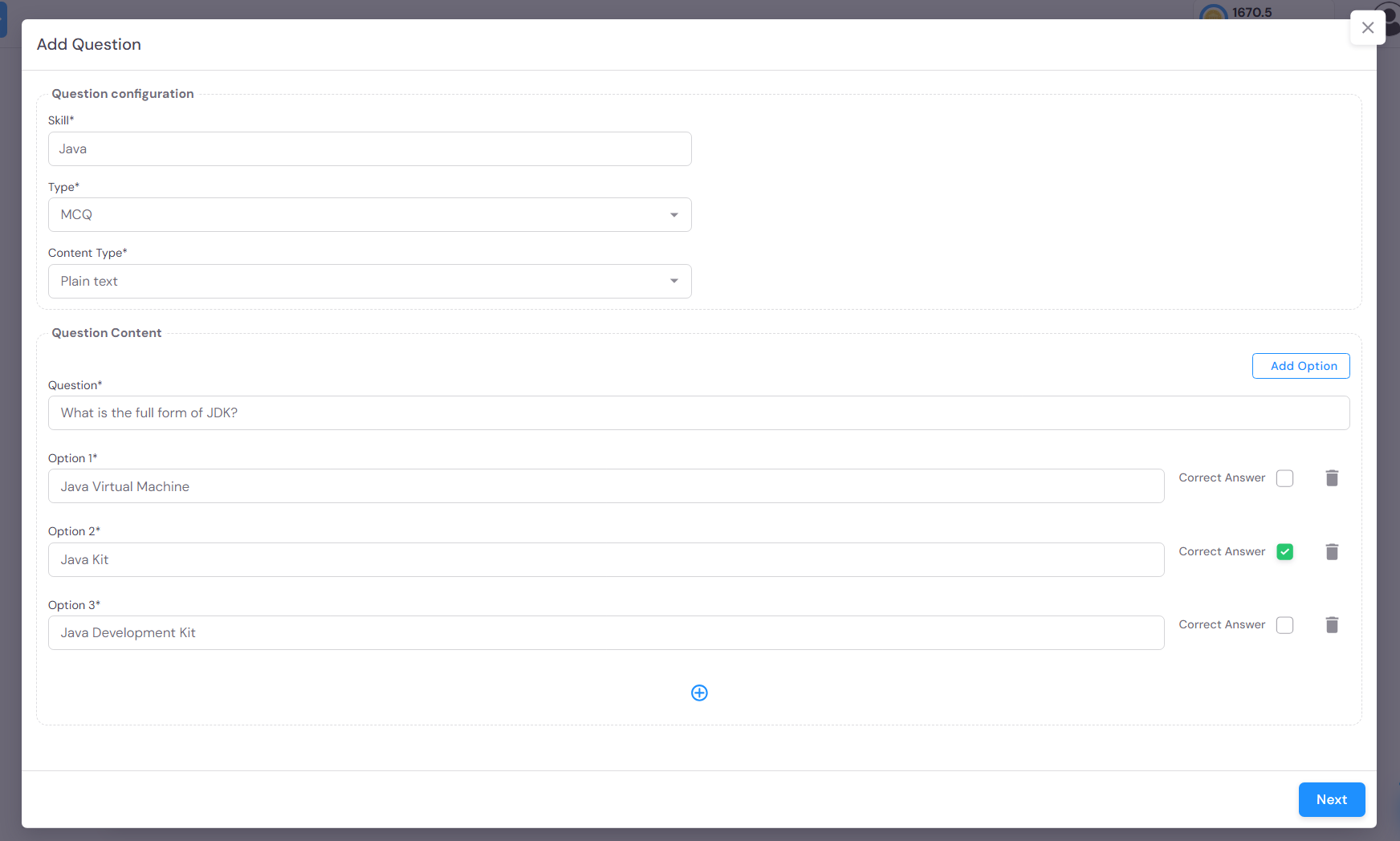
Use the bulk import feature to add multiple questions to your library at once using our standardized templates for MCQ, Short Answer, and Comprehension types.
The Generate with AI option creates questions for your selected skill using a curated prompt designed for CoderScout's Quiz format.
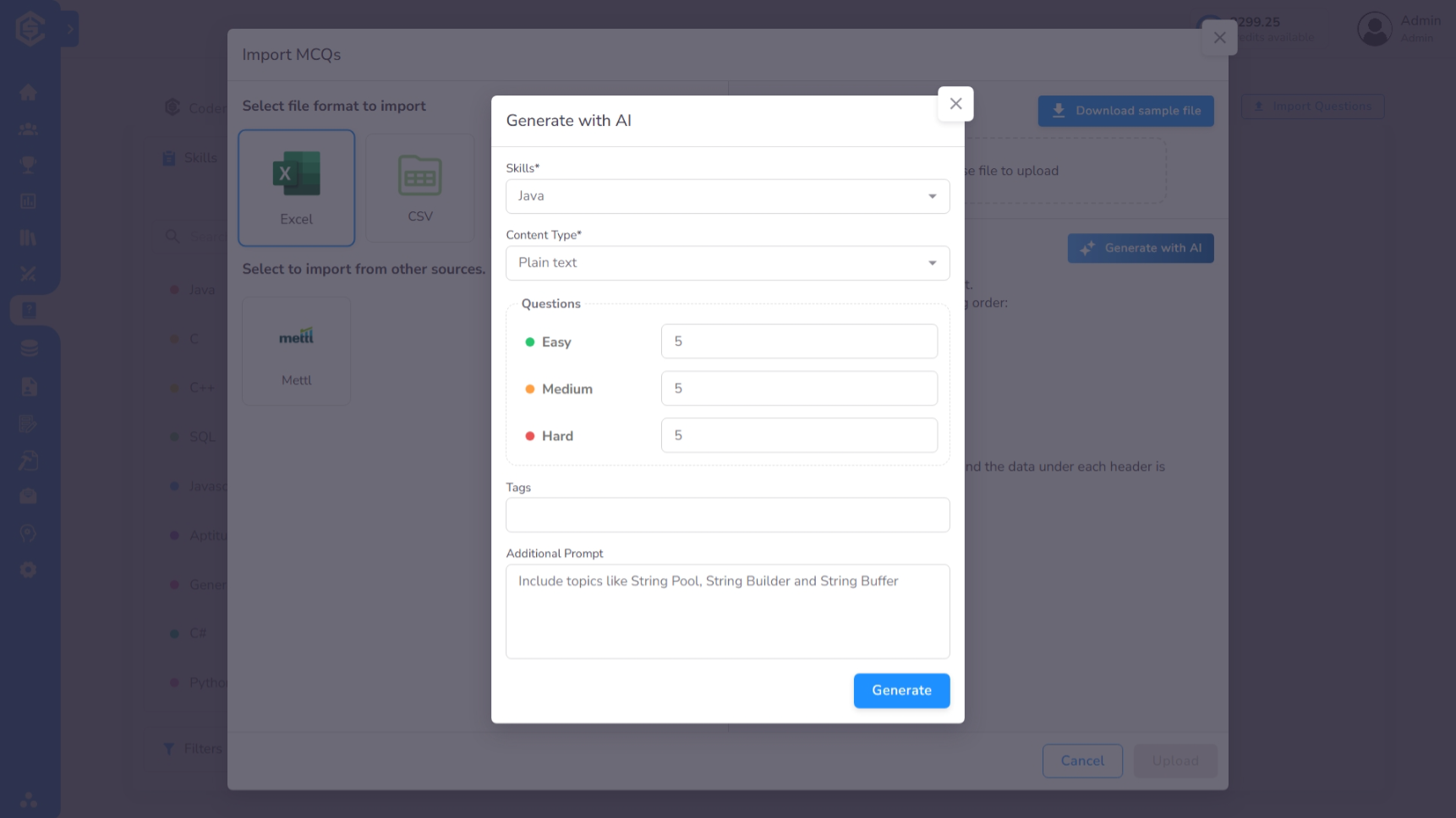
Once the prompt is generated, you can open it directly in ChatGPT or copy and paste it into your preferred AI platform.