SQL Stage
What this stage is
The SQL stage evaluates a candidate’s ability to write queries against realistic relational data models.
When to use it
Use this stage when:
- Hiring data analysts or engineers
- SQL proficiency is critical
- Query optimization matters
Configuring the Stage
When creating an assessment, you can add an SQL stage during the second configuration step.
- Select Challenge: Choose a problem from the CoderScout library or your own library. You can add multiple SQL challenges to a single stage and assign a weightage to each, ensuring that more complex or critical queries contribute more to the final score.
- Stage Settings: Configuration for Progression Score, Deadline to Start By, and Duration are detailed in the Stage Settings page.
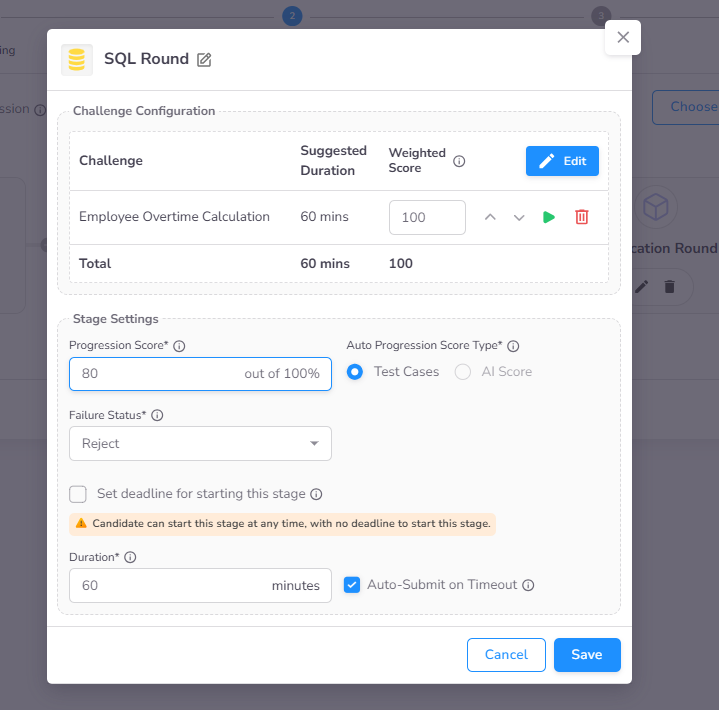
Selecting Challenges
The advanced lookup interface allows you to browse and select SQL challenges from the CoderScout library or your own library. You can filter by tags and difficulty to find appropriate tasks. To use custom challenges, create them first in the Challenges section of the sidebar.
Candidate Experience
SQL-Specific IDE
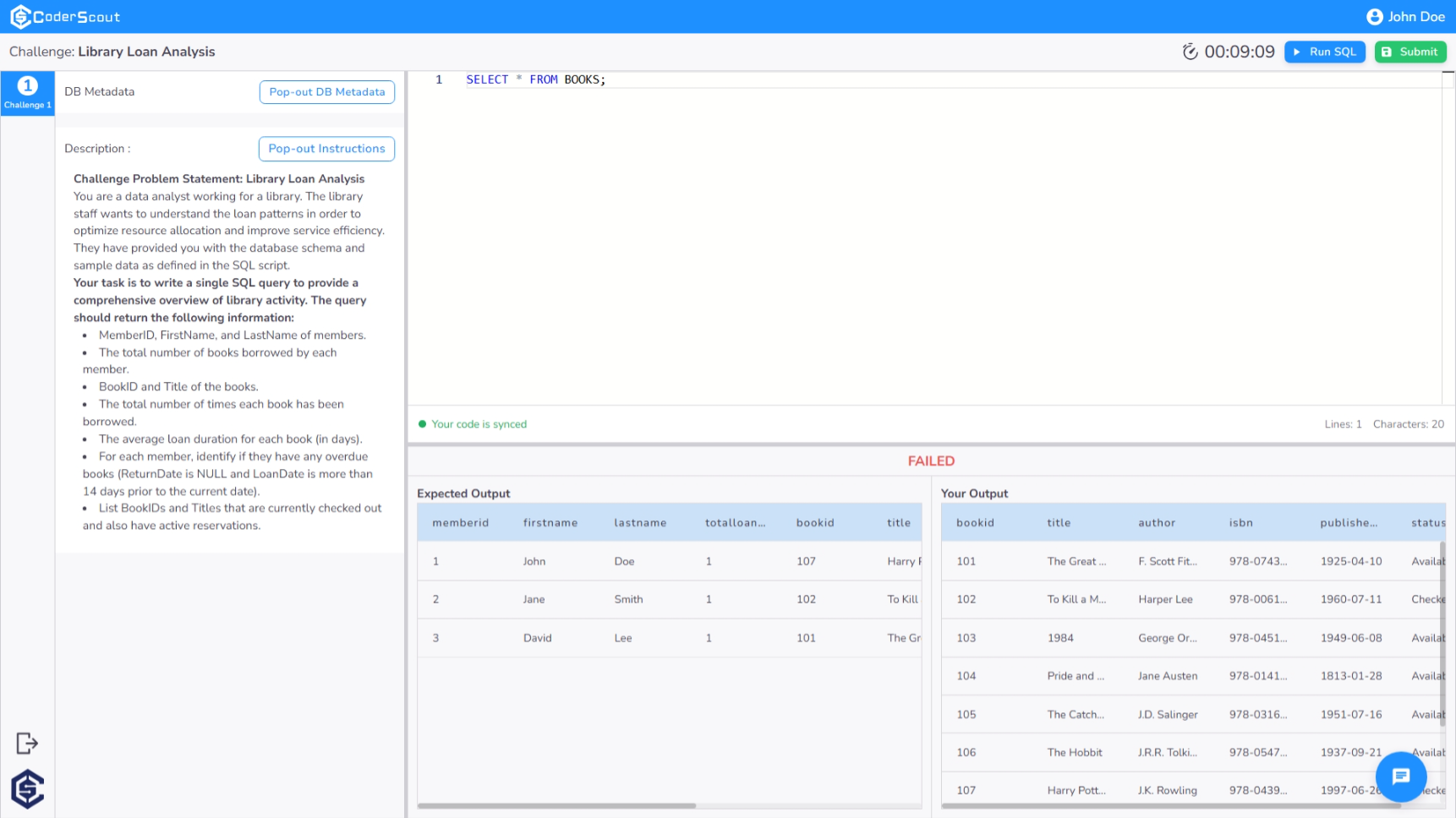
Upon starting the SQL stage, candidates are provided with a specialized IDE optimized for database querying. The interface features a dual-pane layout:
- Problem Context: On the left, candidates can review the challenge instructions and requirements.
- Query Console: On the right, a spacious editor allows for writing and refining SQL queries. Candidates can execute their queries in real-time to compare their results against the expected output.
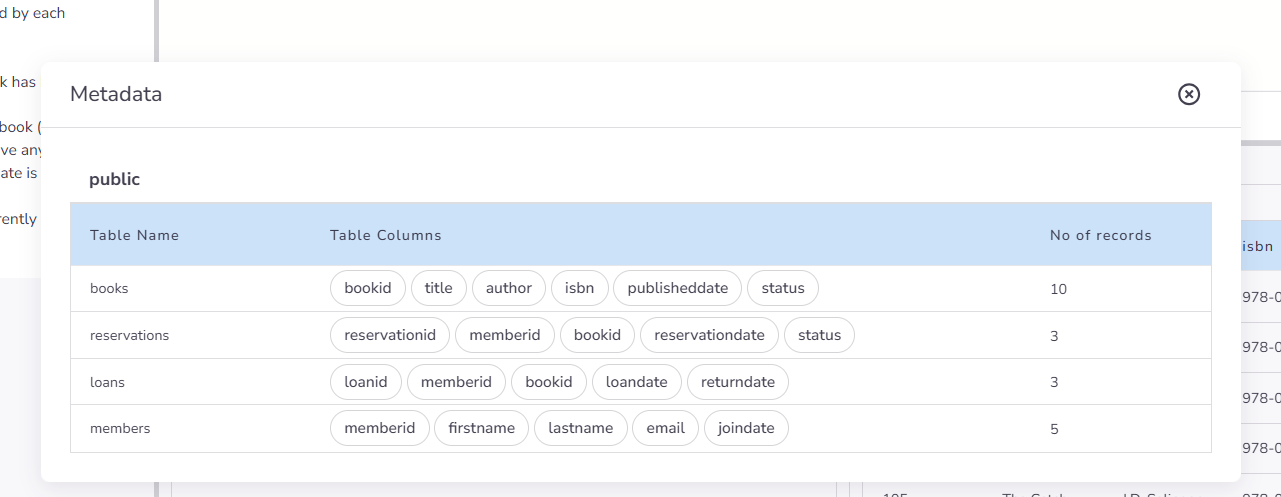
Schema & Metadata Discovery
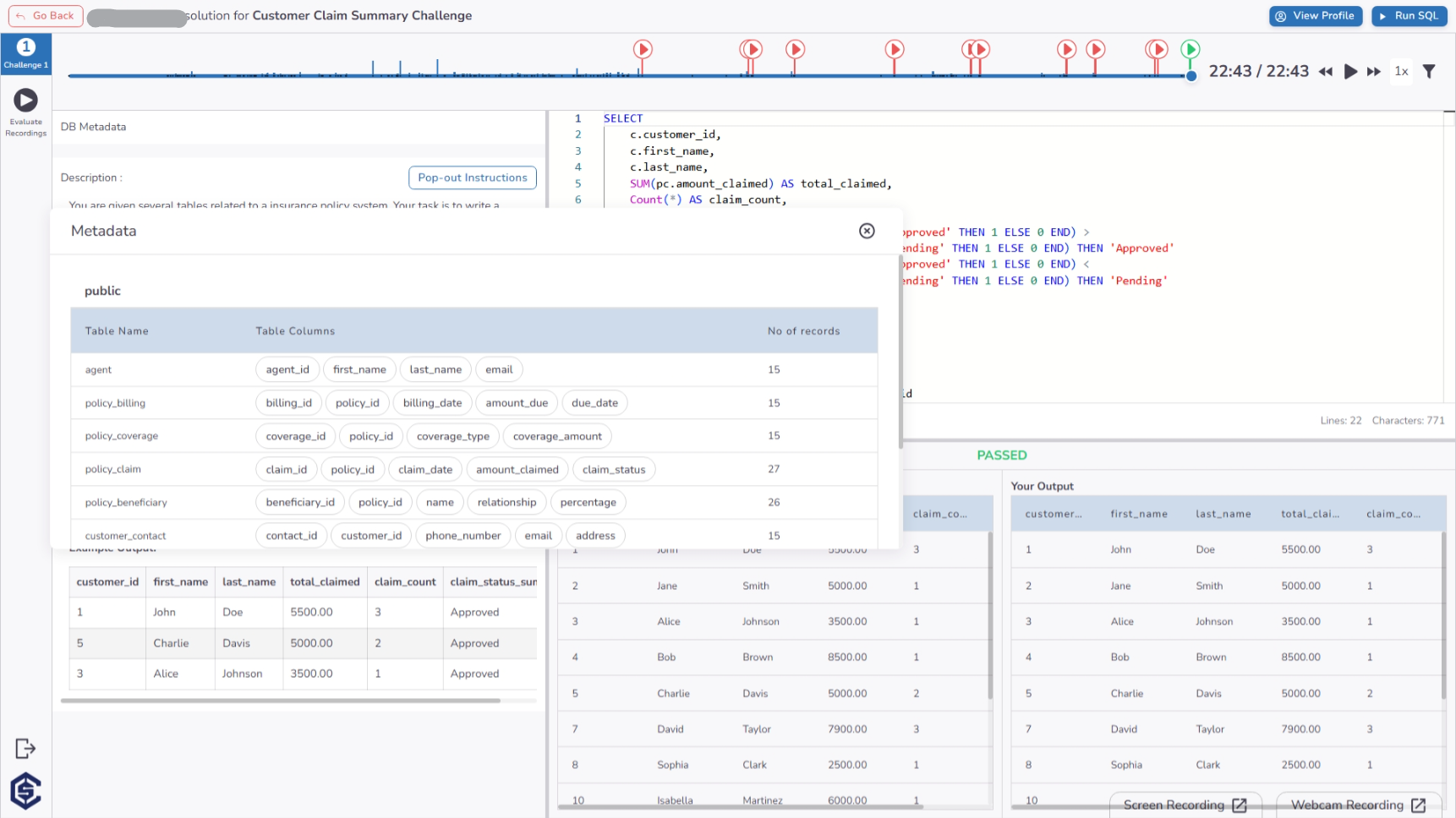
To assist in query construction, candidates can access a Schema Metadata modal. This pop-out interface provides a clear view of the database structure, including table names, column details, and record counts.
Administrative Insights & Evaluation
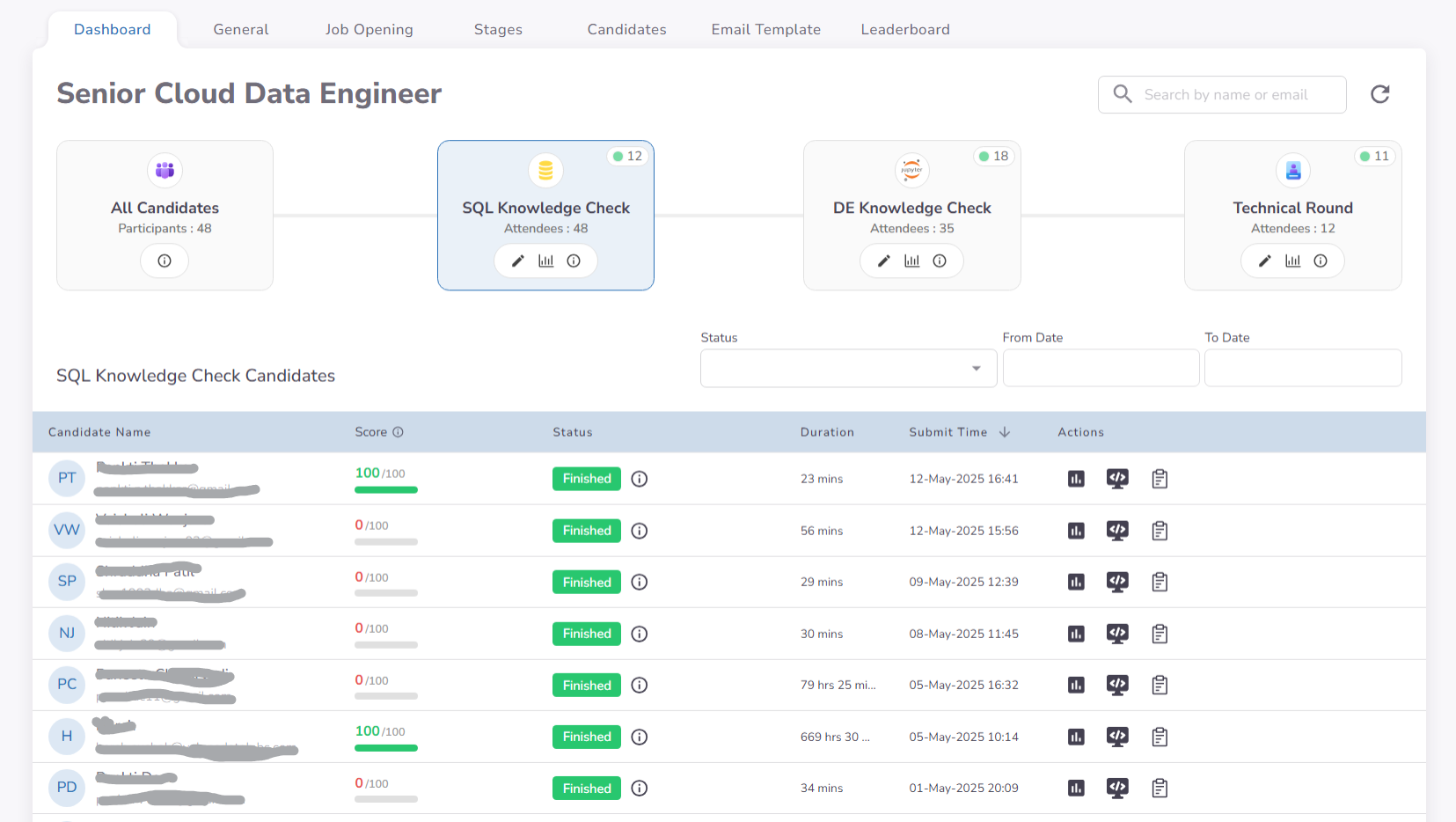
Dashboard Analytics
The SQL stage dashboard surfaces the performance metrics for each candidate, highlighting the score achieved based on query accuracy and execution results. This enables data-driven comparisons between candidates' querying capabilities.
Forensic Timeline Analysis
Recruiters can audit the candidate's journey through a detailed performance timeline. This view captures:
- Interaction Signals: Real-time logging of behavioral events such as tab switching and copy-paste attempts.
- Development Process: Access to the candidate's query history, schema views, and the original problem instructions for comprehensive review.
Proctoring & Evidence Review
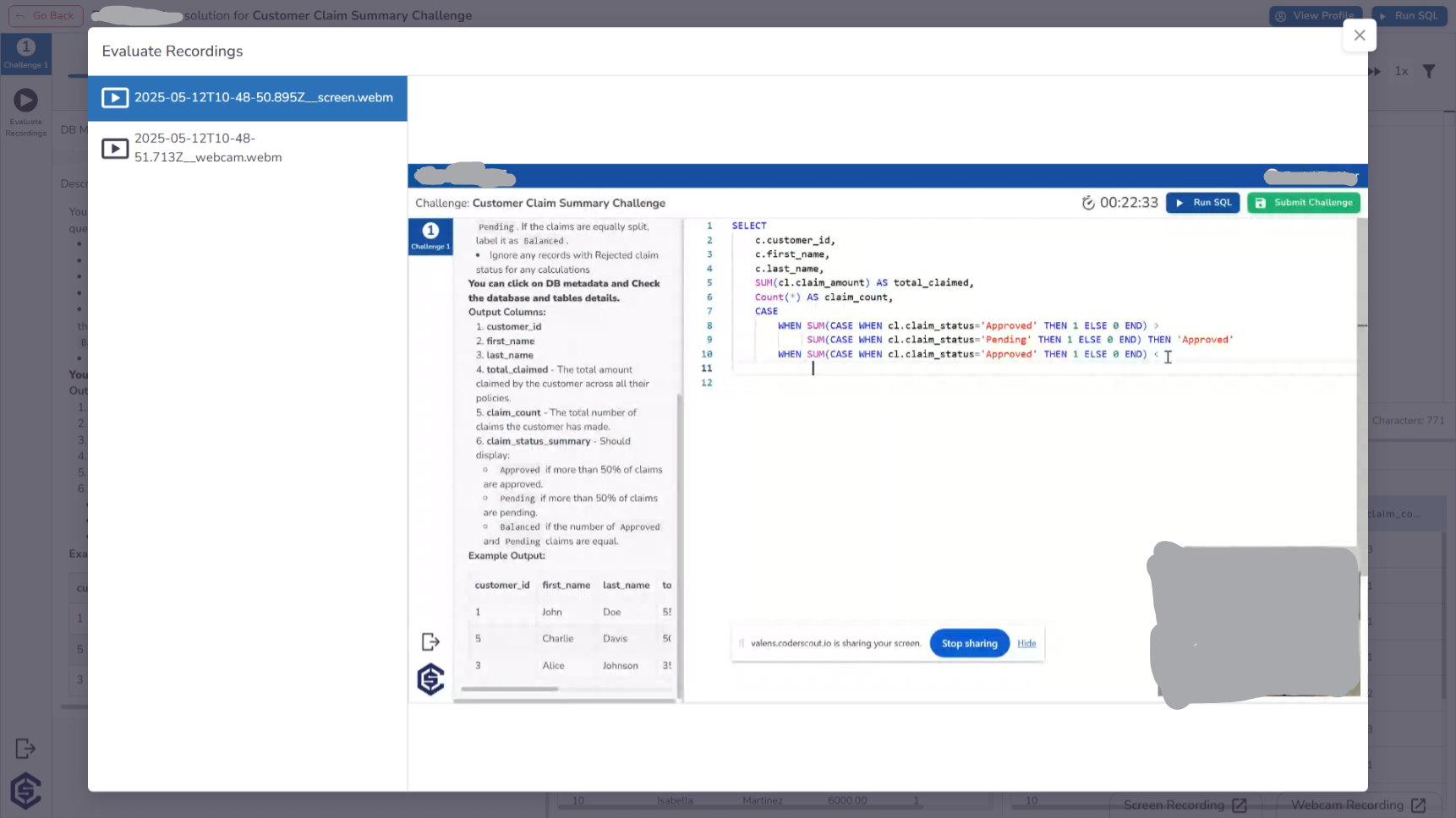
Similar to other technical stages, the timeline page provides direct access to Evaluate Recordings. Organizations can review synchronized webcam and screen-share footage to verify the authenticity of the candidate's submission.
Key Benefits
The SQL stage ensures a robust evaluation of data manipulation and querying skills:
- Live Database Execution: Candidates interact with real database instances, ensuring that their performance reflects their ability to handle actual production environments.
- Automatic Correctness Validation: Instant scoring based on query results compared against a "Truth Query," eliminating manual evaluation time.
- Schema Awareness Tools: Built-in metadata discovery allows candidates to focus on logic rather than memorizing field names.
- Behavioral Integrity Monitoring: Advanced tracking of tab switches and copy-paste events provides a clear picture of candidate honesty.
- Data-Driven Evaluation: Go beyond simple pass/fail with insights into query efficiency and performance across complex datasets.