MCQ Stage
What this stage is
The MCQ stage evaluates candidates using multiple-choice questions across any domain or industry.
It is a versatile stage type suitable for both technical and non-technical roles.
When to use it
Use MCQs when:
- You need fast, objective screening
- Assessing theoretical or domain knowledge
- Eliminating large candidate pools early
Common for:
- Campus and mass hiring
- Functional roles (sales, marketing, operations)
- Compliance or domain-specific tests
Configuration Details
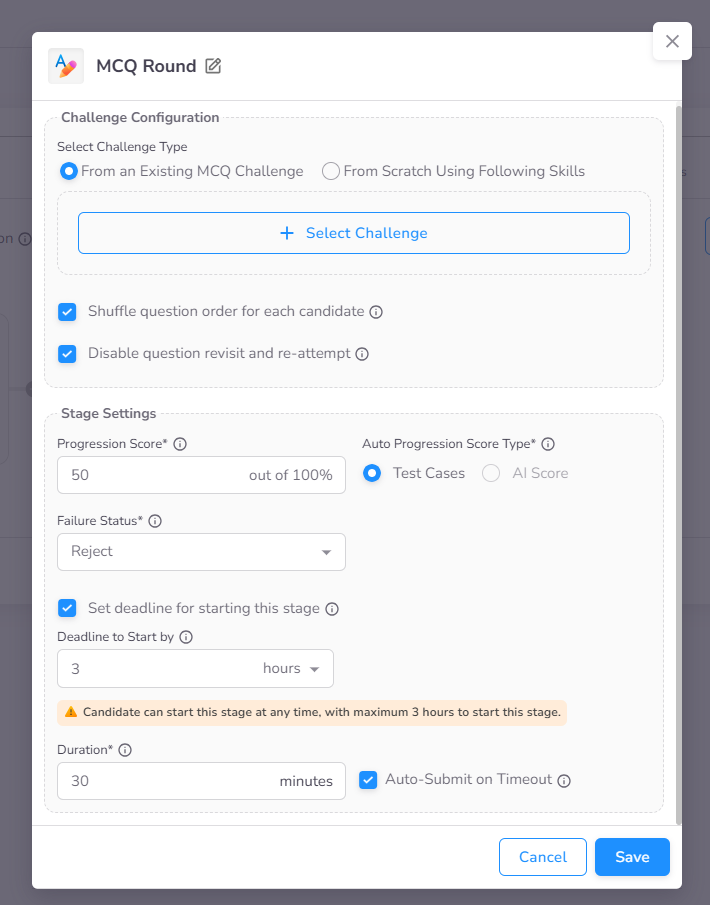
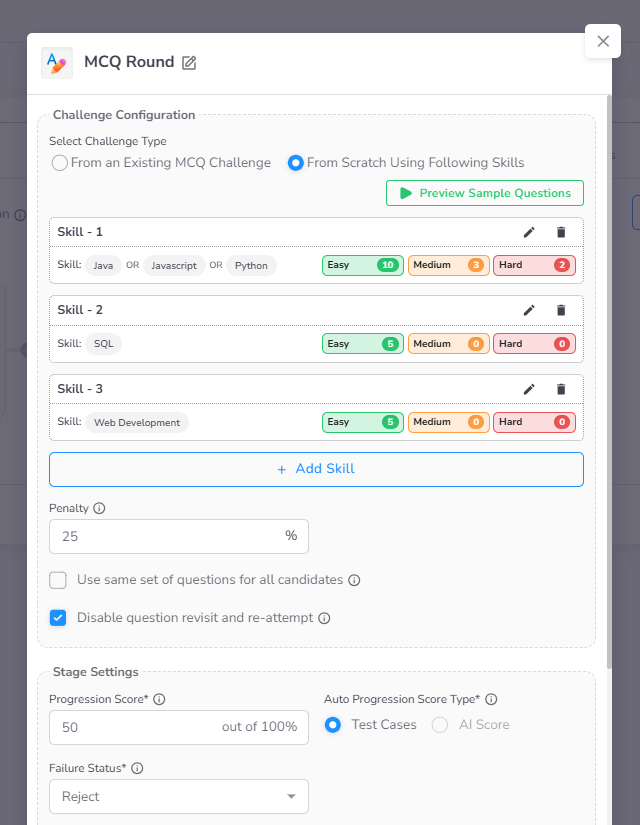
- Challenge Selection: You can either select an existing challenge from your library or curate questions by choosing specific skills and difficulty levels.
- Penalty (Optional): Enable negative marking by specifying a weightage for incorrect answers.
- Multi-Skill Selection: If multiple skills are configured, candidates can choose which skill to attempt within the stage.
- Question Distribution: Define the number of questions per skill based on difficulty levels.
- Progression Controls: Disabling Revisit Questions and Re-attempt prevents candidates from returning to previous questions. Answers can be modified on the active screen but are finalized upon clicking "Next Question."
- Standard Settings: Configuration for Deadline to Start By, Duration, and Auto Progression Score are detailed in the Stage Settings page.
Candidate Experience
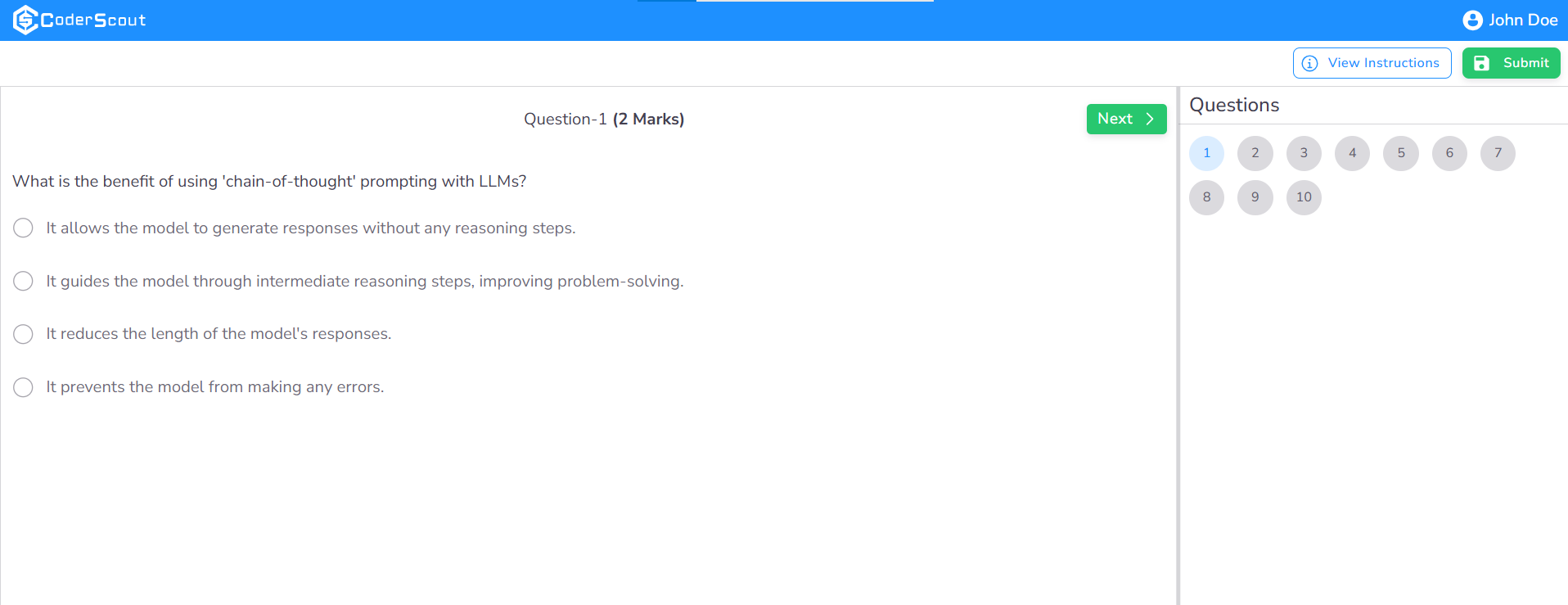
Initial Stage View
When a candidate enters the MCQ stage, they are presented with the following interface, providing a clear overview of the assessment tasks.
Navigation Restrictions
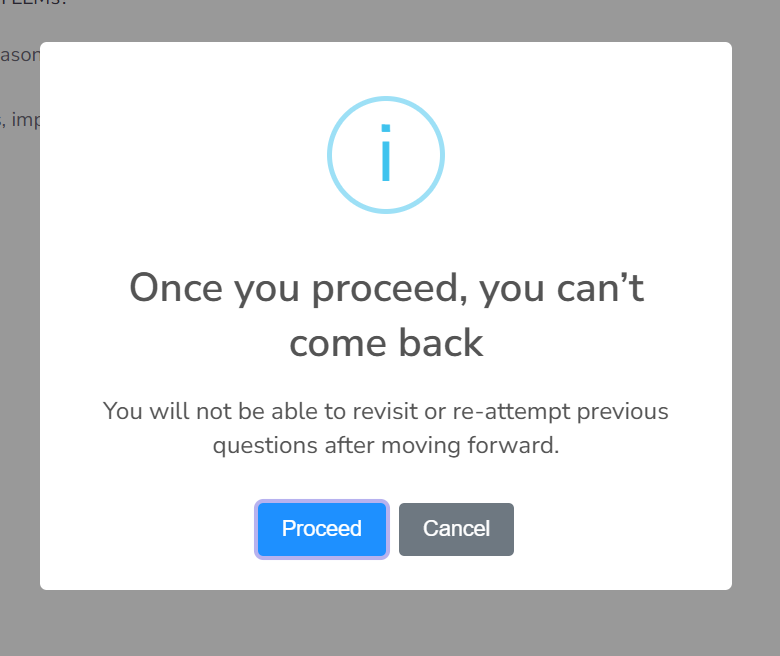
If the evaluation is configured to restrict revisiting questions, candidates will see a specific warning. Under this setting, once a candidate submits an answer and proceeds to the next question, they are unable to navigate backward to modify previous responses.
Stage Exit Warning
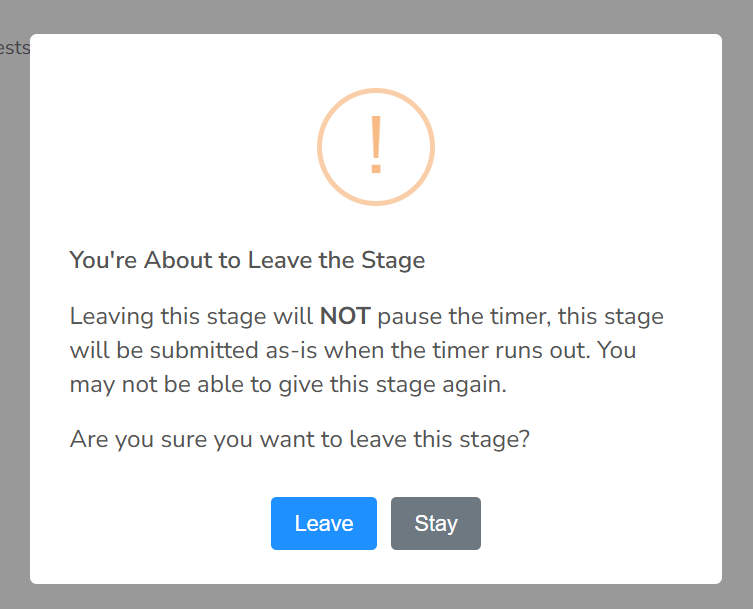
If a candidate attempts to close the browser tab or navigate away during an active stage, a critical warning is displayed. This notification informs the candidate that the timer will continue to run even if they leave the page, and they may be forfeited from completing the assessment.
Automated Decision Tracking
The Assessment Dashboard provides real-time visibility into candidate progression based on your stage configuration. As illustrated in the scenario below, candidates who do not meet the threshold required for automatic advancement are transitioned to an "On Hold" or "Rejected" status, depending on your specific stage settings.
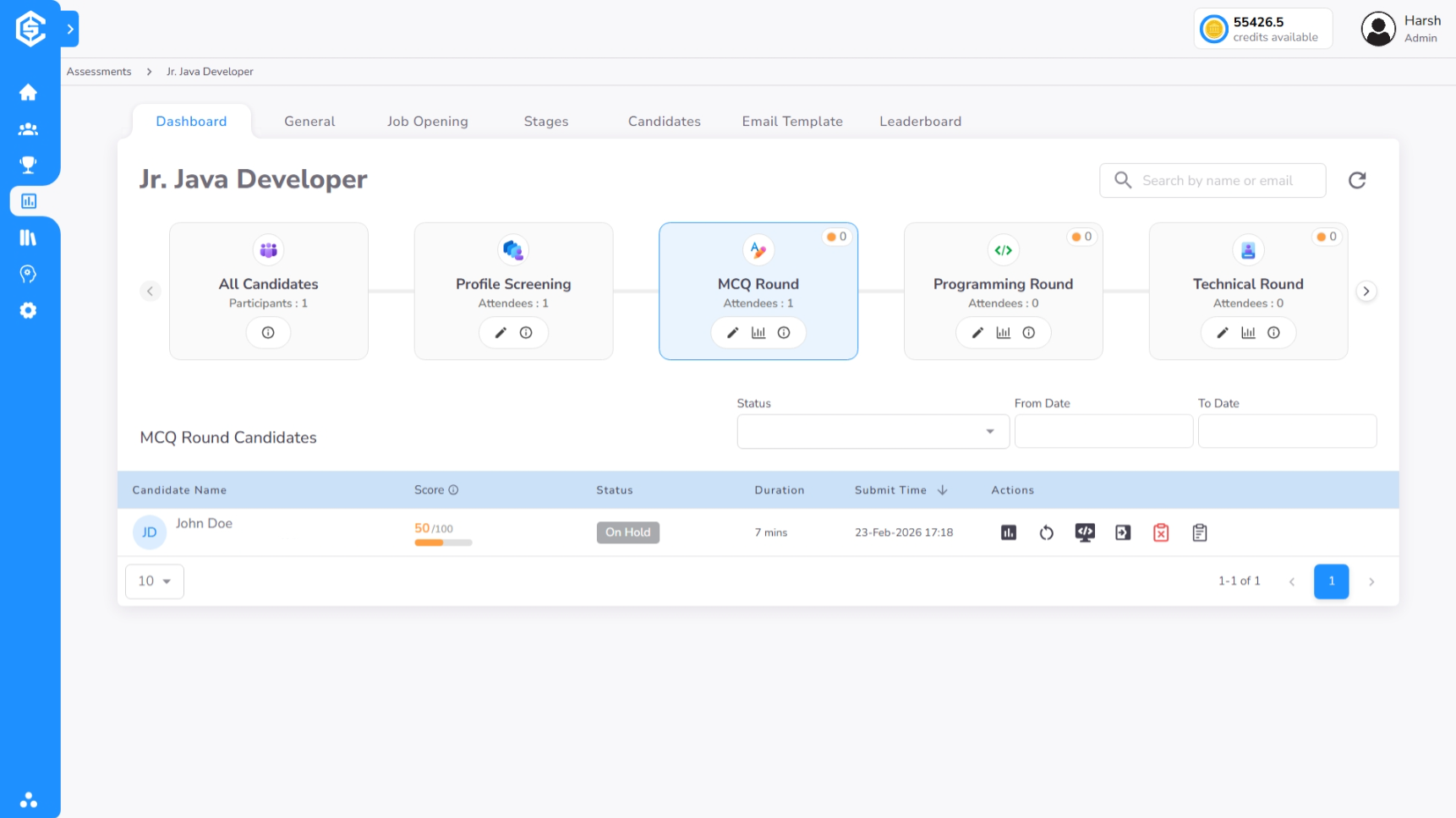
Beyond automated tracking, the dashboard features intuitive action icons that allow recruiters to perform manual overrides, extend stage deadlines, or trigger custom notifications, providing complete control over the candidate's journey.
Performance Timeline & Insights
The Timeline view provides an exhaustive breakdown of the candidate's performance throughout the MCQ stage, organized into two primary segments:
1. Performance Summary
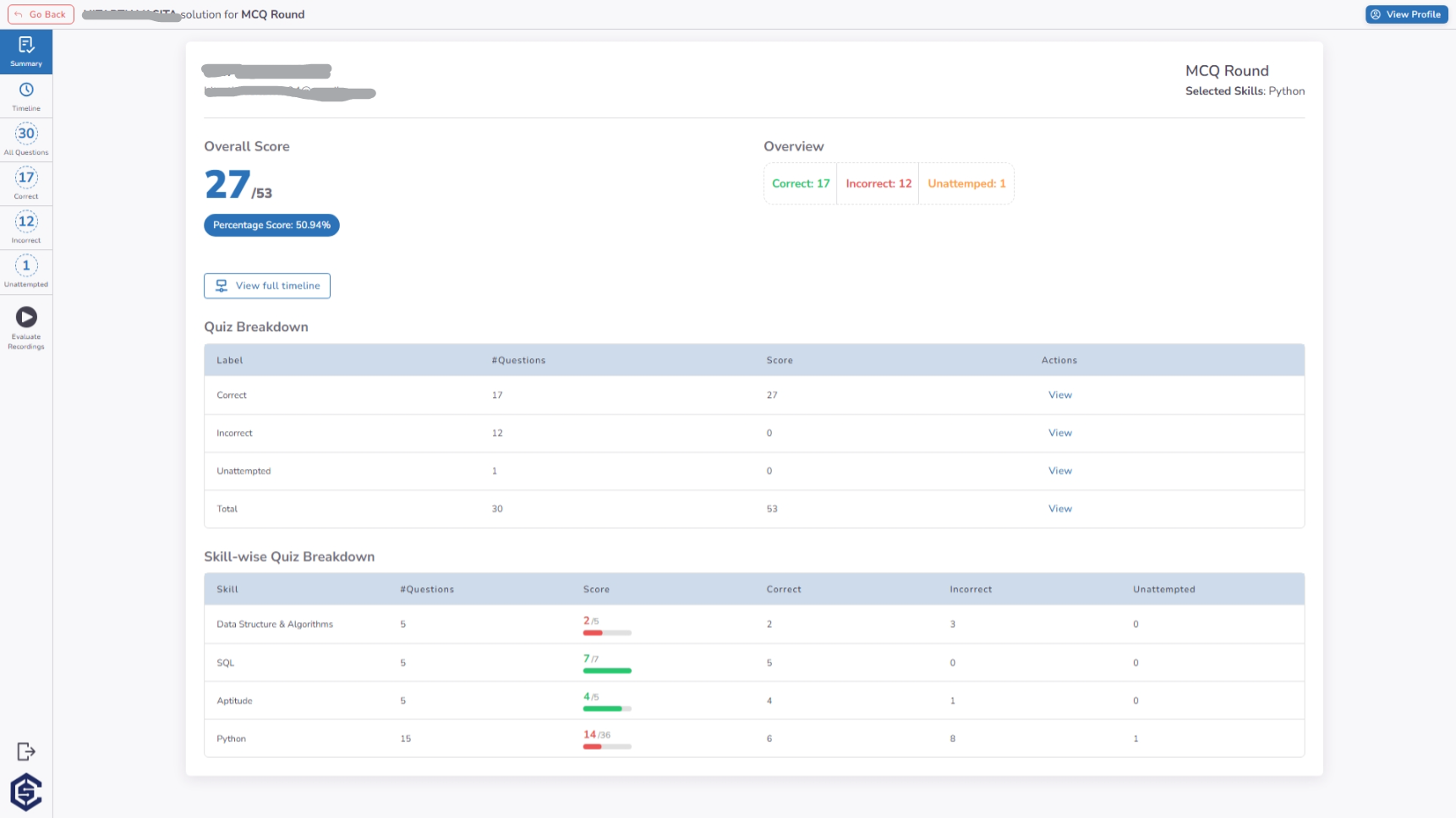
The summary view offers a high-level overview of the candidate's results, including:
- Aggregated Score: The total score earned across all skills.
- Skill Breakdown: Proficiency levels categorized by individual skill tags.
- Question Statistics: A snapshot of attempted, correct, and incorrect responses.
2. Event-by-Event Timeline
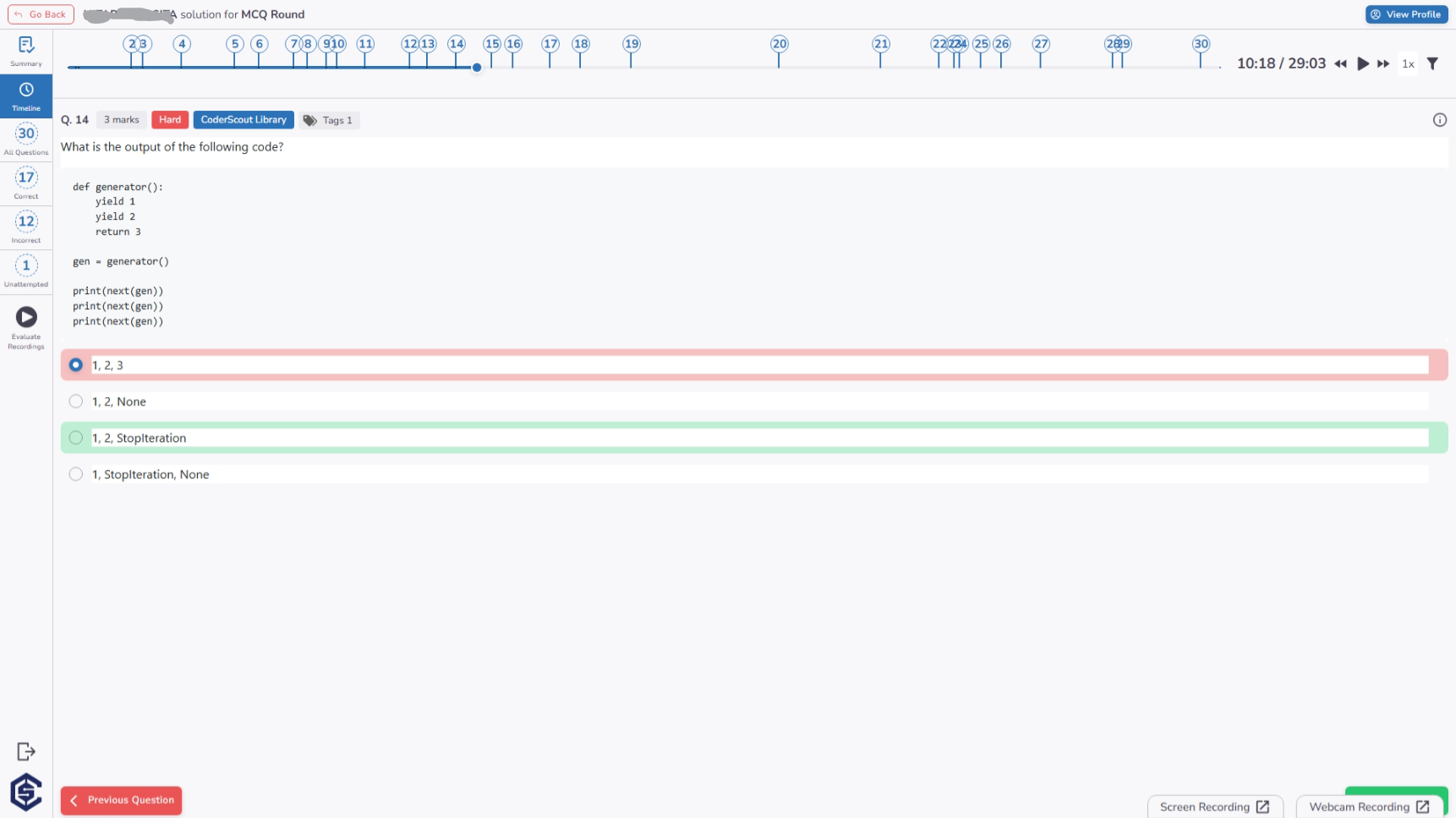
For deeper forensic analysis, the detailed timeline captures every candidate interaction in real-time. This view logs the exact timestamp for each action (e.g., clicking "Next"), alongside the candidate's selected answer compared against the correct solution.
Key Benefits
The MCQ stage provides a powerful, automated foundation for any recruitment funnel:
- Massive Scalability: Evaluate thousands of candidates simultaneously with zero manual intervention required for grading.
- Objective Decision Making: Eliminate human bias by relying on standardized, automated scoring and progression logic.
- Customizable Difficulty: Tailor assessments to specific roles by mixing and matching skills and difficulty levels (Easy, Medium, Hard).
- Proctoring-Ready Evaluation: Built-in exit warnings and navigation restrictions ensure a fair and secure testing environment.
- Instant Result Turnaround: Gain immediate insights into a candidate's domain knowledge the moment they submit their response.