Quiz Stage
What this stage is
The Quiz Stage evaluates candidates using structured questions across any domain or industry.
It now supports multiple question formats:
- Multiple-Choice Questions (MCQ): Fast, objective evaluation.
- Short Answer: Captures brief, written explanations or definitions.
- Comprehension: Evaluates reading and analytical skills through passage-based questions.
It is a versatile stage type suitable for both technical and non-technical roles.
When to use it
Use the Quiz Stage when:
- You need fast, objective screening.
- Assessing theoretical, domain knowledge, or reading comprehension.
- Eliminating large candidate pools early.
Common for:
- Campus and mass hiring.
- Functional roles (sales, marketing, operations).
- Compliance or domain-specific tests.
Configuration Details
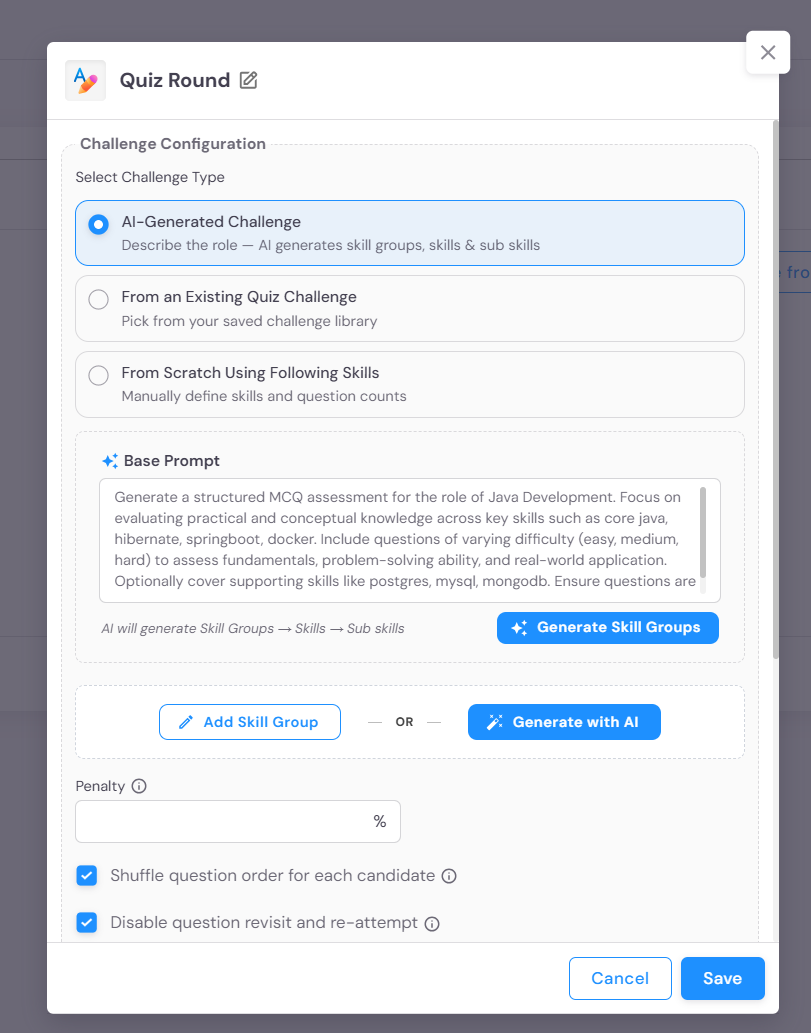
- Challenge Selection: There are three primary ways to configure the content of a Quiz stage:
- AI Generated: Instantly create a quiz by selecting skills and letting AI curate the questions.
- From Existing Challenge: Select a pre-saved quiz from your library.
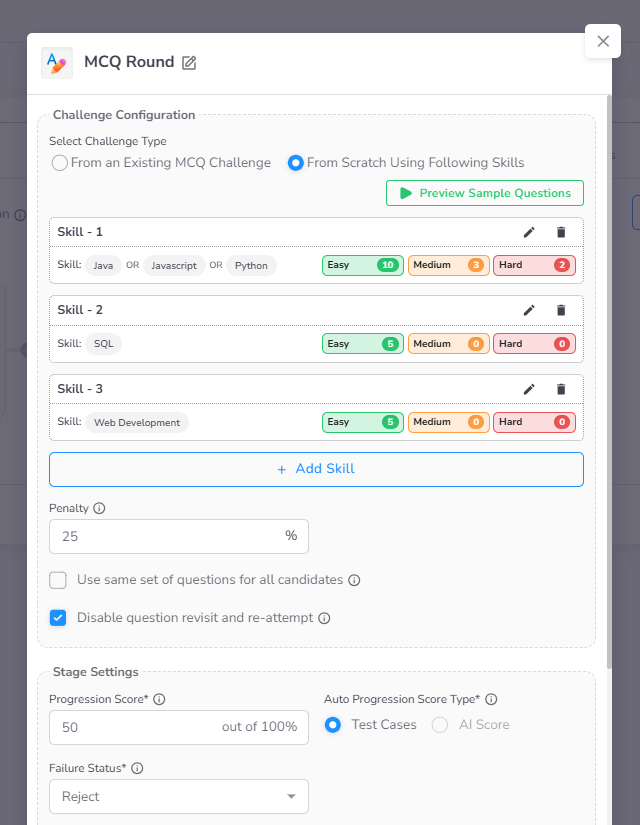
- From Scratch: Manually build a quiz by selecting specific skills and defining question counts per difficulty level.
- Penalty (Optional): Enable negative marking by specifying a weightage for incorrect answers (primarily for MCQs).
- Multi-Skill Selection: If multiple skills are configured, candidates can choose which skill to attempt within the stage.
- Question Distribution: Define the number of questions per skill based on difficulty levels.
- Progression Controls: Disabling Revisit Questions and Re-attempt prevents candidates from returning to previous questions.
- Standard Settings: Configuration for Deadline to Start By, Duration, and Auto Progression Score are detailed in the Stage Settings page.
Candidate Experience
Initial Stage View
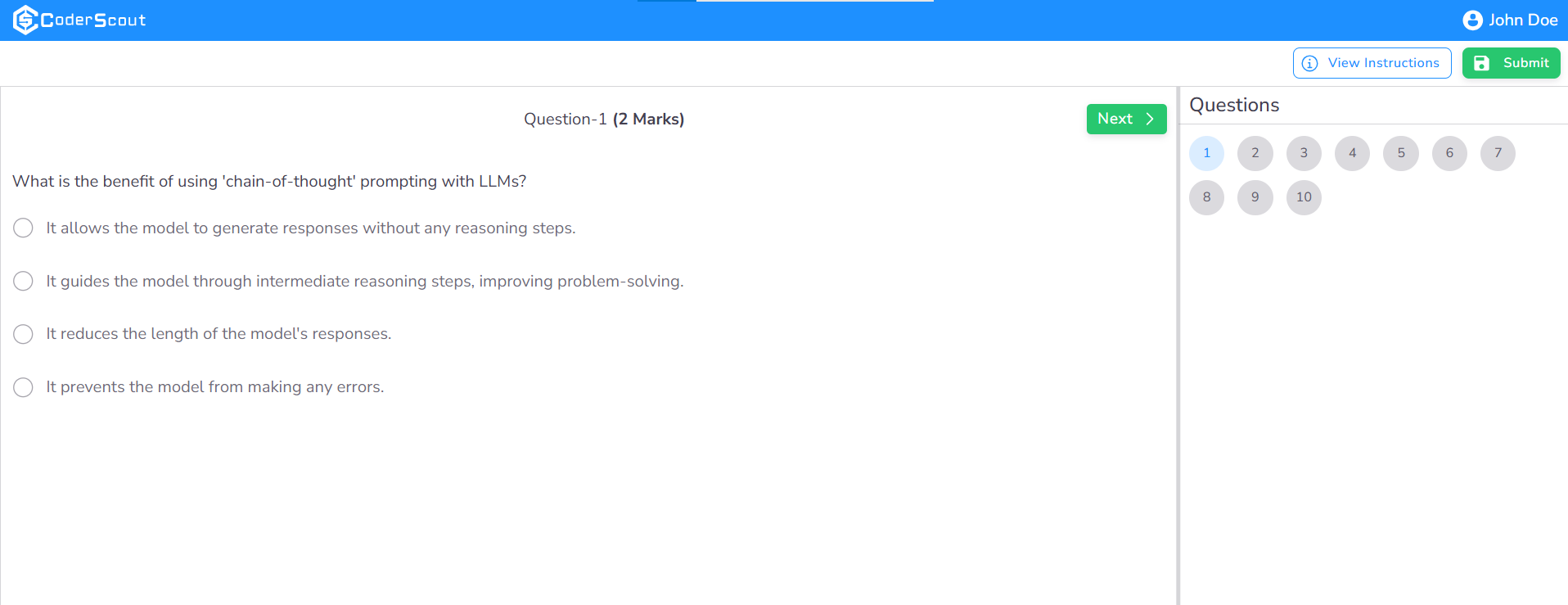
When a candidate enters the Quiz stage, they are presented with a clear overview of the assessment tasks, including the mix of question types they will encounter.
Navigation Restrictions
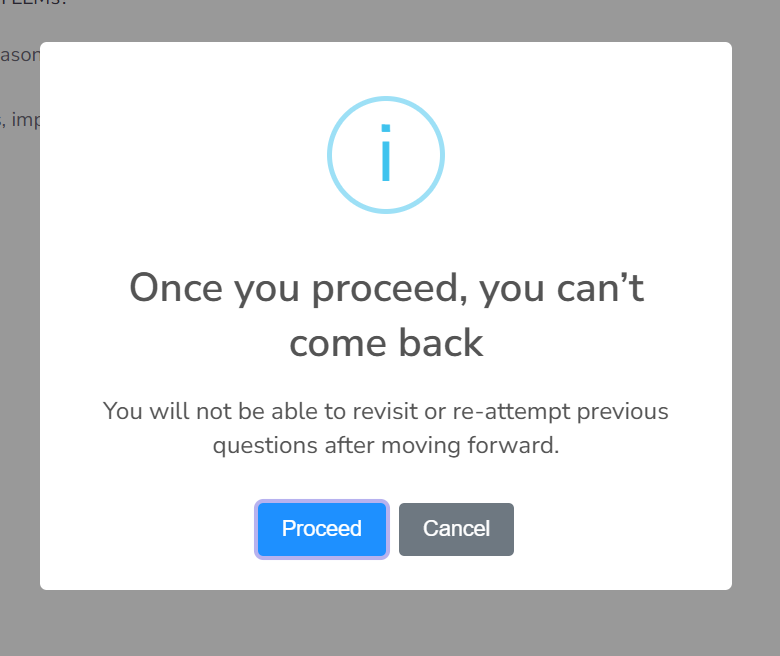
If the evaluation is configured to restrict revisiting questions, candidates will see a specific warning. Under this setting, once a candidate submits an answer and proceeds to the next question, they are unable to navigate backward to modify previous responses.
Stage Exit Warning
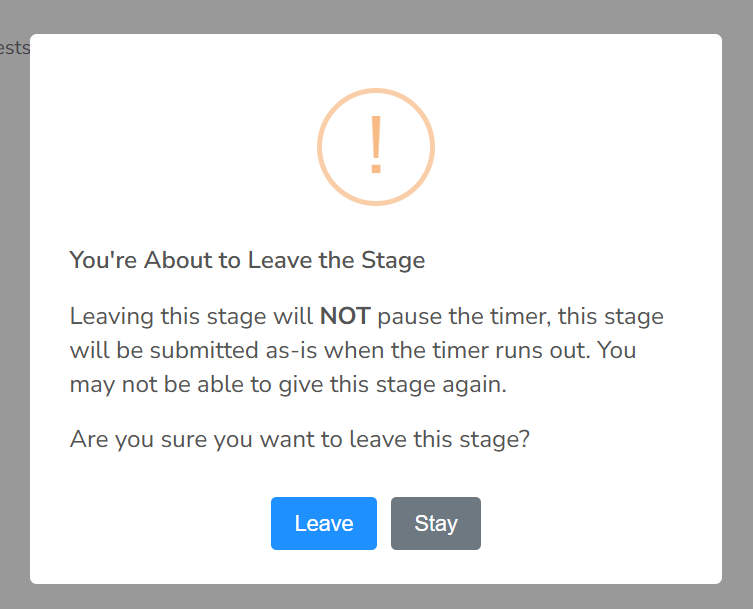
If a candidate attempts to close the browser tab or navigate away during an active stage, a critical warning is displayed. This notification informs the candidate that the timer will continue to run even if they leave the page.
Automated Decision Tracking
The Assessment Dashboard provides real-time visibility into candidate progression. Candidates who do not meet the threshold required for automatic advancement are transitioned to an "On Hold" or "Rejected" status.
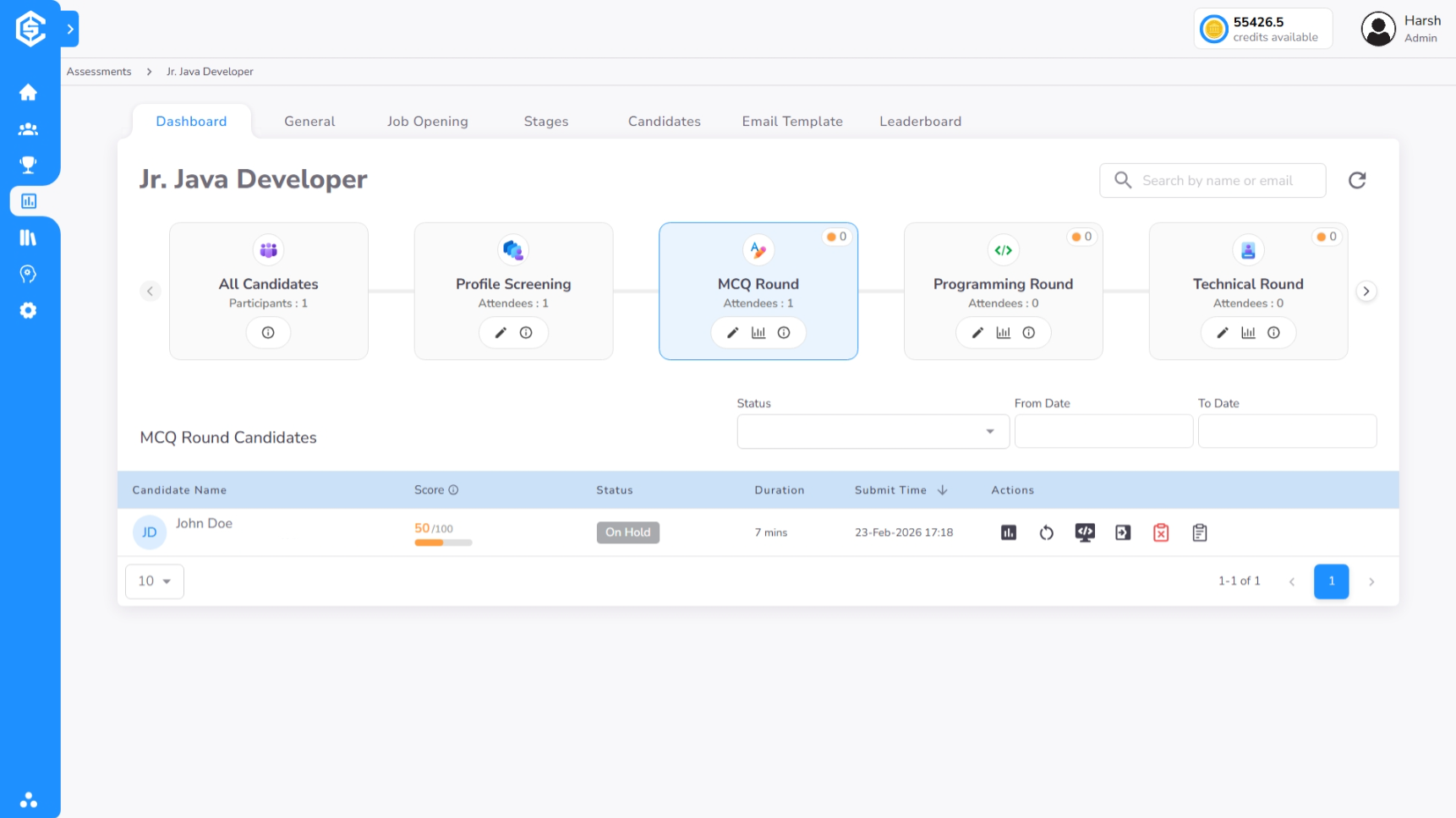
Beyond automated tracking, the dashboard features intuitive action icons that allow recruiters to perform manual overrides, extend stage deadlines, or trigger custom notifications.
Performance Timeline & Insights
The Timeline view provides an exhaustive breakdown of the candidate's performance throughout the Quiz stage:
1. Performance Summary
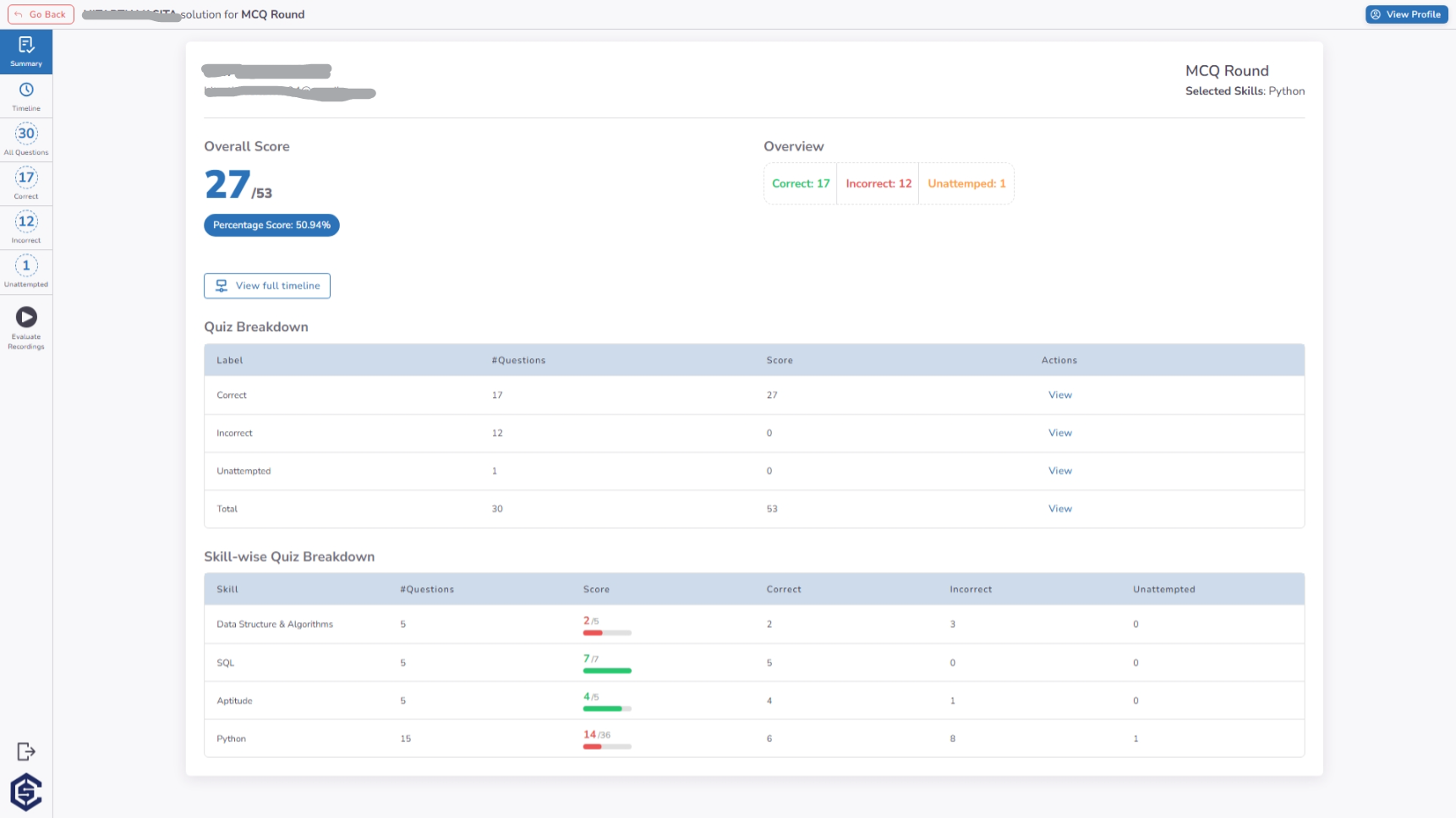
The summary view offers a high-level overview of the candidate's results, including:
- Aggregated Score: The total score earned across all skills and question types.
- Skill Breakdown: Proficiency levels categorized by individual skill tags.
- Question Statistics: A snapshot of attempted, correct, and incorrect responses.
2. Event-by-Event Timeline
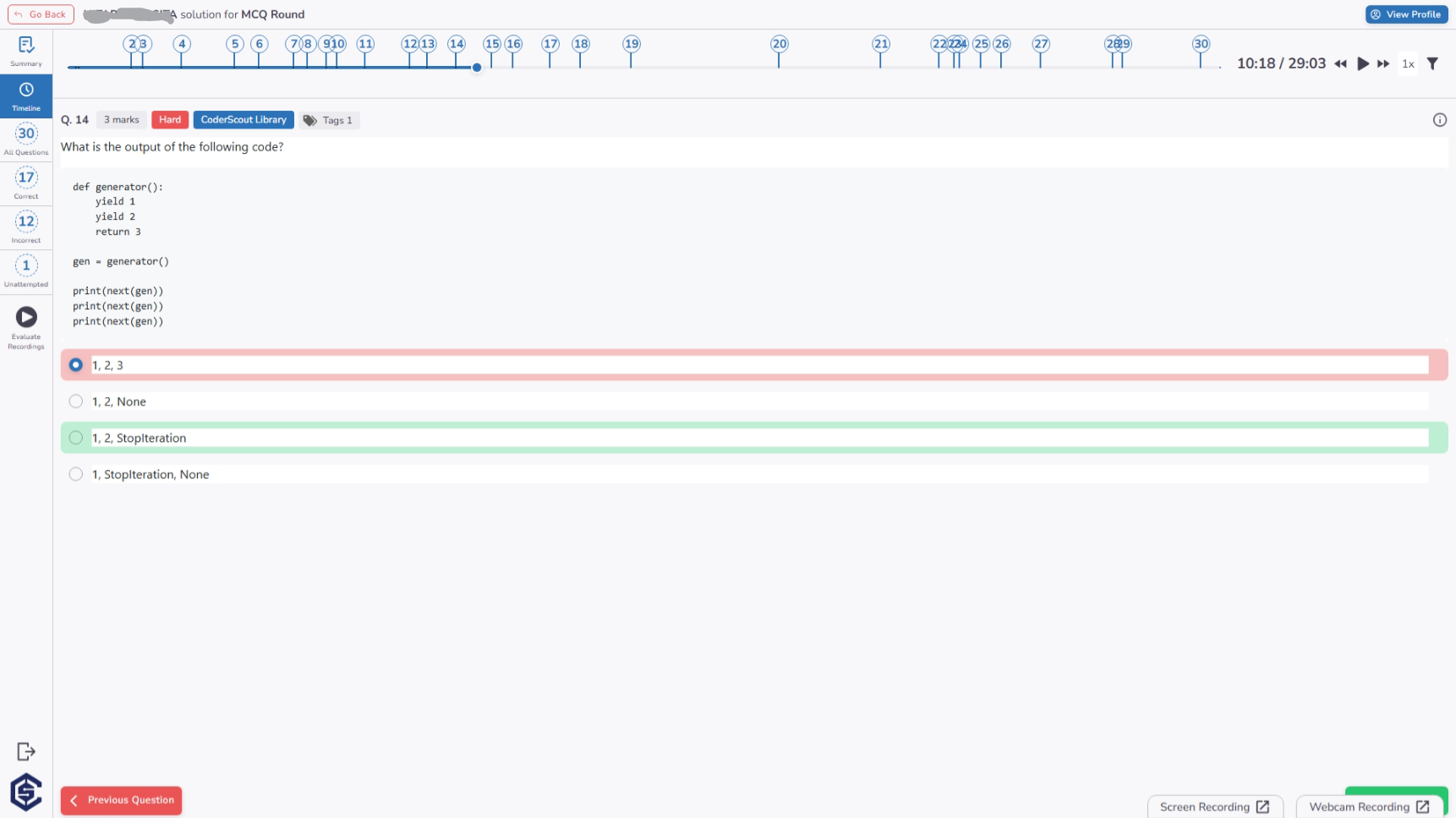
For deeper analysis, the detailed timeline captures every candidate interaction. This view logs the exact timestamp for each action, alongside the candidate's selected answer compared against the correct solution.
Key Benefits
- Massive Scalability: Evaluate thousands of candidates simultaneously.
- Enhanced Flexibility: Use Short Answer and Comprehension questions for deeper qualitative insights compared to standard MCQs.
- Objective Decision Making: Eliminate human bias by relying on standardized, automated scoring.
- Customizable Difficulty: Tailor assessments by mixing and matching skills and difficulty levels.
- Proctoring-Ready Evaluation: Built-in exit warnings and navigation restrictions ensure a fair testing environment.