DBT Stage
What this stage is
The DBT Stage evaluates candidates on their proficiency with analytics engineering workflows. Candidates are tasked with building, documenting, and testing data transformation models within a real-world dbt project environment.
When to use it
Incorporate a DBT stage when:
- Hiring Analytics Engineers, Data Engineers, or Data Analysts.
- Your data stack relies heavily on dbt for transformations.
- You need to evaluate a candidate's ability to manage complex data lineages and documentation.
Configuring the Stage
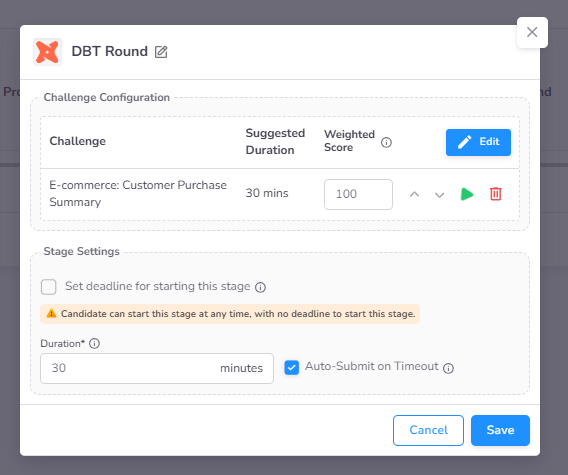
When creating an assessment, you can add a DBT stage to define the technical environment and challenges.
- Select Challenge: Choose a pre-configured DBT challenge from the CoderScout Library or your own repository.
- Environment Details: Challenges automatically provision the necessary database connections and dbt runtimes.
- Standard Settings: Define the Duration, Start Deadline, and Progression Score as detailed in the Stage Settings page.
Candidate Experience
Integrated DBT IDE
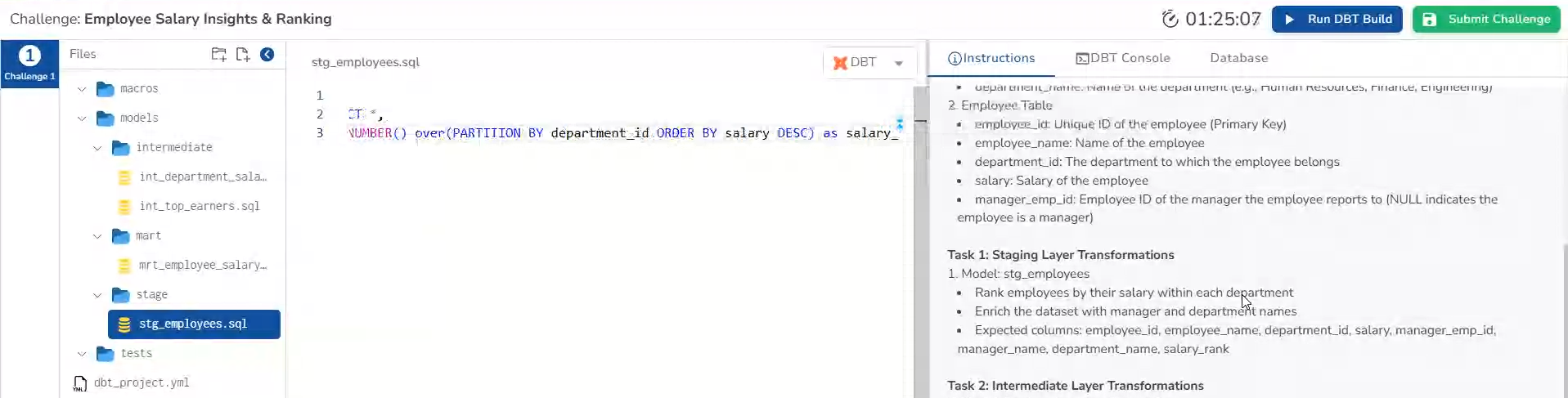
Upon starting the round, candidates are provided with a dedicated IDE optimized for dbt projects.
- Project Structure: A complete dbt project file explorer for managing models, seeds, and snapshots.
- SQL Editor: A powerful editor for writing modular SQL transformations.
Command Console & Database Access
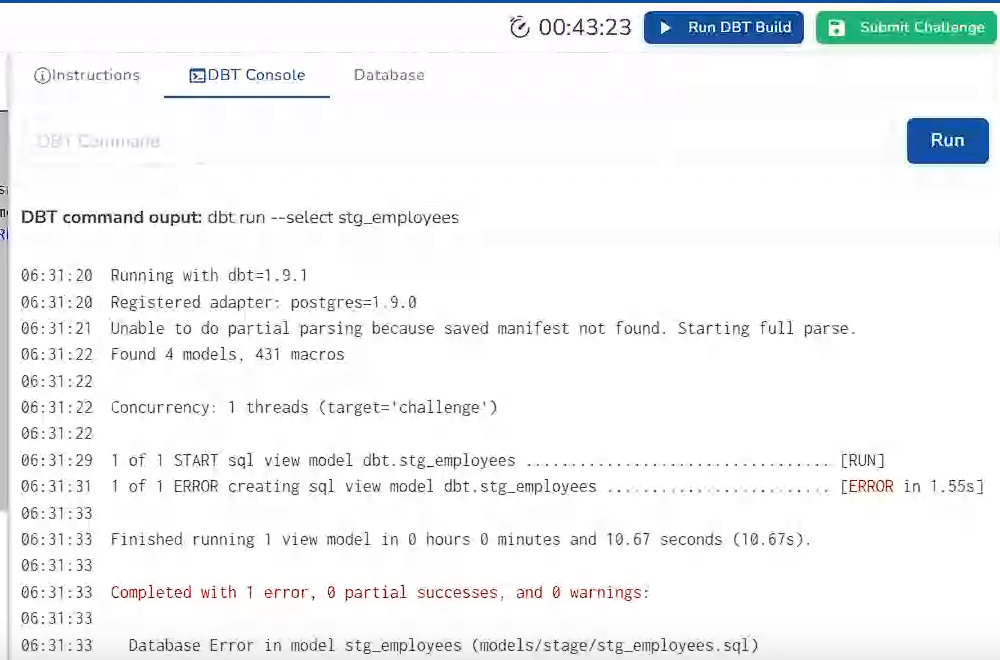
Candidates can execute dbt commands (dbt run, dbt test, dbt seed) directly within the integrated console. They also have access to a database query panel to verify the results of their transformations in real-time.
Administrative Insights & Evaluation
Dashboard Analytics
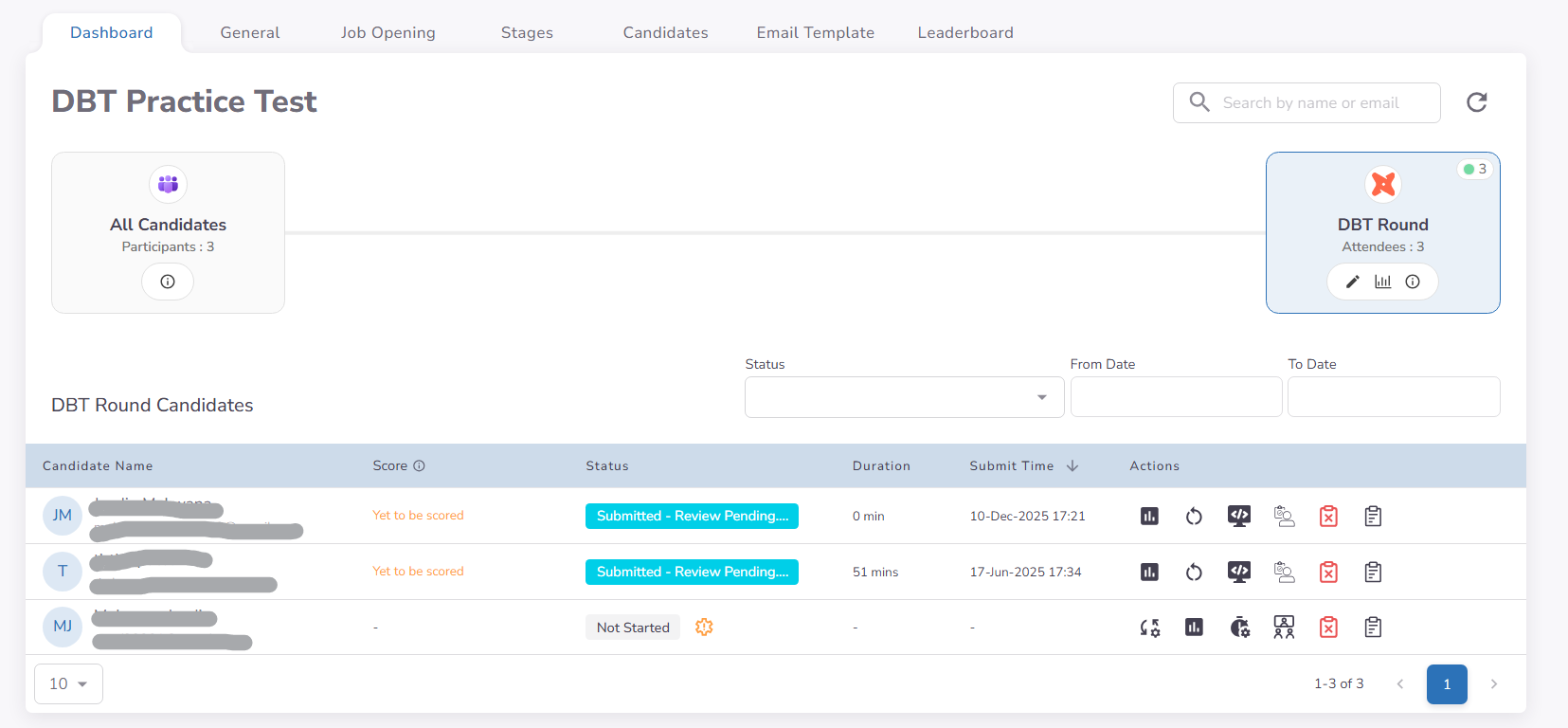
The DBT stage dashboard provides visibility into candidate progression. It surfaces overall scores and highlights submissions that require manual review or final validation.
Forensic Performance Timeline
Recruiters can audit the candidate's development process through a detailed event timeline. This view logs:
- Command Execution: Exactly when dbt commands were triggered and their results.
- Behavioral Signals: Interaction events such as tab switching and copy-paste attempts for proctoring purposes.
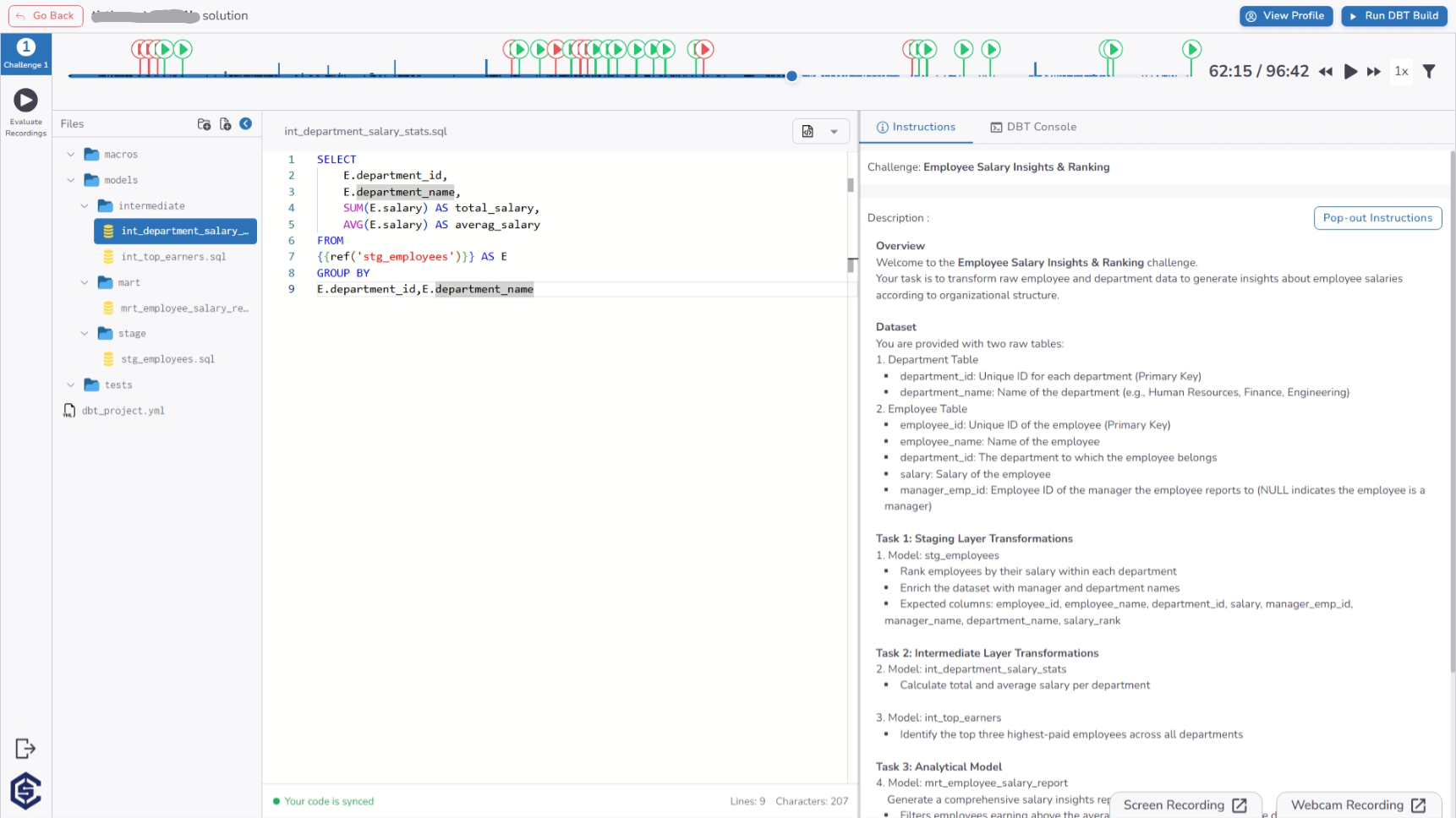
Proctoring & Evidence Review
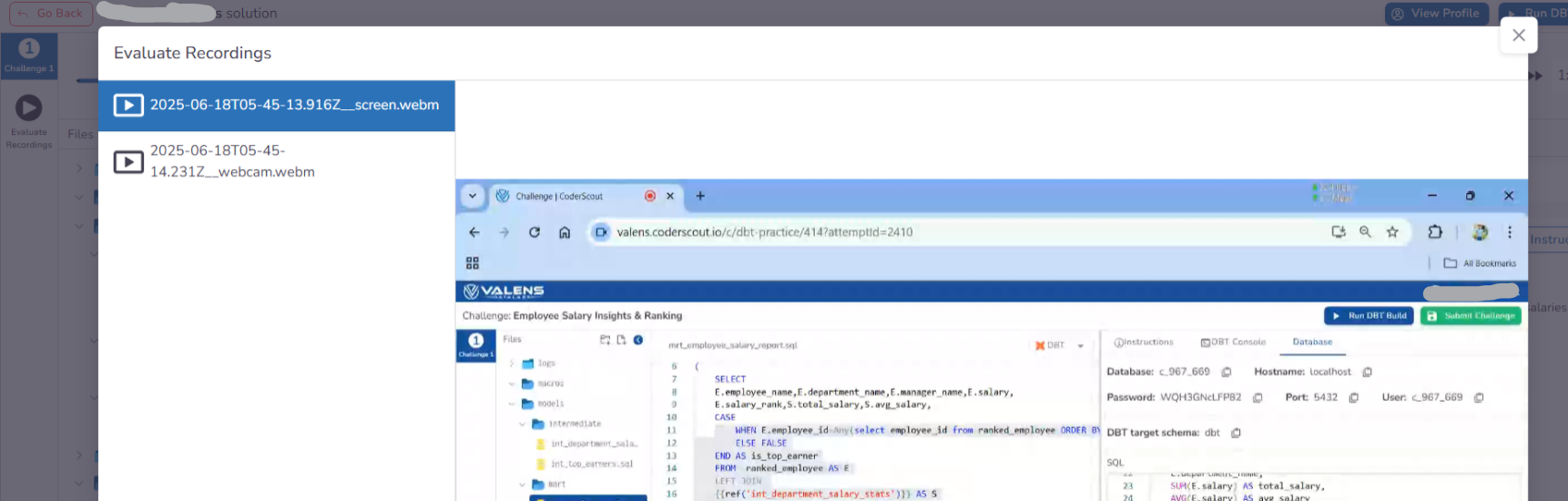
Similar to other technical stages, the timeline page provides direct access to Evaluate Recordings. Organizations can review synchronized webcam and screen-share footage to verify the authenticity of the candidate's submission.
Key Benefits
The DBT stage ensures a specialized evaluation for modern data teams:
- End-to-End Workflow Testing: Evaluate the entire analytics engineering lifecycle, from raw data to documented models.
- Automated Quality Checks: Instantly verify results using built-in dbt tests and custom validation scripts.
- Standardized Environments: Eliminate "it works on my machine" issues with consistent, cloud-provisioned dbt runtimes.
- Behavioral Integrity: Monitor development patterns and interaction signals to ensure assessment authenticity.
- Scalable Data Evaluation: Assess proficiency in building modular, maintainable, and well-documented data pipelines.