Application Stage
What this stage is
The Application stage evaluates candidates by asking them to build or modify real applications.
Supports frameworks like React, Angular, and Next.js.
When to use it
Use this stage when:
- UI/UX and architecture matter
- Evaluating real-world engineering tasks
- Hiring frontend or full-stack developers
Core Features:
- Multi-file project structure
- Editable and non-editable files
- Live preview support
- Framework-specific templates
Configuring the Stage
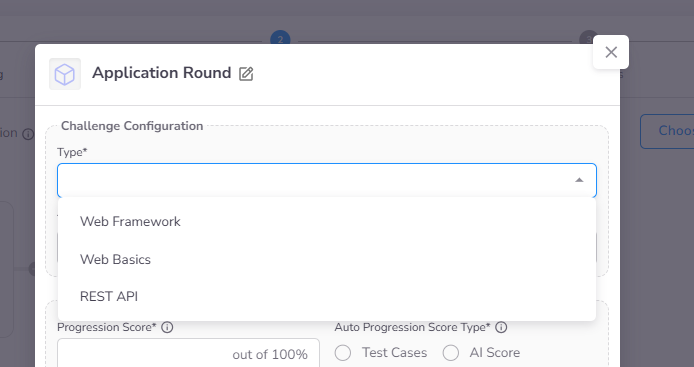
When adding an Application stage to an assessment, you must first select the stage subtype:
- Web Framework: Focused on modern frameworks like React, Angular, or Next.js.
- Web Basics: Focused on core technologies including HTML, CSS, and vanilla JavaScript.
- REST API: Focused on server-side development using frameworks like Flask, Express, Nest or FastAPI.
Detailed Configuration
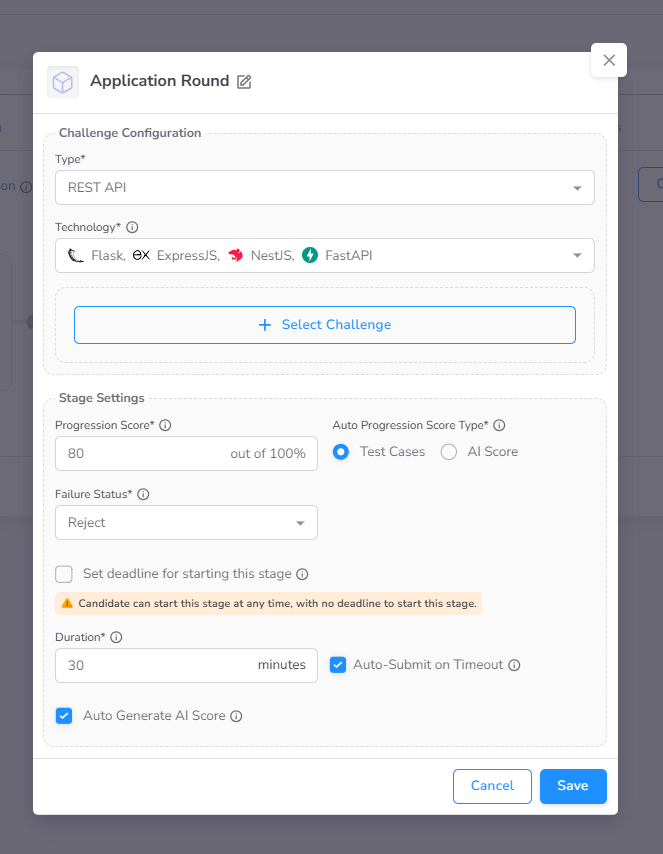
After selecting a subtype, you can define technology restrictions and standard stage settings.
- Technology Restrictions: Define the specific frameworks or libraries available to candidates.
- Select Challenge: Choose a single Application challenge from the CoderScout library or your own library.
- Standard Settings: Configuration for Progression Score, Deadline to Start By, and Duration are detailed in the Stage Settings page.
Candidate Experience
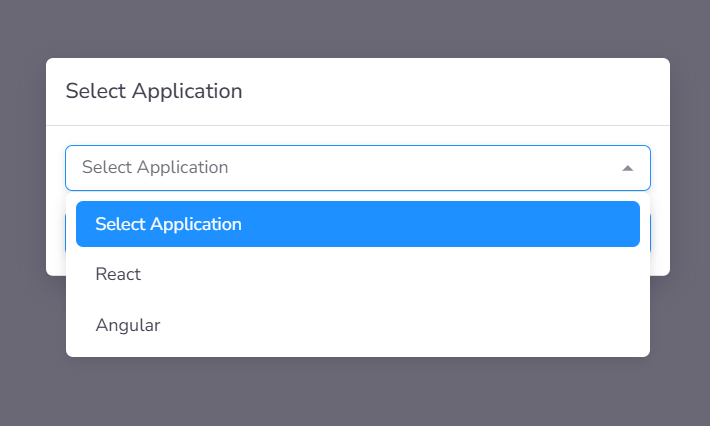
Language & Technology Selection
Upon initiating an Application stage, candidates select their preferred development stack from the options pre-configured in the stage settings. For Web Framework challenges, this ensures the workspace is provisioned with the correct runtime environment.
Web-Based IDE & Preview
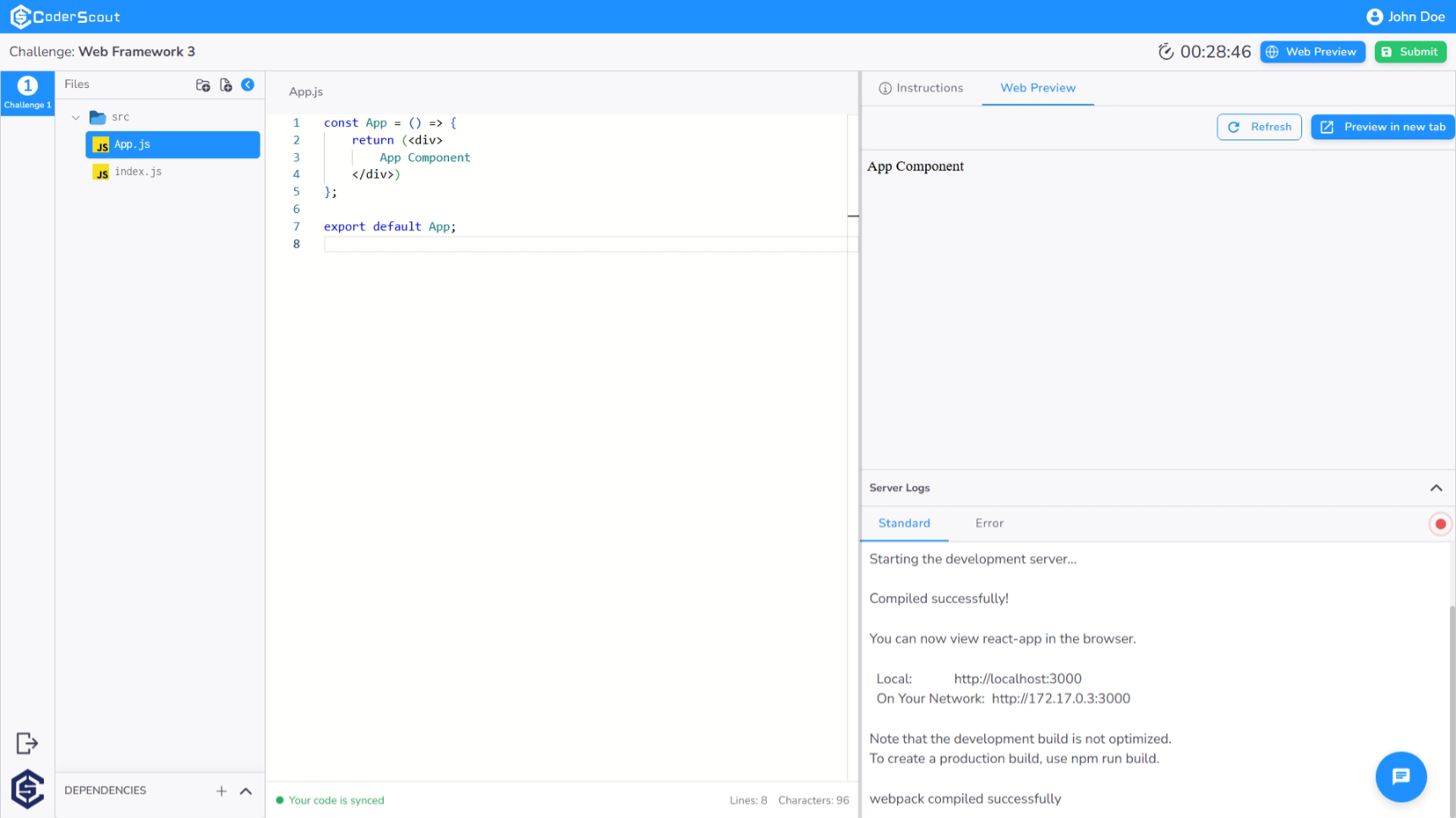
Candidates are provided with a robust, cloud-integrated IDE. For web-based sub-types, the environment includes:
- Live Web Preview: A real-time rendering of the application being built, allowing candidates to verify UI and functionality instantly.
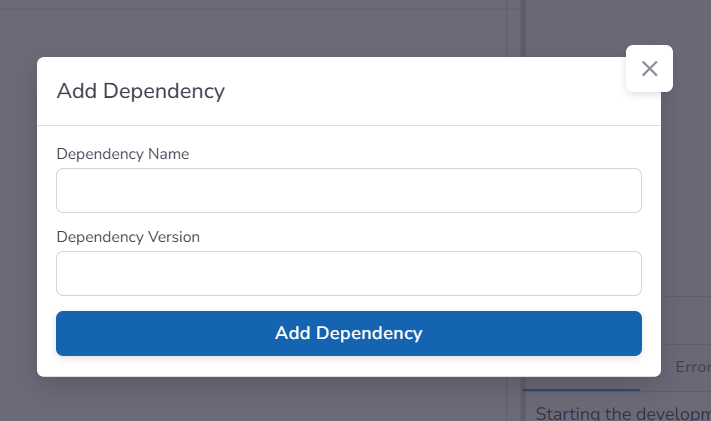
- Dependency Management: A dedicated interface to search for and install essential libraries (NPM/Yarn) required for the project.
Managing Dependencies
The integrated dependency manager allows candidates to extend the project's capabilities by adding specific frameworks or utilities directly within the browser.
Administrative Insights & Evaluation
Dashboard Analytics
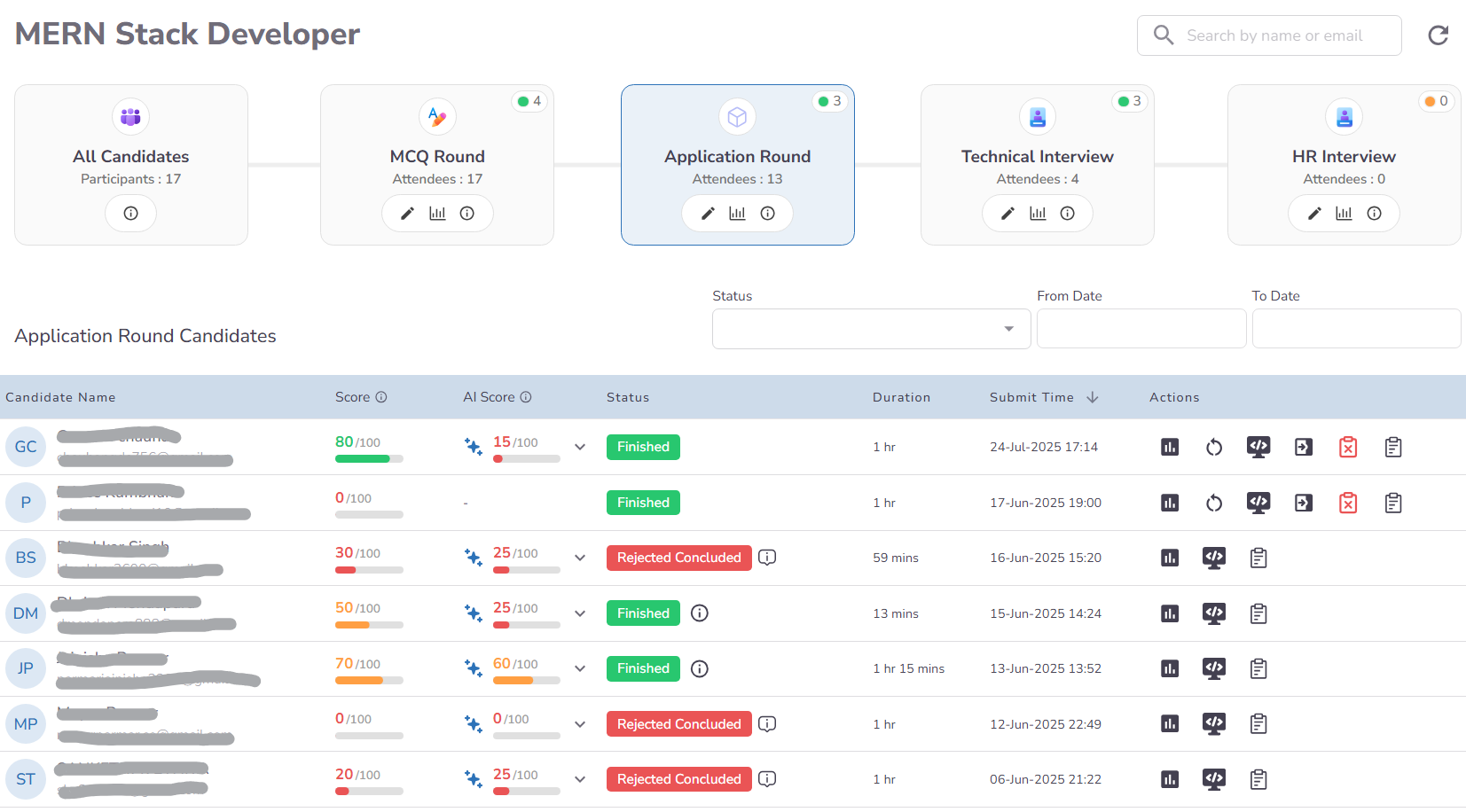
The Application dashboard provides a dual-scoring model for objective assessment:
- Functional Score: Derived from automated unit test results (if configured) or manual reviews by the hiring team.
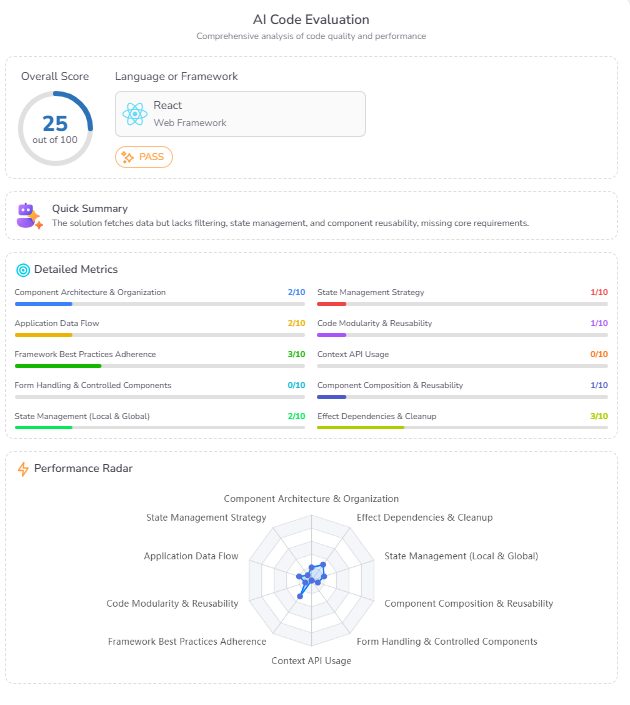
- AI Score: A qualitative analysis of code architecture, logic transparency, and completeness, accompanied by constructive feedback.
AI Evaluation Metrics
The AI scoring system breaks down performance into specific technical metrics, providing a granular view of the candidate's engineering depth.
Forensic Timeline & Web Preview
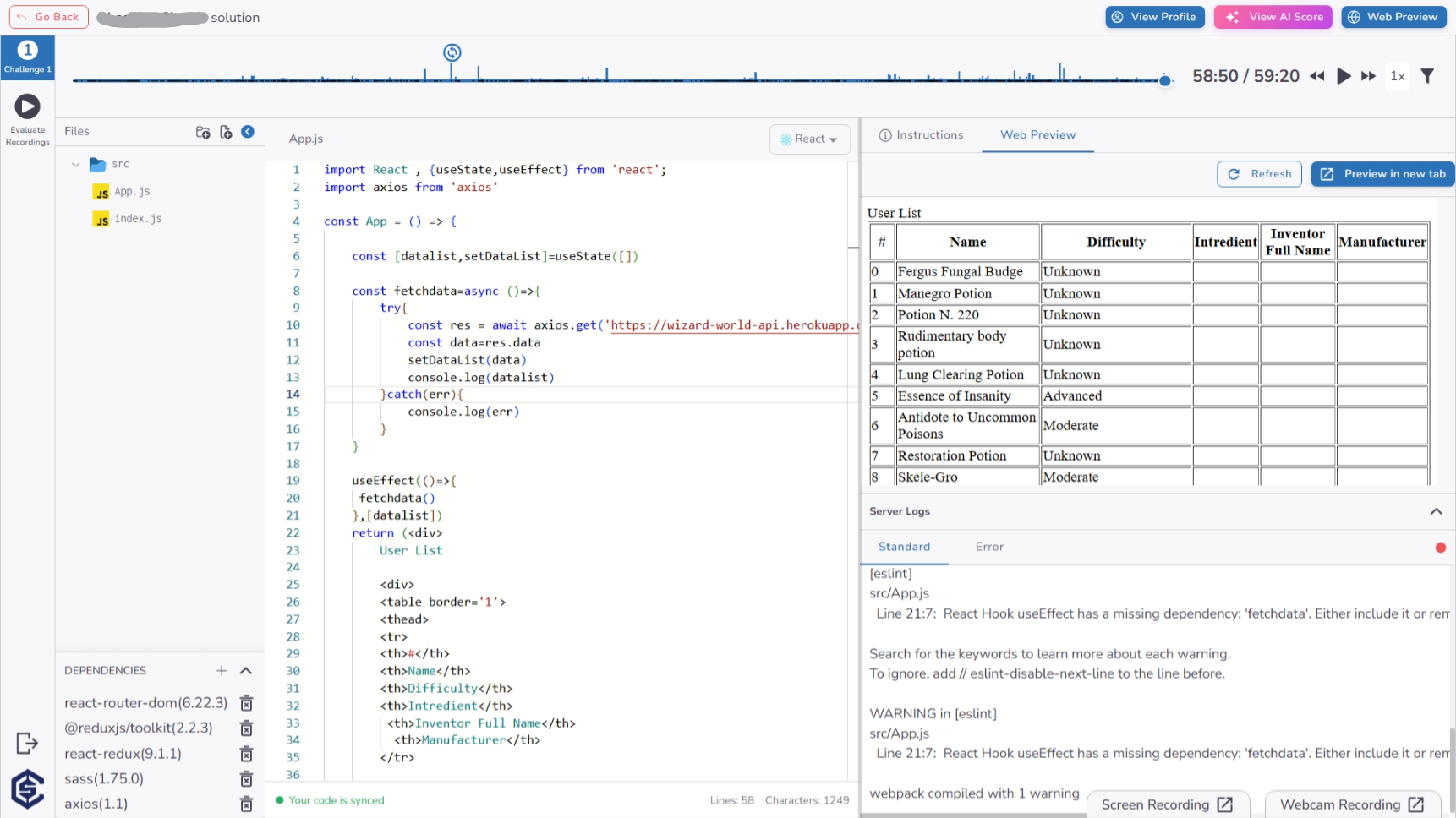
The Timeline view allows recruiters to audit the candidate's development process with high precision:
- Interactive Web Preview: Review the final state of the candidate's web application directly from the dashboard.
- Code Audit: Explore and edit the candidate's solution or modify dependencies to test for edge cases.
- Integrity Signals: Monitor behavioral events such as tab switching, copy-paste actions, and coding linearity.
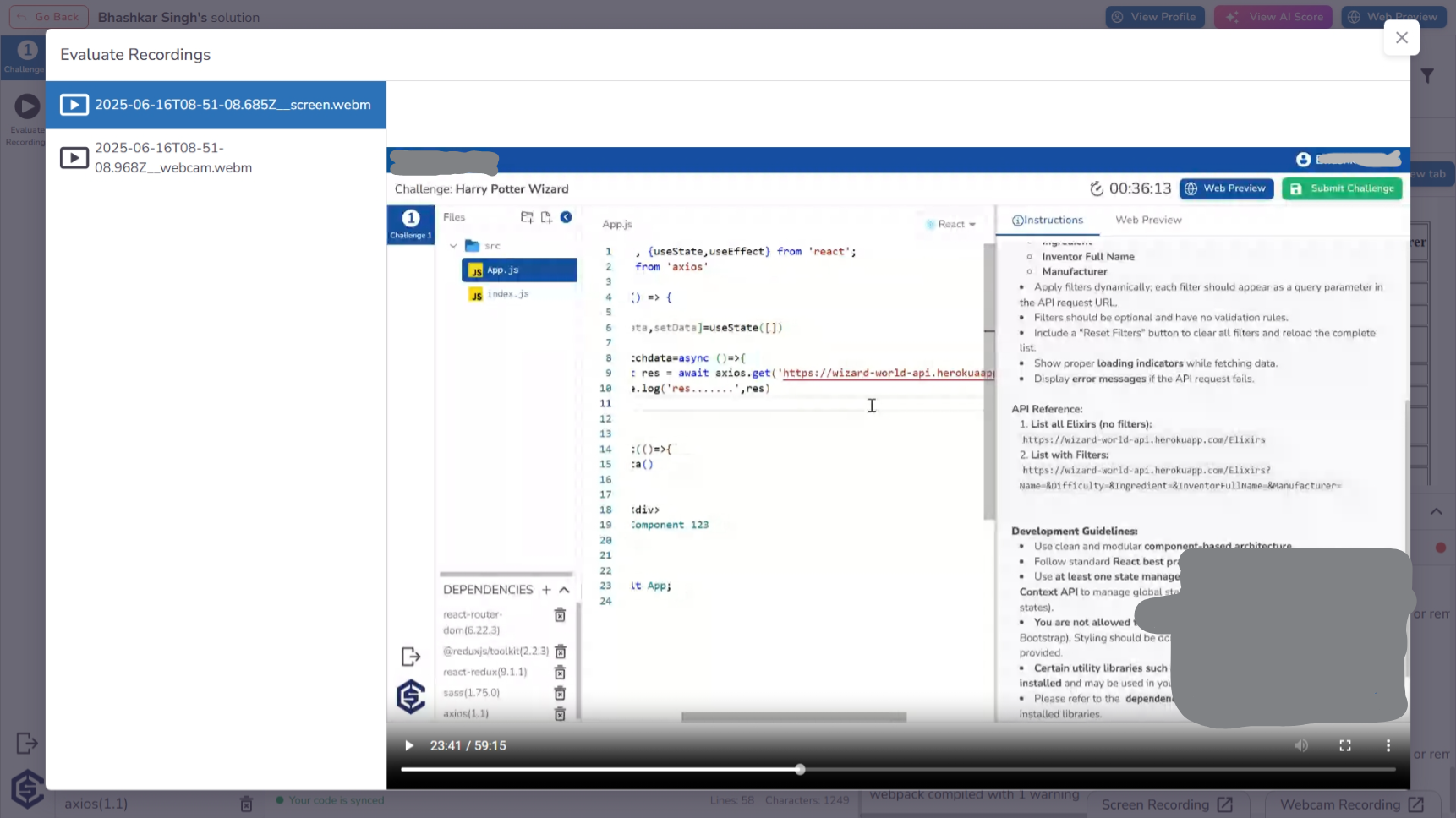
Proctoring & Evidence Review
There is a section for evidence recordings, where you can review synchronized webcam and screen-share footage to ensure assessment integrity.
Key Benefits
The Application stage provides a high-fidelity environment for evaluating complex engineering skills:
- Real-World Engineering Validation: Evaluate candidates on their ability to build functional applications using modern frameworks like React and Next.js, rather than isolated code snippets.
- Interactive Performance Audit: Use the interactive web preview and forensic timeline to review the execution and development process of the final application.
- Advanced AI Evaluation Insights: Leverage AI-generated reports that analyze deep technical patterns, state management, and architectural scalability.
- Authentic Development Ecosystem: Empower candidates with an in-browser IDE that supports real-time dependency management (NPM/Yarn) and instant UI previews.
- Robust Integrity & Proctoring: Ensure the authenticity of multi-file projects through synchronized recording reviews and detailed behavioral signals like tab-switching and copy-paste detection.