Video Response Stage
What this stage is
Video Response is a recorded, one-way interview stage where candidates respond to predefined questions.
When to use it
Use this stage when:
- Assessing communication skills
- Evaluating intent and clarity
- Reducing live interview load
Configuring the Stage
Setting up a Video Response stage involves defining the question set and the parameters for candidate interaction.
Question Management
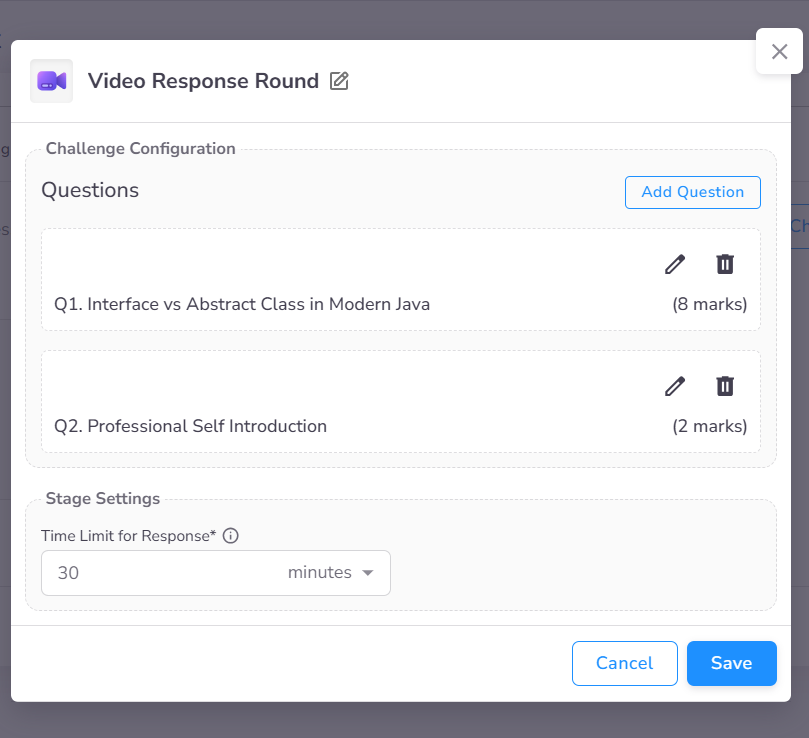
The stage configuration model displays the complete list of questions allocated to the round. Administrators can set a global time limit for the entire stage or manage individual question settings.
Detailed Question Settings
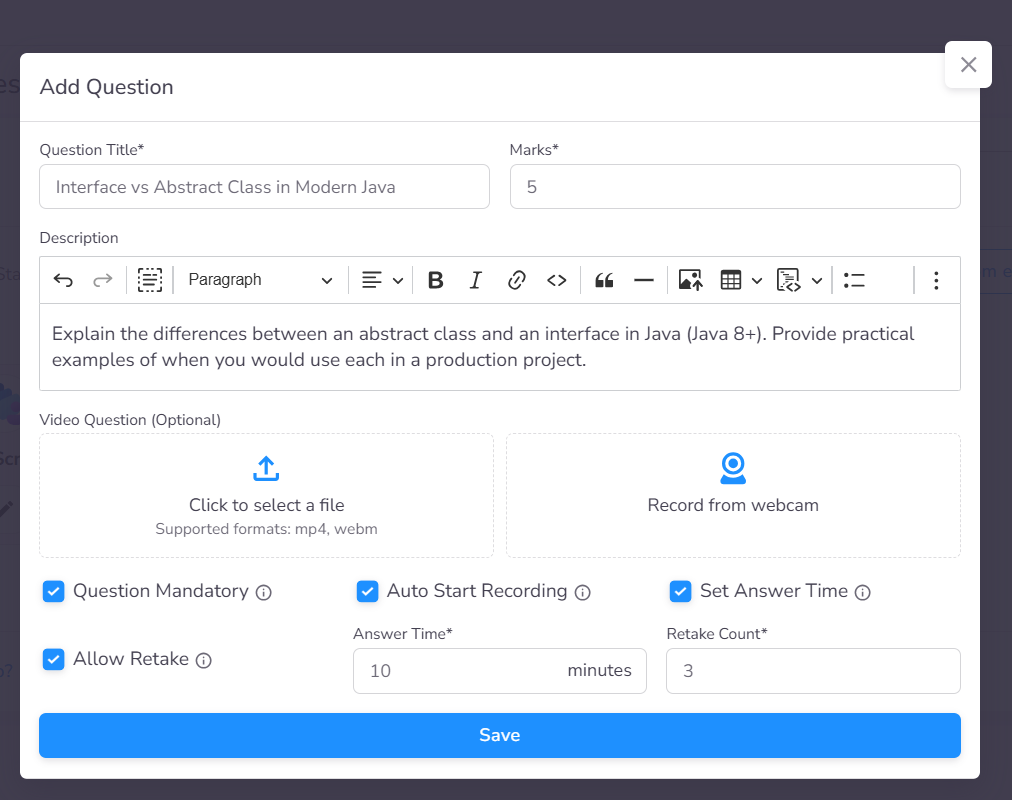
When adding or editing a question, you can configure several parameters to control the evaluation quality:
- Instructional Media: Optionally include a video prompt to present the question more dynamically.
- Mandatory Requirements: Designate specific questions that must be answered to complete the stage.
- Constraints: Set precise limits on Response Time and the Maximum Retake Count allowed for the candidate.
Candidate Experience
- Structured Delivery: Questions are presented one at a time to ensure focus.
- Controlled Environment: Specific time limits and retake restrictions maintain the intensity and authenticity of the response.
- Seamless Recording: Responses are captured directly through the candidate's webcam and microphone without requiring external software.
Integrated Candidate Interface
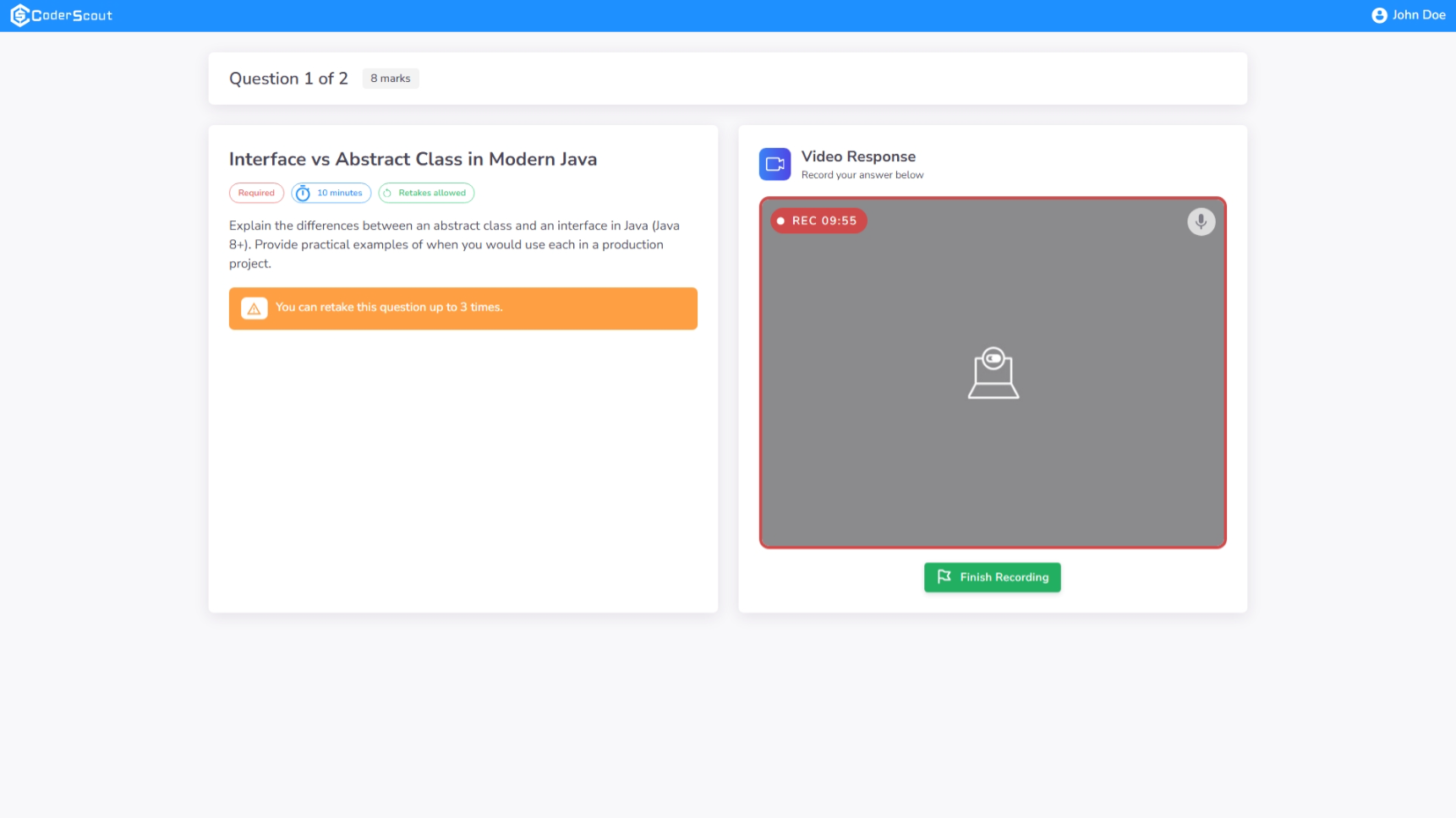
The Video Response interface is optimized for clarity and focus. Candidates are presented with a dual-view layout:
- Context & Instructions: The left panel displays the question title and detailed description alongside critical metadata such as the Question Duration, Mandatory Status, and the remaining Retake Count.
- Recording Preview: The right panel features a live webcam preview.
Administrative Insights & Evaluation
Dashboard Analytics
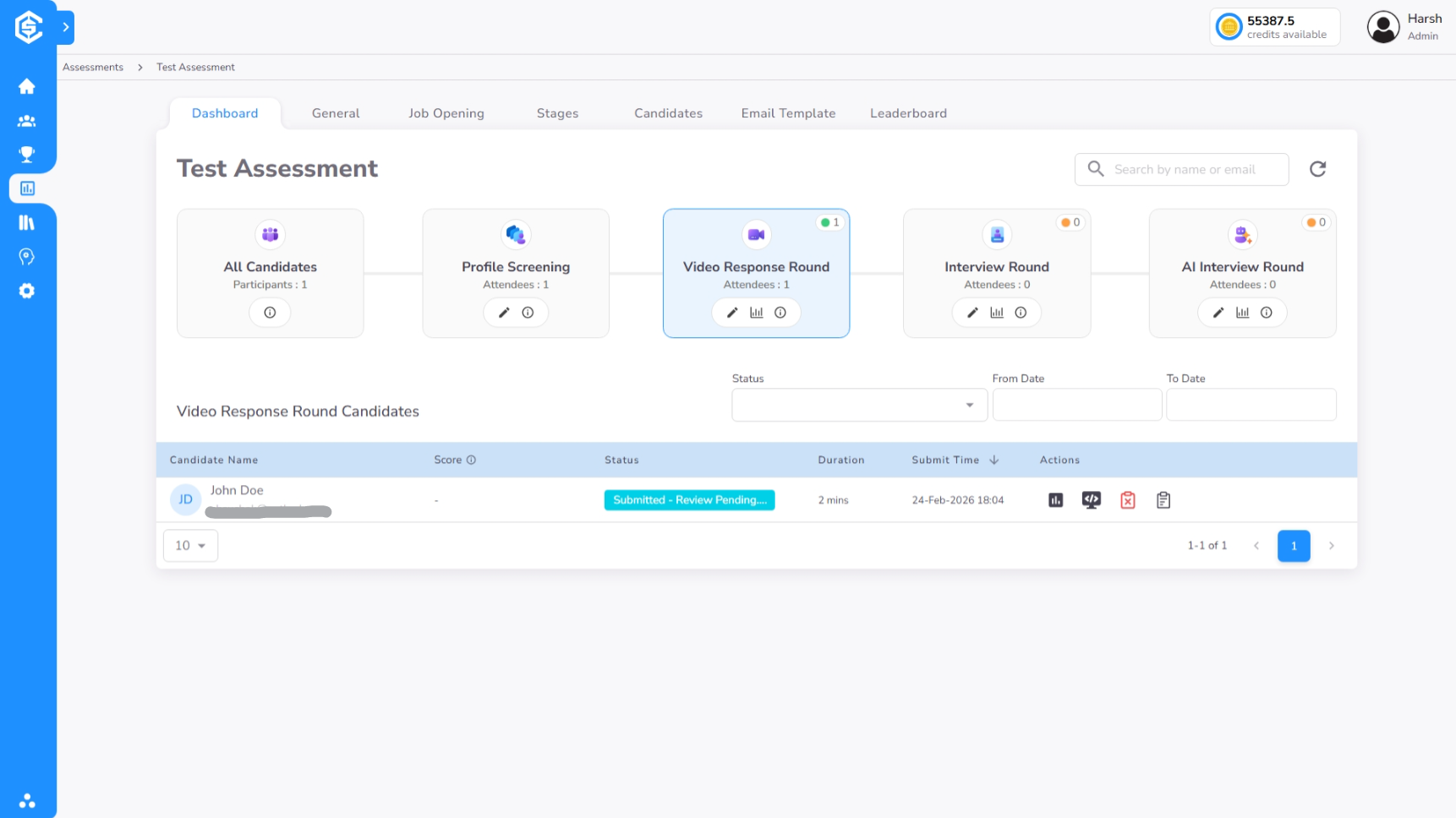
The Video Response dashboard provides a centralized overview of all candidate attempts. Recruiters can monitor real-time progression, identifying which candidates have completed the stage, who are still in progress, and the current status of evaluation (Scored vs. Pending).
Forensic Timeline & Assessment
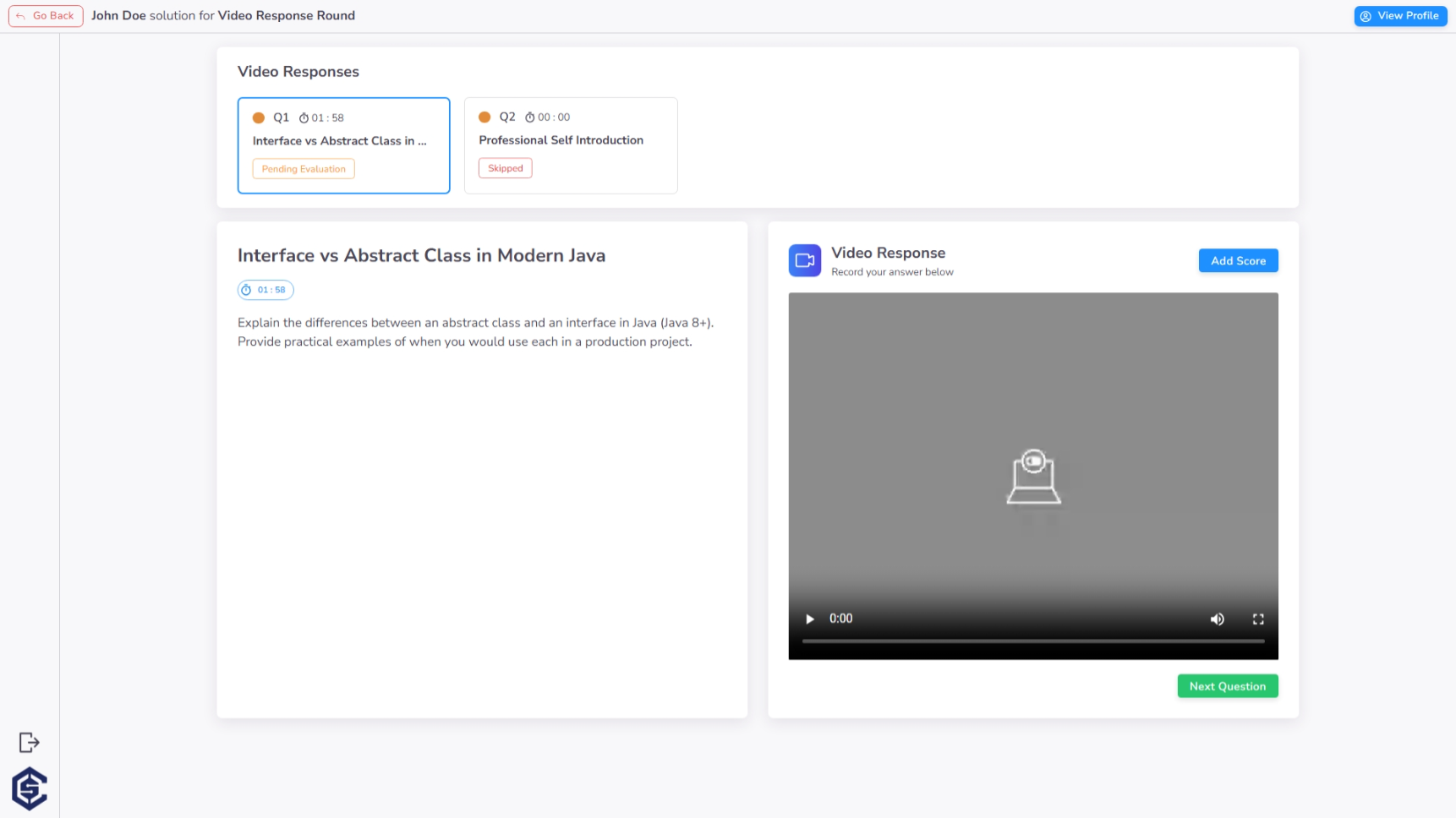
The specialized timeline view consolidates all candidate responses for granular review. From this page, evaluators can:
- Review Individual Responses: Watch question-specific recordings alongside the original question.
- Provide Direct Feedback: Add qualitative insights and assign scores for each response to build a comprehensive candidate profile.
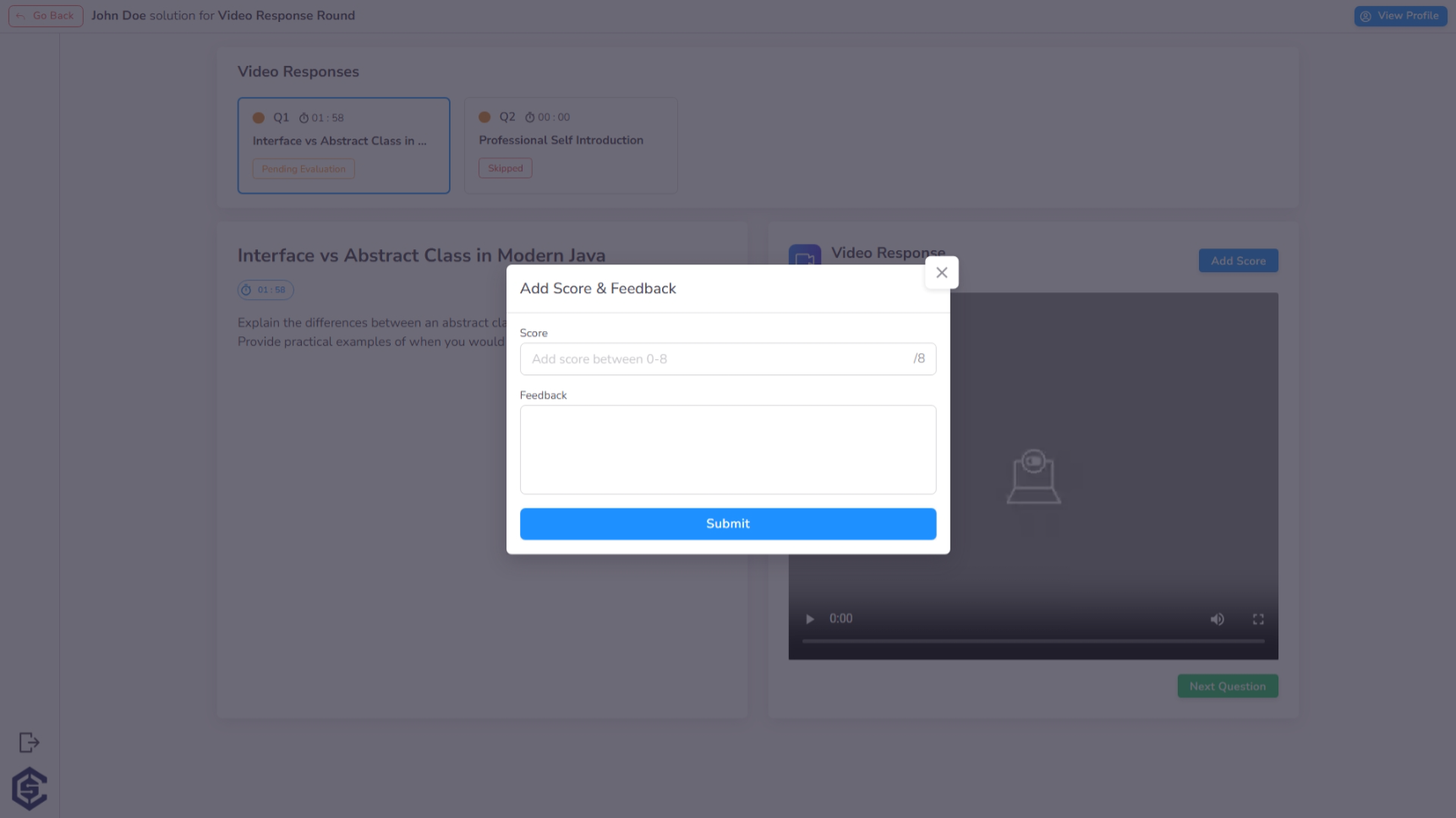
Manual Scoring & Qualitative Peer Feedback
The scoring interface allows hiring teams to assign points and document standardized feedback for every response, ensuring a consistent and transparent evaluation process.
AI Score & Transcript
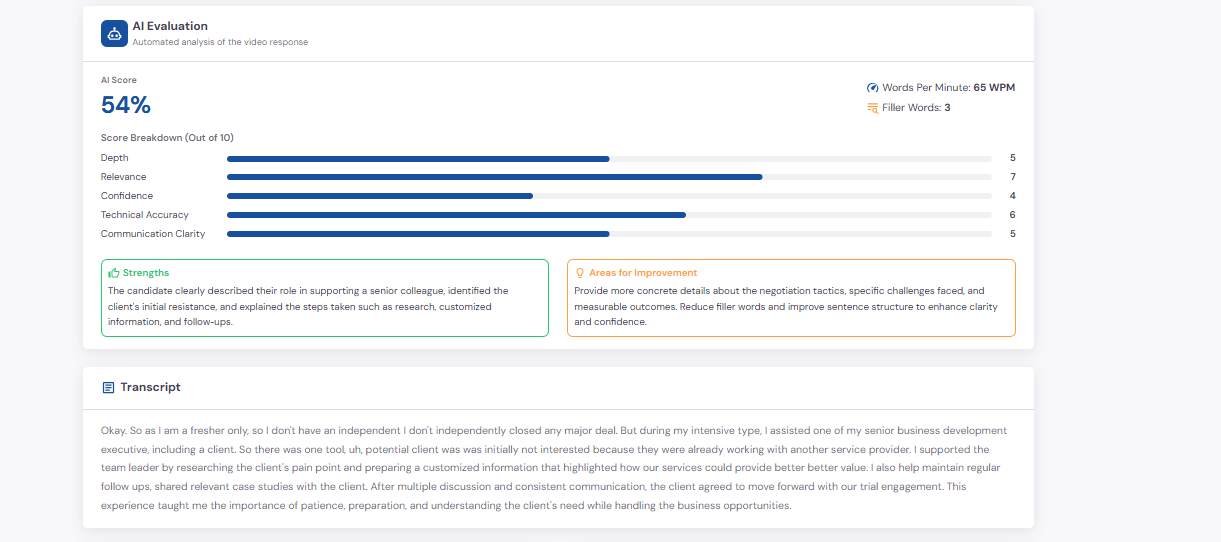
In addition to manual review, Video Response now supports AI-generated evaluation and a response transcript for each candidate submission.
The AI evaluation helps recruiters review recorded answers faster by generating:
- AI Score: An overall score based on the quality of the candidate's response.
- Score Breakdown: Dimension-wise scoring across areas such as depth, relevance, confidence, technical accuracy, and communication clarity.
- Strengths: Positive aspects identified in the candidate's answer.
- Areas for Improvement: Specific suggestions highlighting gaps in content, structure, or delivery.
- Speech Signals: Supporting indicators such as words per minute and filler word count.
- Transcript: A written transcript of the candidate's recorded response for quick review and record-keeping.
This allows teams to combine human judgment with AI-assisted analysis when screening communication-heavy or interview-style responses.
Key Benefits
The Video Response stage bridges the gap between resume screening and live interviews:
- Enhanced Communication Assessment: Directly evaluate a candidate's verbal communication and presentation skills early in the funnel.
- Flexible Review Scheduling: Eliminate the logistical challenges of live interviews by allowing hiring teams to review responses asynchronously.
- Standardized Candidate Experience: Ensures every candidate responds to the same set of prompts under identical conditions.
- Increased Screening Throughput: Rapidly filter candidates based on fit and intent before committing expensive interviewer time.
- Personalized Interaction: Including video questions makes the assessment feel more engaging and professional for the candidate.